
Latest Version
July 29, 2026
One Identity LLC.
Tools
Android
0
Free
com.quest.token.android
Report a Problem
More About Defender Soft Token
Enhance Your Security with Defender Soft Token for Two-Factor Authentication
In today's digital landscape, securing access to corporate networks and resources is paramount. The Defender Soft Token, when paired with the Defender solution, transforms your Android device into a powerful tool for two-factor authentication (2FA). This innovative approach not only enhances security but also streamlines the authentication process for users.
What is the Defender Soft Token?
The Defender Soft Token is a cutting-edge application designed to provide an additional layer of security for accessing corporate networks. By utilizing your Android device, it generates secure tokens that are essential for two-factor authentication. This means that even if a password is compromised, unauthorized access to sensitive information remains blocked.
Why Use Two-Factor Authentication?
Two-factor authentication is a critical security measure that requires users to provide two different forms of identification before gaining access to a system. This method significantly reduces the risk of unauthorized access, as it combines something you know (your password) with something you have (your mobile device). Implementing 2FA is a proactive step towards safeguarding your organization’s data.
How Does the Defender Soft Token Work?
The operation of the Defender Soft Token is straightforward yet highly effective. Here’s how it works:
- Installation: Download and install the Defender Soft Token app from the Google Play Store on your Android device.
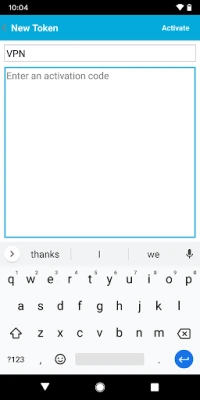
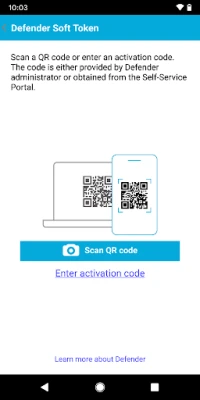
- Configuration: Follow the setup instructions to link the app with your corporate Defender account.
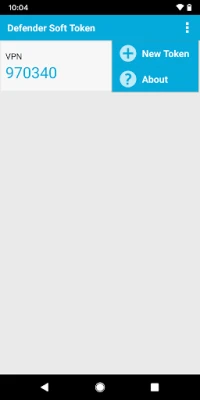
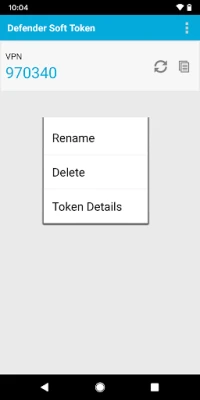
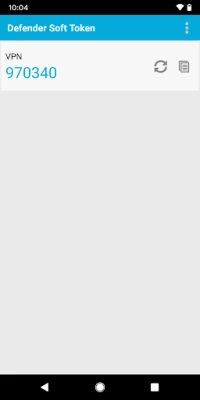
- Token Generation: When logging into your corporate network, the app generates a unique token that you will enter alongside your password.
- Access Granted: Upon successful entry of both your password and the generated token, you gain access to your resources securely.
Benefits of Using Defender Soft Token
Implementing the Defender Soft Token offers numerous advantages for organizations looking to bolster their security measures:
- Enhanced Security: By requiring a second form of authentication, the risk of unauthorized access is significantly reduced.
- User-Friendly: The app is designed for ease of use, allowing employees to authenticate quickly without cumbersome processes.
- Cost-Effective: Utilizing existing mobile devices for authentication eliminates the need for additional hardware tokens.
- Real-Time Token Generation: Tokens are generated in real-time, ensuring that they are always current and secure.
Getting Started with Defender
To begin using the Defender Soft Token, you need to acquire the Defender solution. For more information, reach out to the sales team at sales@oneidentity.com or visit the official website at One Identity Defender.
Conclusion
In an era where cyber threats are increasingly sophisticated, implementing robust security measures is essential. The Defender Soft Token provides a seamless and effective way to enhance your organization’s security through two-factor authentication. By leveraging your Android device, you can ensure that access to your corporate network remains secure and protected from unauthorized users. Don’t wait until it’s too late—take the necessary steps to safeguard your digital assets today.
Rate the App
User Reviews















Popular Apps










Editor's Choice









