
Latest Version
1.0.4
October 16, 2024
Browser by Fulldive Co.
Tools
Android
0
Free
com.fulldive.extension.dataguard
Report a Problem
More About DataGuard No Root Firewall, In
Ultimate Guide to DataGuard: The Best No-Root Firewall for Android
In today's digital age, safeguarding your privacy and controlling your data usage is more crucial than ever. With the rise of mobile applications that constantly access the internet, having a reliable firewall is essential. Enter DataGuard No Root Firewall, a powerful tool designed to protect your Android device from unauthorized access and data leaks. This article explores the features and benefits of DataGuard, ensuring you have complete control over your mobile connections.
Why You Need a Firewall for Your Android Device
As mobile devices become increasingly integrated into our daily lives, the risk of cyber threats grows. A firewall acts as a barrier between your device and potential threats, allowing you to monitor and control the data that apps can send and receive. With DataGuard, you can:
- Prevent unauthorized access to your personal information.
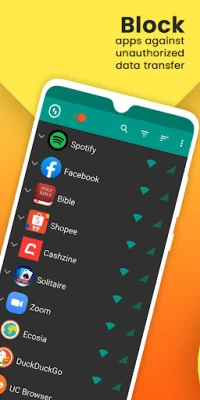
- Monitor which applications are using your data.
- Enhance your device's performance by blocking unnecessary background processes.
Comprehensive Protection and Control
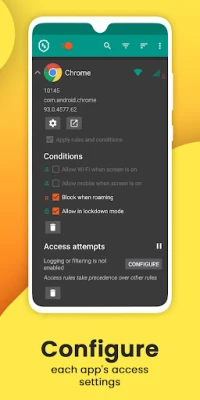
DataGuard offers robust firewall technologies and secure filter lists that comprehensively protect your privacy. With this app, you can easily allow or deny applications and addresses access to your Wi-Fi and mobile connections. Here’s how it works:
Real-Time Monitoring
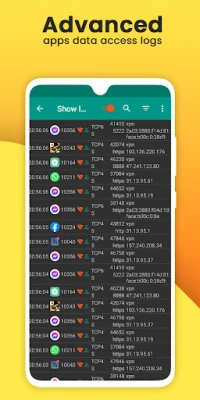
DataGuard provides real-time insights into which apps are accessing the internet. You can see exactly what data is being shared and with whom, giving you the power to make informed decisions about your privacy.
Simple Filter Rules
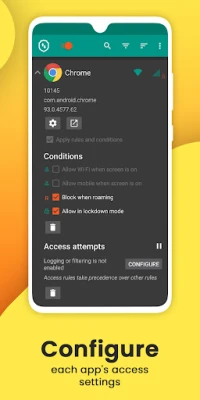
With user-friendly filter rules, you can allow or deny individual connections for each app. This level of control ensures that only trusted applications can access your data, significantly reducing the risk of data breaches.
Key Features of DataGuard No Root Firewall
DataGuard stands out in the crowded market of firewall applications due to its extensive features:
- Enhanced Firewall Protection: Protects against outgoing connections, ensuring that your data remains secure.
- VPN Access Point: All network connections are routed through the app's own firewall VPN access point, adding an extra layer of security.
- Control Over Installed Apps: Gain complete control over all applications installed on your device.
- Block Background and System Apps: Prevent unnecessary data usage by blocking background processes and system applications.
- Insights into Network Traffic: Get detailed insights into your network traffic, helping you understand your data consumption better.
- Live View of Current Data Connections: Monitor real-time data connections to see which apps are active.
- No Root Required: Enjoy all the benefits of a firewall without needing to root your device.
- Battery and Data Consumption Reduction: Optimize your device's performance by reducing battery and mobile data consumption.
- Light and Dark Themes: Customize your user experience with both light and dark themes.
- Open Source: DataGuard is 100% open source, ensuring transparency and community support.
- Active Development: The app is actively developed and supported, ensuring you receive regular updates and improvements.
- Compatibility: Supports Android 5.1 and later, as well as IPv4/IPv6 TCP/UDP.
- Tethering Support: Allows for tethering, making it versatile for various usage scenarios.
- Custom Notifications: Optionally notify when an application accesses the internet, keeping you informed.
- Network Usage Recording: Record network usage per application and per address for detailed analysis.
How to Get Started with DataGuard
Getting started with DataGuard is simple. Follow these steps to secure your Android device:
- Download the App: Visit the Google Play Store and download DataGuard No Root Firewall.
- Install and Set Up: Follow the on-screen instructions to install and set up the app.
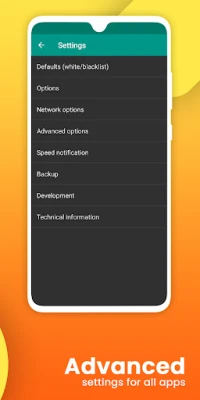
- Configure Your Settings: Customize your firewall settings according to your preferences, allowing or denying access to specific apps.
- Monitor Your Data: Use the app to monitor your data usage and ensure your privacy is protected.
Conclusion: Secure Your Android Device Today
In a world where data privacy is paramount, having a reliable firewall like DataGuard is essential. With its comprehensive features and user-friendly interface, you can take control of your mobile connections and protect your personal information from potential threats. Download DataGuard No Root Firewall today and experience peace of mind knowing your device is secure.
Rate the App
User Reviews















Popular Apps










Editor's Choice









