

Latest Version
1.2.26
April 29, 2026
VDL Tech
Tools
Android
0
Free
com.mobispeedy.recovery
Report a Problem
More About Data & Photo Recovery
Effortlessly Recover Deleted Photos and Videos with Mobispeedy
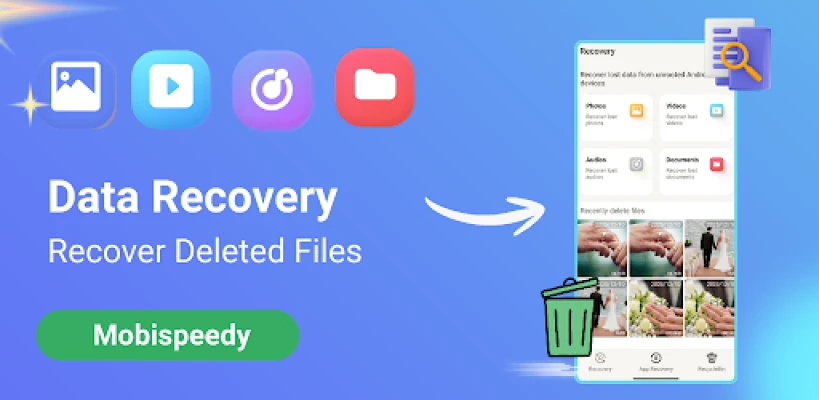
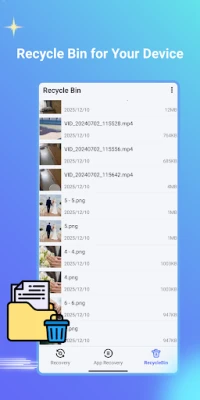
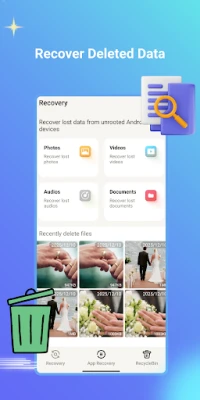
Have you ever found yourself in the frustrating situation of accidentally deleting important photos or videos from your smartphone? If so, you're not alone. Fortunately, with Mobispeedy, you can easily restore those precious memories. This innovative app acts as a recycle bin for your device, allowing you to recover deleted files quickly and efficiently.
Why Choose Mobispeedy for Data Recovery?
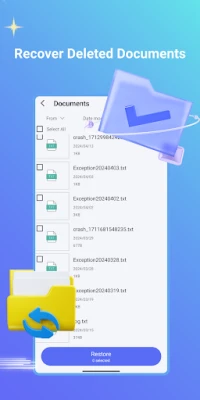
Mobispeedy is designed to help users recover deleted files, including photos, videos, audio, and documents, from both the internal memory of Android devices and SD cards. With its user-friendly interface and powerful recovery capabilities, Mobispeedy stands out as a reliable solution for data loss.
Key Features of Mobispeedy
1. Comprehensive Photo Recovery
With Mobispeedy, recovering deleted photos is a breeze. The app scans your device thoroughly to locate and restore lost images, ensuring that your cherished memories are never truly gone.
2. Seamless Video Recovery
Accidentally deleted a video? Mobispeedy allows you to recover videos without any data loss. Whether it's a family event or a special moment, you can retrieve your videos effortlessly.
3. Audio Recovery Made Easy
Have you mistakenly deleted important audio files or recordings? Mobispeedy can help you recover music tracks or voice memos, ensuring that your audio content is safe and sound.
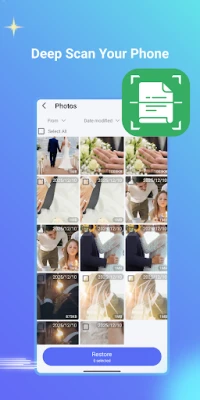
4. File Recovery with Deep Scan
Mobispeedy offers a deep scan feature that thoroughly examines your phone for deleted files. This ensures that even the most elusive data can be recovered, giving you peace of mind.
5. Preview Before Recovery
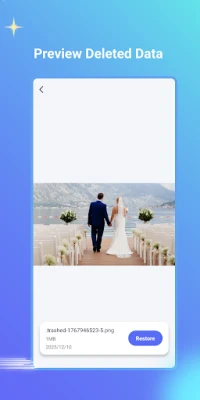
One of the standout features of Mobispeedy is the ability to preview scanned files before recovery. This allows you to confirm that you are restoring the correct files, making the recovery process more efficient.
6. Direct Recovery to Your Device
Mobispeedy simplifies the recovery process by allowing you to restore lost data directly to your phone. This quick and easy method ensures that you can access your files without hassle.
How to Use Mobispeedy for Data Recovery
Using Mobispeedy is straightforward. Follow these simple steps to recover your deleted files:
- Download and Install: Begin by downloading Mobispeedy from the Google Play Store and installing it on your device.
- Grant Permissions: Mobispeedy requires "Access all files" permission to search for lost data. When prompted, ensure you enable this permission for optimal performance.
- Scan Your Device: Launch the app and initiate a scan. Mobispeedy will search all locations on your device for recoverable files.
- Preview and Select: Once the scan is complete, preview the files found. Select the ones you wish to recover.
- Restore Your Files: Click on the recovery option to restore the selected files directly to your device.
Important Notes for Users
While Mobispeedy is a powerful tool for data recovery, it’s essential to act quickly after deleting files. The longer you wait, the higher the chance that new data will overwrite the deleted files, making recovery more difficult. Always ensure that you have the latest version of the app for the best performance and features.
Conclusion
In a world where our smartphones hold countless memories and important files, having a reliable data recovery solution is crucial. Mobispeedy offers an efficient and user-friendly way to recover deleted photos, videos, audio, and files from your Android device. With its comprehensive features and straightforward recovery process, you can rest assured that your valuable data is safe. Don’t let accidental deletions ruin your day—install Mobispeedy and take control of your data recovery needs today!
Rate the App
User Reviews















Popular Apps










Editor's Choice









