

Latest Version
1.1.0
May 05, 2026
Cake Labs
Finance
Android
0
Free
com.cakewallet.cupcake
Report a Problem
More About Cupcake: Security, Made Easy
Maximize Your Security: Pairing Cupcake with Cake Wallet or Monero.com
In today's digital landscape, ensuring the security of your cryptocurrency transactions is paramount. One innovative solution is the Cupcake app, designed specifically for air-gapped signing. However, to unlock its full potential, you must pair Cupcake with either Cake Wallet or Monero.com on a device connected to the internet. This article will guide you through the benefits of this pairing and how to optimize your cryptocurrency management.
Understanding Air-Gapped Signing
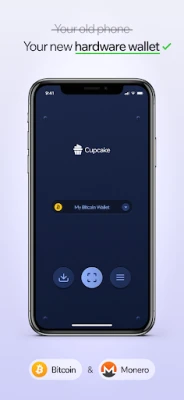
Air-gapped signing is a security measure that isolates your cryptocurrency wallet from the internet, significantly reducing the risk of hacking and unauthorized access. By using an air-gapped solution like Cupcake, you can create and sign transactions without exposing your private keys to online threats. This method is particularly beneficial for users who prioritize security in their cryptocurrency dealings.
What is Cupcake?
Cupcake is a companion app designed to enhance the security of your cryptocurrency transactions. It allows users to generate and sign transactions offline, ensuring that sensitive information remains protected from potential cyber threats. However, to fully utilize Cupcake's capabilities, it must be paired with an internet-connected wallet, such as Cake Wallet or Monero.com.
Why Pair Cupcake with Cake Wallet or Monero.com?
Pairing Cupcake with either Cake Wallet or Monero.com offers several advantages:
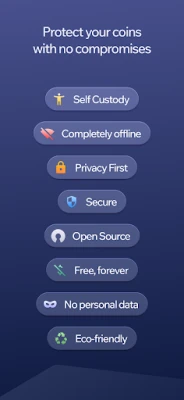
- Enhanced Security: By keeping your private keys offline, you minimize the risk of exposure to online attacks.
- Seamless Transactions: The integration allows for easy transaction management, enabling you to sign and send transactions efficiently.
- User-Friendly Interface: Both Cake Wallet and Monero.com provide intuitive interfaces that simplify the process of managing your cryptocurrency assets.
How to Pair Cupcake with Cake Wallet or Monero.com
To get started with Cupcake, follow these simple steps:
- Download and Install: First, download the Cupcake app from the official website or your device's app store. Ensure you also have Cake Wallet or Monero.com installed on your internet-connected device.
- Create Your Wallet: Set up your wallet on Cake Wallet or Monero.com, following the prompts to secure your account.
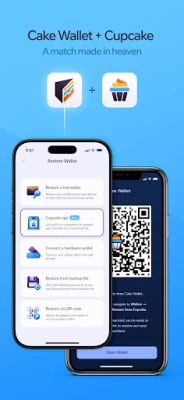
- Connect Cupcake: Open the Cupcake app and follow the instructions to pair it with your chosen wallet. This process typically involves scanning a QR code or entering a unique pairing code.
- Start Signing Transactions: Once paired, you can begin generating and signing transactions securely using Cupcake.
Best Practices for Using Cupcake
To maximize the security and efficiency of your cryptocurrency transactions, consider the following best practices:
- Regular Updates: Keep your Cupcake, Cake Wallet, and Monero.com apps updated to benefit from the latest security features and improvements.
- Backup Your Wallet: Always create a backup of your wallet to prevent loss of access to your funds in case of device failure.
- Use Strong Passwords: Implement strong, unique passwords for your wallets and enable two-factor authentication where possible.
Conclusion
In conclusion, pairing Cupcake with Cake Wallet or Monero.com is a strategic move for anyone serious about cryptocurrency security. By leveraging air-gapped signing, you can protect your assets from online threats while enjoying the convenience of easy transaction management. Follow the steps outlined above to set up your secure cryptocurrency environment and take control of your digital assets today.
Rate the App
User Reviews















Popular Apps










Editor's Choice









