
Latest Version
11.10.6
June 25, 2026
System monitor tools lab - Cpu Ram Battery
Tools
Android
1
Free
com.glgjing.stark
Report a Problem
More About CPU Monitor - temperature
Ultimate Guide to CPU Monitoring: Optimize Your Device Performance
In today's digital age, understanding your device's performance is crucial for maintaining efficiency and longevity. A reliable CPU monitor can provide invaluable insights into your system's health, helping you make informed decisions about upgrades and maintenance. This article delves into the essential features of a CPU monitoring tool, including device information, real-time analytics, and customizable themes.
Understanding CPU Monitoring
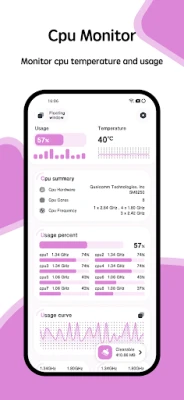
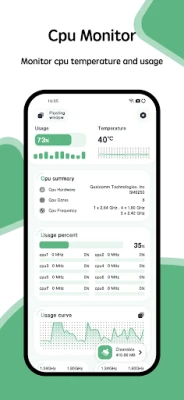
A CPU monitor is a powerful tool designed to track and display critical metrics related to your computer's central processing unit. By analyzing CPU temperature and frequency, users can gain a comprehensive understanding of their system's performance. This section will explore the significance of monitoring these parameters and how they impact your device's functionality.
CPU Temperature and Frequency Analysis
Monitoring the CPU temperature is essential for preventing overheating, which can lead to hardware damage and reduced performance. A quality CPU monitor provides historical data on temperature fluctuations, allowing users to identify patterns and potential issues. Additionally, tracking CPU frequency helps users understand how their processor performs under various workloads, ensuring optimal performance during demanding tasks.
Comprehensive Device Information
Another critical feature of a CPU monitoring tool is its ability to display detailed device information. This includes:
- CPU Information: Get insights into your processor's model, core count, and clock speed.
- System Information: Understand your operating system, version, and architecture.
- Hardware Information: Access details about your motherboard, RAM, and storage devices.
- Screen Information: View specifications related to your display, such as resolution and refresh rate.
Having access to this information allows users to make informed decisions regarding upgrades and troubleshooting, ensuring their systems run smoothly.
Real-Time Monitoring with Floating Windows
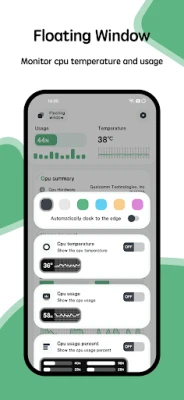
One of the standout features of modern CPU monitoring tools is the floating window functionality. This feature allows users to view real-time data on:
- CPU Temperature: Keep an eye on your processor's heat levels while working on other tasks.
- Battery Temperature: Monitor your device's battery health to prevent overheating.
- RAM Usage: Track memory consumption to optimize performance and prevent slowdowns.
The floating window feature enhances multitasking capabilities, enabling users to stay informed without interrupting their workflow.
Desktop Widgets for Quick Access
For those who prefer a more streamlined approach, many CPU monitoring tools offer desktop widgets. These widgets provide quick access to essential metrics, including:
- CPU Usage: Instantly see how much of your processor's capacity is being utilized.
- Battery Status: Keep track of your battery life and health at a glance.
- RAM Usage: Monitor memory usage to ensure your system runs efficiently.
Widgets can be customized to fit your desktop aesthetic, providing both functionality and style.
Customizable Themes for Personalization
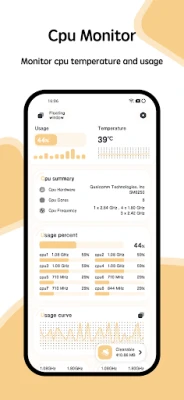
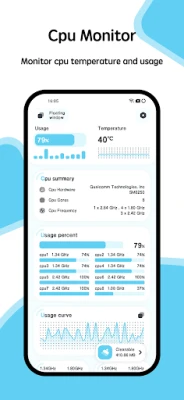
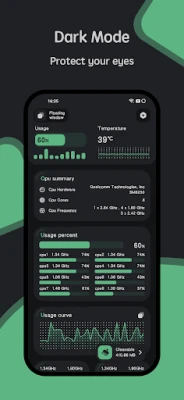
Another appealing aspect of modern CPU monitoring tools is the availability of multi-theme options. Users can choose from a variety of themes to match their personal style or desktop environment. This customization not only enhances the visual appeal of the monitoring tool but also allows users to create a more personalized computing experience.
Choosing the Right Theme
Selecting a theme that resonates with your preferences can make monitoring your CPU more enjoyable. Whether you prefer a sleek, minimalist design or a vibrant, colorful interface, the right theme can enhance your overall user experience.
Conclusion: Elevate Your Device Performance with CPU Monitoring
In conclusion, utilizing a comprehensive CPU monitoring tool is essential for anyone looking to optimize their device's performance. With features like detailed device information, real-time analytics through floating windows, convenient desktop widgets, and customizable themes, users can ensure their systems run efficiently and effectively. By staying informed about CPU temperature and frequency, you can prevent potential issues and enhance your overall computing experience. Invest in a reliable CPU monitor today and take control of your device's performance!
Rate the App
User Reviews















Popular Apps










Editor's Choice









