

Latest Version
0.4.0
December 09, 2025
Binita Apps
Tools
Android
0
$1.49
com.royalapps.cpuhardwareinfopro
Report a Problem
More About CPU Device & Hardware Info Pro
Unlocking Your Device's Potential: A Comprehensive Guide to Understanding Smartphone Features
In today's fast-paced digital world, understanding your smartphone's features is essential for maximizing its performance and functionality. This guide delves into the critical aspects of your device, from hardware specifications to software capabilities, ensuring you can make the most of your technology.
Device Information: Know Your Smartphone Inside and Out
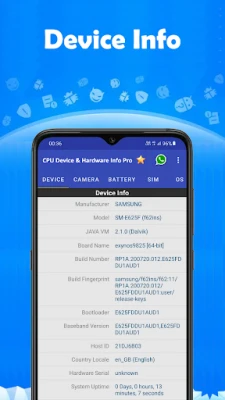
Every smartphone comes with a unique set of specifications that define its capabilities. Key details include:
- Model: The specific name or number assigned to your device.
- Manufacturer: The company that produced your smartphone.
- Chipset: The integrated circuit that manages data flow between components.
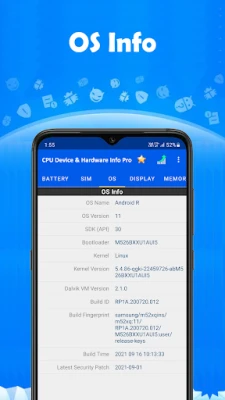
- Build Number: A unique identifier for the software version installed on your device.
- Android OS Version: The version of the Android operating system running on your device.
Understanding these elements helps you identify your device's capabilities and compatibility with various applications and updates.
System Specifications: The Heart of Your Device
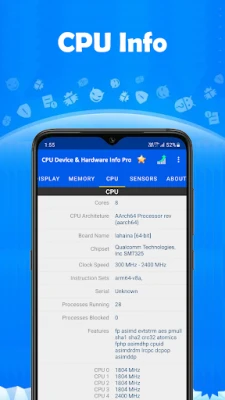
The system specifications provide insight into your smartphone's performance. Key components include:
- CPU Architecture: The design of the processor, which affects performance and efficiency.
- Board: The main circuit board that houses the CPU and other components.
- Number of Cores: The number of processing units within the CPU, impacting multitasking capabilities.
- Clock Speed: Measured in GHz, this indicates how fast the CPU can process information.
- CPU Features: Special capabilities of the CPU, such as support for specific instructions or technologies.
- Governor: The software that manages CPU performance and power consumption.
- Kernel Information: The core component of the operating system that manages system resources.
- Current CPU Utilization: A real-time measure of how much processing power is being used.
- Total Running Processes: The number of applications and services currently active on your device.
- Clock Frequency of Each Core: The operating speed of each individual core in the CPU.
By monitoring these specifications, you can optimize your device's performance and troubleshoot any issues that arise.
Memory Management: RAM and Storage Insights
Memory plays a crucial role in your smartphone's performance. Key metrics include:
- Total RAM: The total amount of random access memory available for running applications.
- Available RAM: The portion of RAM currently free for use, impacting multitasking capabilities.
- Storage Information: Details about the total storage capacity and available space on your device.
Understanding your memory usage can help you manage applications more effectively and ensure your device runs smoothly.
Camera Capabilities: Capture Every Moment
Your smartphone's camera is one of its most valuable features. Key aspects to consider include:
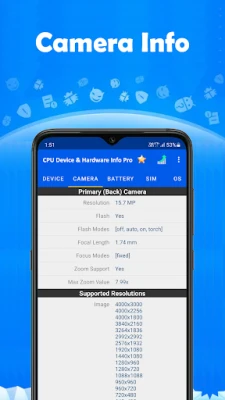
- Primary Camera: The main camera on your device, typically with higher resolution and advanced features.
- Secondary Camera: Often used for selfies or additional photographic effects.
- Supported Resolutions: The various image sizes your camera can capture.
- Focus Modes: Options for adjusting focus, such as auto-focus or manual focus.
- Anti-Banding Modes: Settings to reduce flicker from artificial lighting in photos.
By understanding your camera's capabilities, you can enhance your photography skills and capture stunning images.
Battery Health: Keeping Your Device Powered
The battery is the lifeblood of your smartphone. Key metrics include:
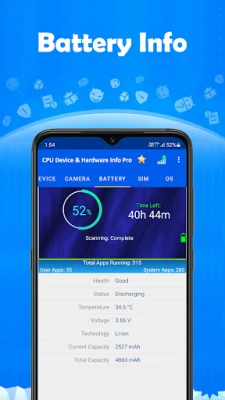
- Health: The overall condition of your battery, indicating its longevity and performance.
- Current Level: The remaining charge in your battery, expressed as a percentage.
- Power Source: Whether your device is charging via a wall outlet, USB, or wireless charger.
- Temperature: The current temperature of your battery, which can affect performance.
- Voltage: The electrical potential of your battery, impacting charging and discharging rates.
Monitoring your battery health can help you extend its lifespan and ensure your device remains operational throughout the day.
Sensors: Enhancing User Experience
Modern smartphones come equipped with various sensors that enhance functionality. Key sensors include:
- Accelerometer: Detects device orientation and movement.
- Gyroscope: Measures rotation and orientation, enhancing gaming and navigation.
- Proximity Sensor: Detects when the device is near your face, turning off the display during calls.
- Ambient Light Sensor: Adjusts screen brightness based on surrounding light conditions.
- Fingerprint Sensor: Provides biometric security for unlocking your device.
Real-time testing of these sensors can help you understand their functionality and troubleshoot any issues that may arise.
Conclusion: Mastering Your Smartphone Features
Understanding the features of your smartphone is essential for optimizing its performance and enhancing your user experience. By familiarizing yourself with device information, system specifications, memory management, camera capabilities, battery health, and sensor functionality, you can unlock the full potential of your device. Stay informed and make the most of your technology!
Rate the App
User Reviews















Popular Apps










Editor's Choice









