
Latest Version
5.1
January 29, 2026
Style-7
Tools
Android
0
Free
style_7.militaryclock_7
Report a Problem
More About Color Analog Clock-7
The Ultimate Guide to Using an Analog Clock App: Features and Benefits
In today's fast-paced digital world, having a reliable and multifunctional clock app is essential. An analog clock app not only tells time but also offers a variety of features that enhance your user experience. This article explores the numerous functionalities of an analog clock app, including its use as a live wallpaper, widget, and screensaver, while highlighting its unique features that set it apart from other clock applications.
Comprehensive Time Display
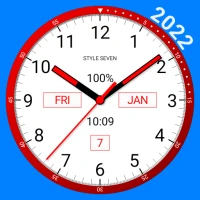
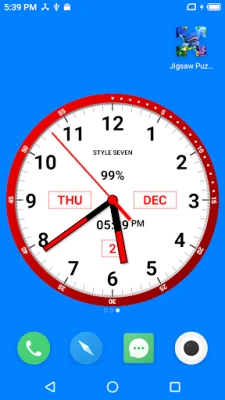
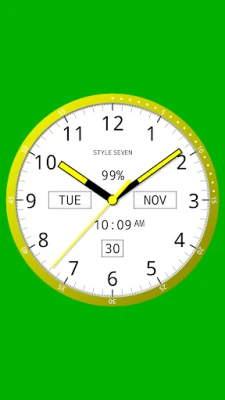
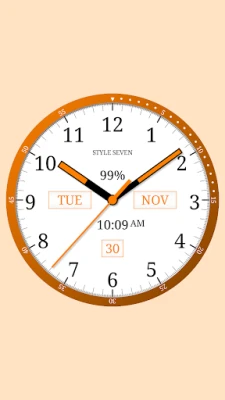
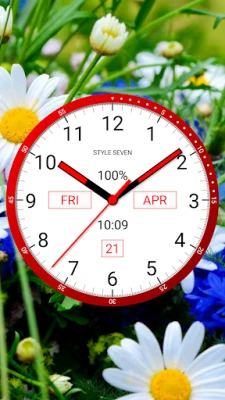
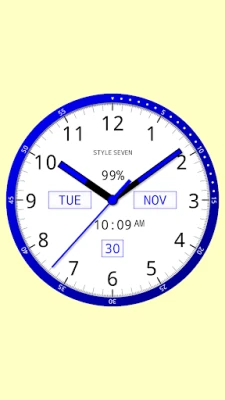
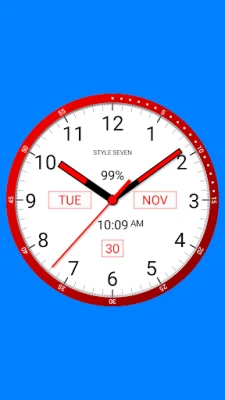
The analog clock app provides a complete overview of the current time, date, month, and day of the week. It also displays battery charge status (excluding app widgets) and features a digital clock for added convenience. This comprehensive display ensures that users have all the necessary information at a glance.
Voice Time Announcement
One of the standout features of the analog clock app is its ability to announce the current time audibly. By simply double-tapping the app window or live wallpaper, users can receive a voice update on the time. This feature can also be set to provide periodic announcements, such as every 15 minutes, making it an excellent tool for those who prefer auditory cues.
Customizable Live Wallpaper
Transform your home screen with the analog clock live wallpaper feature. Users can customize the clock's size and position, allowing for a personalized touch that fits seamlessly into their home screen layout. This feature not only enhances aesthetics but also keeps the time readily accessible.
Overlay Clock Functionality
The analog clock app can function as an overlay clock, appearing above all other windows. This feature allows users to drag and drop the clock to their desired position on the screen, ensuring that it remains visible and convenient to access at all times. Adjusting the size of the clock is also simple, making it adaptable to any screen layout.
App Widget for Quick Access
For Android 12 and higher users, the analog clock app offers a widget that includes a second hand, providing a classic clock experience right on the home screen. This widget allows for quick access to the time without needing to open the app, enhancing user convenience.
Full-Screen Mode for Immersive Experience
Users can enjoy the analog clock app in full-screen mode, complete with a "keep screen on" option. This feature is particularly useful for those who want to use the clock as a primary time display while working or during presentations.
Charging Screensaver
While your device is charging, the analog clock app can serve as a screensaver, displaying the time elegantly. This feature not only keeps the screen active but also adds a touch of style to your charging setup.
Night Clock Mode for Battery Efficiency
The app includes a “Night Clock” mode, designed with a calming black background and dark-gray hands to save battery life. This feature is perfect for nighttime use, providing a subtle glow without being overly bright or distracting.
Screen Burn-In Protection
To prevent screen burn-in, the analog clock app randomly changes its position every minute. This innovative feature ensures that your screen remains in good condition, even with prolonged use of the clock display.
Always-On Display Feature
The “Always on Screen” feature allows the clock to remain visible even when the device's screen is turned off. However, this function must be manually activated in full-screen mode. Users can also adjust brightness levels and set auto-lock options for added convenience.
Customizable Background and Font Options
Personalization is key with the analog clock app. Users can choose an image from their gallery or select a color for the background. Additionally, there are five different font styles available for the clock dial, allowing for a unique and tailored appearance.
Additional Features and Compatibility
The analog clock app supports both portrait and landscape orientations, ensuring compatibility with all screen resolutions, including 4K and HD displays, without compromising quality. Furthermore, it accommodates multiple languages for date display and offers both 12-hour and 24-hour time formats for the digital clock.
Conclusion: Why Choose the Analog Clock App?
In summary, the analog clock app is more than just a timekeeping tool; it is a versatile application that enhances your device's functionality and aesthetics. With features like voice announcements, customizable live wallpapers, and battery-saving modes, it stands out as a top choice for users seeking a comprehensive clock solution. Whether you need a simple time display or a sophisticated clock with multiple functionalities, the analog clock app has you covered.
Rate the App
User Reviews















Popular Apps










Editor's Choice









