
Latest Version
14.0.8
November 06, 2024
ColorOS
Tools
Android
0
Free
com.coloros.alarmclock
Report a Problem
More About Clock
Maximize Your Time Management with Customizable Alarm Features
In today's fast-paced world, effective time management is essential. With the right tools, you can streamline your daily routine and enhance productivity. This article explores the customizable alarm settings, time zone features, stopwatch functionality, and timer options that can help you stay organized and on track.
Personalize Your Alarm Settings
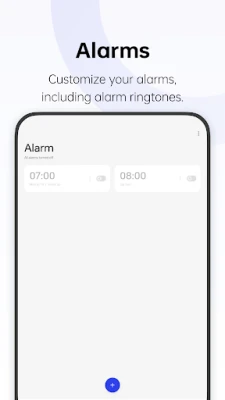
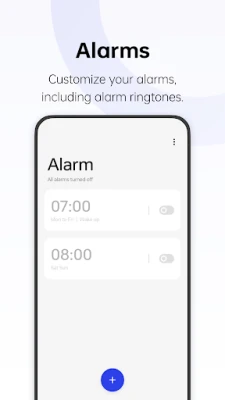
One of the standout features of modern alarm applications is the ability to customize alarm settings. You can choose from a variety of ringtones to ensure that your wake-up call is not only effective but also enjoyable. Whether you prefer a gentle melody to start your day or a more energetic tune to get you moving, the options are endless. This personalization allows you to create a morning routine that suits your lifestyle and preferences.
View Local Times with Time Zone Management
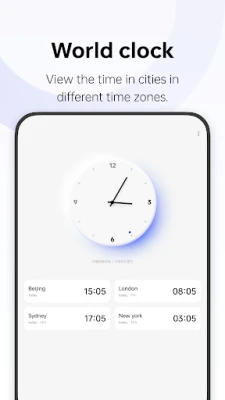
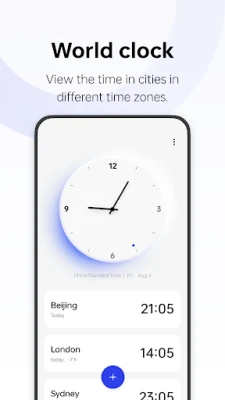
For those who frequently communicate or travel across different time zones, adding cities to your alarm app can be a game-changer. This feature enables you to view local times at a glance, making it easier to schedule meetings, calls, or personal events without the hassle of calculating time differences. By simply adding the cities you need, you can stay connected with friends, family, and colleagues around the globe, ensuring that you never miss an important moment.
Accurate Time Measurement with Stopwatch Functionality
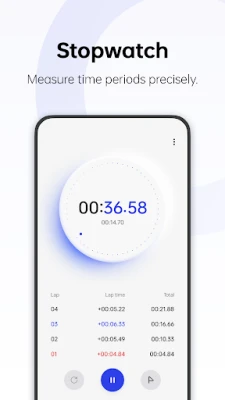
The stopwatch feature is another invaluable tool for anyone looking to measure time periods accurately. Whether you're timing a workout, cooking a meal, or tracking a project, the stopwatch allows you to keep precise records of elapsed time. This functionality is particularly useful for athletes and professionals who need to monitor their performance and efficiency closely. With just a tap, you can start, stop, and reset the stopwatch, making it a straightforward yet powerful tool for time management.
Efficient Task Management with Preset and Custom Timers
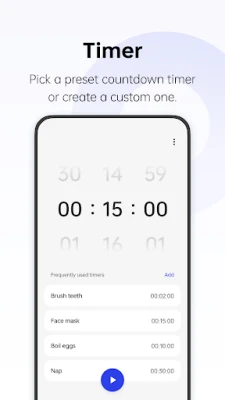
In addition to alarms and stopwatches, many applications offer preset timers for common daily tasks. These timers can help you manage your time effectively, whether you're cooking, exercising, or working on a project. The convenience of having preset options means you can quickly set a timer without having to input the duration each time.
Moreover, the ability to create custom timers adds another layer of flexibility. You can tailor timers to fit your specific needs, whether it's a 15-minute break, a 30-minute study session, or a 1-hour meeting. This customization ensures that you can manage your time according to your unique schedule and preferences, enhancing your overall productivity.
Conclusion: Elevate Your Time Management Skills
Incorporating customizable alarm settings, time zone management, stopwatch functionality, and both preset and custom timers into your daily routine can significantly enhance your time management skills. By leveraging these features, you can create a more organized and efficient lifestyle, allowing you to focus on what truly matters. Embrace these tools and take control of your time today!
Rate the App
User Reviews















Popular Apps










Editor's Choice









