
Latest Version
August 21, 2024
Google LLC
Tools
Android
0
Free
com.google.android.deskclock
Report a Problem
More About Clock
Maximize Your Time Management: Essential Features of Modern Timekeeping Apps
In today's fast-paced world, effective time management is crucial for productivity and well-being. With the advent of advanced timekeeping applications, users can now harness a variety of features to streamline their daily routines. This article explores the essential functionalities of modern timekeeping apps, including alarms, timers, world clocks, sleep aids, and wearable device integration.
1. Set Alarms, Add Timers, and Run a Stopwatch
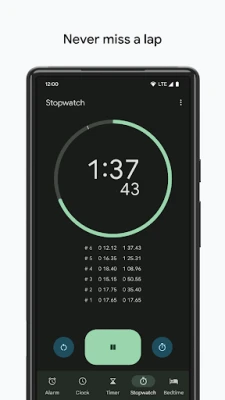
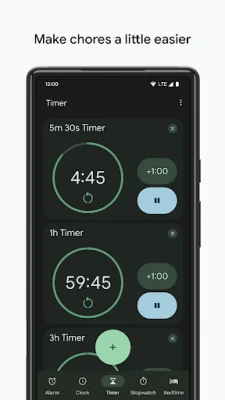
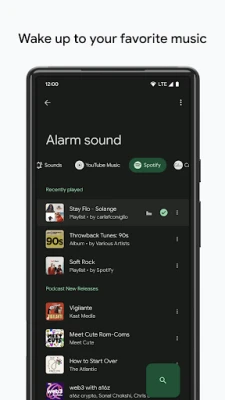
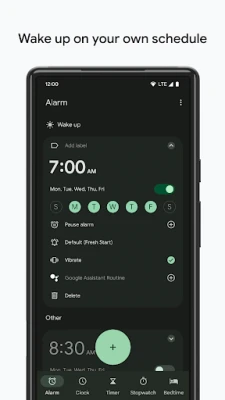
One of the primary features of timekeeping apps is the ability to set alarms, add timers, and utilize a stopwatch. These tools are indispensable for managing daily tasks and ensuring you stay on schedule. Whether you need to wake up early, remind yourself of an important meeting, or time your cooking, these functionalities provide the flexibility you need.
Setting alarms is straightforward; simply choose your desired time, select a tone, and you’re good to go. Timers are equally easy to use, allowing you to count down for specific tasks, such as workouts or cooking. The stopwatch feature is perfect for tracking elapsed time during activities, making it a favorite among athletes and fitness enthusiasts.
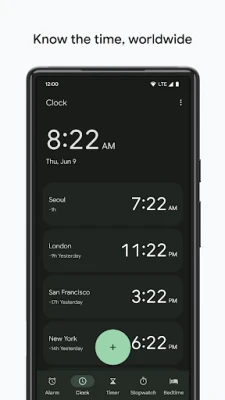
2. Keep Track of Time Around the World Using World Clock
For those who work with international teams or have loved ones in different time zones, the world clock feature is invaluable. This tool allows you to monitor the time in various locations simultaneously, helping you schedule meetings and calls without the hassle of calculating time differences.
Most timekeeping apps offer a user-friendly interface where you can add multiple cities to your world clock. This feature not only enhances your global awareness but also ensures that you never miss an important event, regardless of where it takes place.
3. Set a Bedtime Schedule, Listen to Sleep Sounds, and See Your Upcoming Events
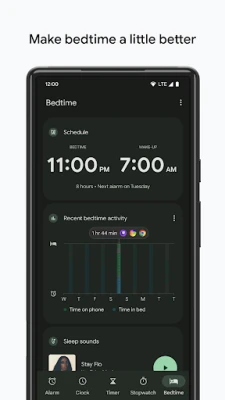
Quality sleep is essential for maintaining productivity and overall health. Many modern timekeeping apps now include features that help you establish a bedtime routine. You can set a bedtime schedule that reminds you when to wind down for the night, ensuring you get the rest you need.
Additionally, these apps often provide soothing sleep sounds to help you drift off more easily. From gentle rain to calming ocean waves, these sounds create a peaceful environment conducive to sleep. Furthermore, you can view your upcoming events directly within the app, allowing you to plan your day effectively and avoid any last-minute surprises.
4. Pair with a Wear OS Device for Enhanced Functionality
Integrating your timekeeping app with a Wear OS device takes convenience to the next level. By pairing your smartphone with a smartwatch, you can access alarms and timers directly from your wrist. This feature is particularly useful for those on the go, as it allows you to stay organized without constantly checking your phone.
Wear OS devices often support saved tiles or watch face complications, enabling you to customize your display with the information you need most. Whether it’s a countdown timer for your workout or a quick glance at your next appointment, having this information readily available enhances your productivity and keeps you on track throughout the day.
Conclusion
Modern timekeeping apps offer a plethora of features designed to enhance your time management skills. From setting alarms and timers to tracking global time zones, these tools are essential for anyone looking to optimize their daily routines. By incorporating sleep aids and wearable technology, you can further improve your efficiency and well-being. Embrace these innovative features and take control of your time today!
Rate the App
User Reviews















Popular Apps










Editor's Choice









