

Latest Version
1.0.6
December 12, 2025
Quiet Games.
Tools
Android
0
Free
app.quiet.cleanmanager
Report a Problem
More About Clean Manager: Storage Cleaner
Maximize Your Storage: The Ultimate Guide to Efficient File Management
In today's digital age, managing storage space on your devices is crucial. With countless photos, videos, and files accumulating over time, it’s easy to feel overwhelmed. This guide will provide you with effective strategies to declutter your digital space, ensuring you maintain control over your files while optimizing your device's performance.
Effective Strategies for File Management
To reclaim valuable storage space, consider implementing the following strategies:
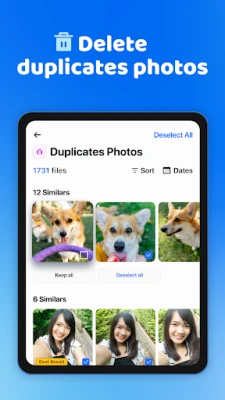
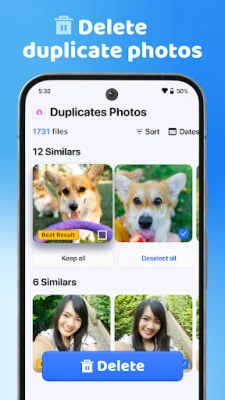
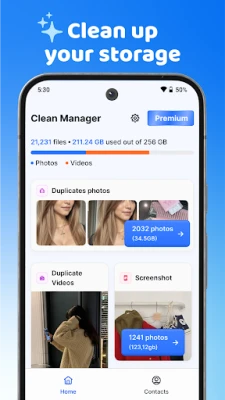
- Eliminate Duplicate and Similar Media: Regularly review your photo and video library to identify and delete duplicates or similar images. This not only frees up space but also simplifies your media collection.
- Clear Out Old Screenshots and Blurry Images: Screenshots can pile up quickly. Go through your gallery and remove outdated or unclear screenshots to enhance your storage efficiency.
- Identify and Remove Large Files: Use file management tools to locate large files that consume significant storage. Deleting or transferring these files can lead to substantial space savings.
- Compress Photos and Videos: Utilize compression tools to reduce the file size of your media without sacrificing quality. This allows you to keep more files while using less space.
- Review Before Deleting: Always preview files before deletion. This ensures you retain only the best content and maintain control over your digital assets.
- Utilize Monitoring Widgets: Consider adding optional widgets to your device that monitor storage and battery usage. This proactive approach helps you stay informed about your device's performance.
How File Management Tools Work
Understanding how file management tools operate can enhance your decluttering process:
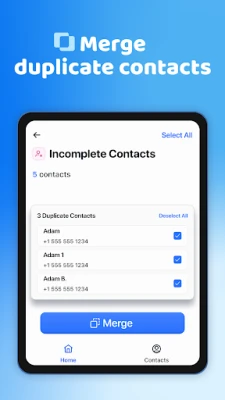
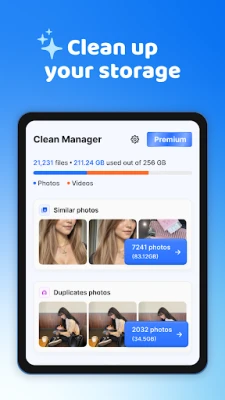
- Smart Scanning: Advanced file management applications utilize smart scanning technology to group clutter, such as duplicates, screenshots, and large files. This feature allows for quick and efficient action.
- Side-by-Side Previews: Many tools offer side-by-side previews of similar files, enabling you to compare and keep only the best versions. This feature is invaluable for maintaining quality while decluttering.
- Built-In Compression: Leverage built-in compression features to shrink the size of your media files. This ensures you save space while preserving the quality of your photos and videos.
Why Choose Clean Manager for Your File Management Needs?
When it comes to file management, Clean Manager stands out for several reasons:
- Speed and Focus: Clean Manager is designed for efficiency, allowing you to quickly identify and address storage issues without unnecessary distractions.
- Privacy-Centric Approach: Your privacy is paramount. Clean Manager ensures that your personal photos and videos remain secure throughout the decluttering process.
- Clear Explanations: The app provides straightforward explanations before any changes are made, ensuring you understand the implications of your actions.
- Trusted by Millions: Developed by the creators of popular utility apps, Clean Manager has garnered a loyal user base, making it a reliable choice for file management.
Tips for Lasting Space Savings
To achieve real and lasting space savings, focus on the following:
- Prioritize removing duplicates, screenshots, and large files.
- Utilize safe compression techniques to maintain quality while reducing file sizes.
- Regularly review your media library to prevent clutter from accumulating again.
Purchases and Subscriptions
Clean Manager offers in-app purchases and auto-renewable subscriptions through the App Store and Google Play. Payment is charged to your account upon confirmation of purchase. Subscriptions automatically renew unless canceled at least 24 hours before the end of the current period. You can manage or cancel your subscriptions in your account settings.
Terms of Use and Privacy Policy
For more information regarding the terms of use, please visit Terms of Use. To understand how your data is handled, refer to the Privacy Policy.
By implementing these strategies and utilizing tools like Clean Manager, you can effectively manage your digital storage, ensuring your device runs smoothly and efficiently. Start decluttering today and enjoy a more organized digital life!
Rate the App
User Reviews















Popular Apps










Editor's Choice









