
Latest Version
4.4.1
December 12, 2025
CFE SSB
Finance
Android
0
Free
mx.com.cfe.cfecontigo
Report a Problem
More About CFE Contigo
How to Find the Nearest Customer Service Centers and Set Up Payment Reminders
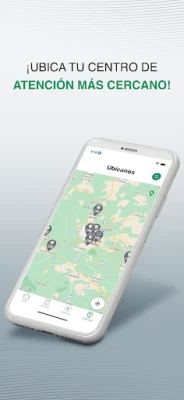
Finding the nearest customer service center is essential for efficient assistance. To ensure you receive accurate directions, it’s crucial to enable your location settings. Additionally, to stay updated with payment reminders, activating push notifications within the app is necessary. This guide will walk you through the steps to optimize your experience.
Enabling Location Services for Accurate Directions
To locate the nearest customer service center, start by enabling your device's location services. This feature allows the app to access your current position, providing you with precise directions. Here’s how to do it:
- For iOS Users: Go to Settings > Privacy > Location Services. Ensure that Location Services are turned on and that the app has permission to access your location.
- For Android Users: Navigate to Settings > Location. Turn on the location services and grant the app access to your location.
Once your location is enabled, open the app, and it will automatically detect your position, allowing you to find the nearest customer service center effortlessly.
Activating Push Notifications for Payment Reminders
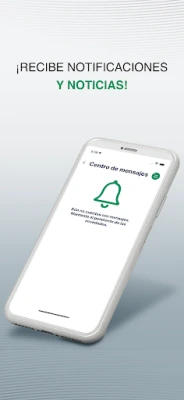
Staying on top of your payment deadlines is crucial to avoid late fees and service interruptions. To receive timely reminders, you need to activate push notifications in the app. Follow these steps:
- Open the App: Launch the application on your device.
- Access Settings: Look for the settings icon, usually represented by a gear symbol.
- Enable Notifications: Find the notifications section and toggle on the option for push notifications. This will ensure you receive alerts for upcoming payments.
By enabling push notifications, you will receive timely reminders directly on your device, helping you manage your payments effectively.
Benefits of Using the App for Customer Service
Utilizing the app for customer service offers numerous advantages:
- Convenience: Access customer service information anytime, anywhere, without the need to visit a physical location.
- Real-Time Updates: Receive instant notifications about your account, including payment reminders and service updates.
- Streamlined Communication: Easily connect with customer service representatives through the app for quick assistance.
Conclusion
In summary, enabling your location services and activating push notifications are essential steps to enhance your experience with customer service centers. By following the outlined steps, you can easily find the nearest center and stay informed about your payment deadlines. Embrace the convenience of technology to manage your customer service needs efficiently.
Rate the App
User Reviews















Popular Apps










Editor's Choice









