Latest Version
3.0
April 27, 2026
TV Master - Smart TV Remote Control
Tools
Android
0
Free
com.castfor.chromecast.remotecontrol
Report a Problem
More About Cast for Chromecast - TV Cast
Unlock the Power of Screen Mirroring with Cast for Chromecast - TV Cast
In today's digital age, sharing content seamlessly across devices has become essential. Whether you're looking to enjoy a movie night with friends or showcase your latest vacation photos, Cast for Chromecast - TV Cast offers an intuitive solution. This versatile application not only functions as a web video caster but also enhances your viewing experience by allowing you to mirror your screen effortlessly on your TV.
Experience Seamless Screen Mirroring
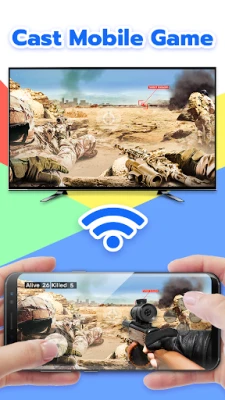
With Cast for Chromecast - TV Cast, you can easily mirror your mobile device's screen to your TV. This feature is perfect for sharing photos, videos, and even games with family and friends. Imagine gathering around the TV on weekends to watch your favorite online channels from platforms like YouTube, Prime Video, and Roku. The possibilities are endless!
Advanced Features of Cast for Chromecast - TV Cast
This application is not just another casting tool; it comes packed with advanced features that elevate your streaming experience:
- Screen Mirroring on Chromecast: Effortlessly display your mobile screen on your TV.
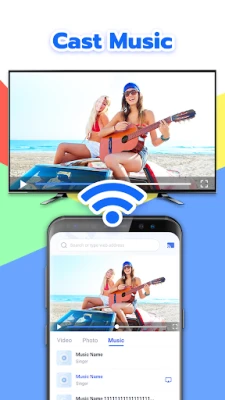
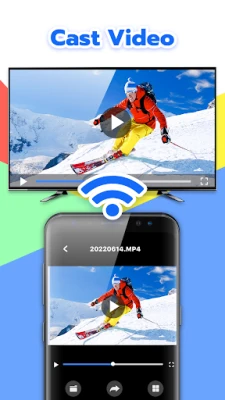
- Allshare Cast: Share local photos, videos, and music directly to your TV.
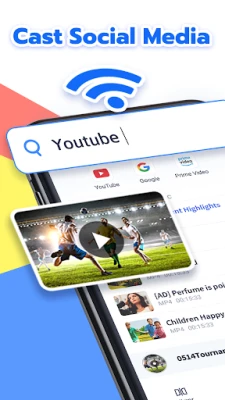
- TV Cast for Chromecast: Stream content from YouTube and Prime Video with ease.
- Website Resource Casting: Cast directly from your favorite websites.
- Broad Smart TV Compatibility: Supports most major smart TV brands for free.
- Wi-Fi and Miracast Support: Requires the same Wi-Fi connection for seamless casting.
Advantages of Using Cast for Chromecast - TV Cast
Why choose Cast for Chromecast - TV Cast? Here are some compelling advantages:
- Similar Functionality to Homekit and Smartthings: Enjoy a user-friendly interface that rivals other smart home solutions.
- Watch Your Favorite Shows: Easily access YouTube and Prime Video on your TV.
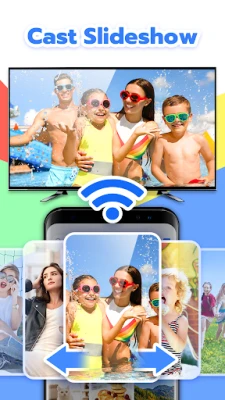
- Cast Multimedia Content: Share slideshows, social media posts, and mobile games with your loved ones.
- Control TV Settings: Adjust channels and volume directly from your mobile device.
- Miracast Screen Mirroring: Compatible with various smart TVs for a smooth experience.
Supported Devices and Platforms
Cast for Chromecast - TV Cast is designed to work with a wide range of devices:
- Compatible with Chromecast, Roku, Xbox, DLNA, and Miracast Wireless Display.
- Stream content from popular platforms like Netflix, YouTube, and ESPN.
- Supports smart TVs from brands such as Sony, Vizio, Philips, MI, and Google TV.
How to Use Cast for Chromecast - TV Cast: Tips and Tricks
Getting started with Cast for Chromecast - TV Cast is simple. Follow these steps to ensure a smooth casting experience:
- Ensure your Chromecast box is connected to your TV.
- Check that your mobile phone supports Chromecast.
- Connect both your mobile phone and smart TV to the same Wi-Fi network.
- Enable wireless display and Chromecast settings on your TV.
- Select your phone screen to cast on your smart TV.
- Share local files such as photos, videos, and music from your mobile device.
- Stream your favorite content from Prime Video, YouTube, and more.
- Enjoy screen sharing and mirroring with friends and family.
Conclusion
In conclusion, Cast for Chromecast - TV Cast is an exceptional tool for anyone looking to enhance their home entertainment experience. With its robust features and compatibility with various devices, it stands out as a leading choice for screen mirroring and casting. Please note that Chromecast is a trademark of Google LLC, and this application is not affiliated with Google or any other Miracast brands mentioned. Whether you're casting from your mobile device or sharing content with loved ones, Cast for Chromecast - TV Cast is your go-to solution for seamless streaming.
Rate the App
User Reviews















Popular Apps










Editor's Choice









