


Latest Version
1.2.2
July 30, 2026
WEX, Inc.
Finance
Android
0
Free
com.wex.fleetcardauth
Report a Problem
More About Card Authenticator
Unlocking the Power of Dynamic Prompt: A Guide to Using Card Authenticator for Fuel Transactions
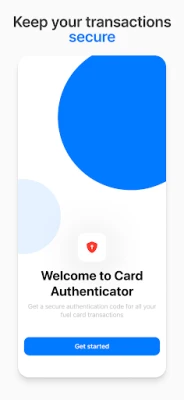
In today's fast-paced world, efficiency and security are paramount, especially when managing a fleet. With the introduction of Dynamic Prompt on your fuel card, transactions have become more streamlined and secure. This article will guide you through the process of using Card Authenticator to generate the time-sensitive code necessary for completing your fuel transactions seamlessly.
Understanding Dynamic Prompt and Card Authenticator
Dynamic Prompt is a feature designed to enhance the security of fuel card transactions. By requiring a unique, time-sensitive code generated through the Card Authenticator app, it ensures that only authorized users can complete transactions. This added layer of security helps protect your fleet from unauthorized use and fraud.
Step-by-Step Guide to Using Card Authenticator
Follow these simple steps to utilize Card Authenticator effectively and ensure a smooth transaction process:
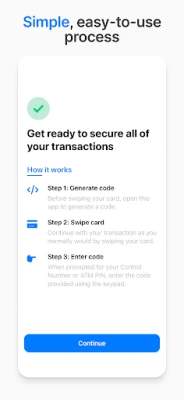
Step 1: Generate Your Code
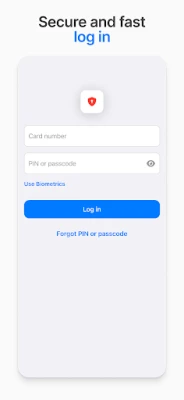
Before you swipe your fuel card, it’s essential to generate a unique code. Open the Card Authenticator app on your device. This app is designed to provide you with a secure, time-sensitive code that you will need for your transaction. Make sure you have your card number and PIN or passcode ready to log in to the app.
Step 2: Swipe Your Card
Once you have generated the code, proceed with your transaction as you normally would. Swipe your fuel card at the pump or point of sale. This step is crucial as it initiates the transaction process, allowing you to use the generated code to complete the purchase.
Step 3: Enter the Code
After swiping your card, you will be prompted to enter the code generated by the Card Authenticator app. Input the code accurately to finalize your transaction. This step ensures that the transaction is secure and authorized, providing peace of mind for fleet managers and drivers alike.
Benefits of Using Dynamic Prompt and Card Authenticator
Implementing Dynamic Prompt and utilizing Card Authenticator offers several advantages:
- Enhanced Security: The time-sensitive code adds an extra layer of protection against unauthorized transactions.
- Streamlined Transactions: The process is quick and efficient, allowing drivers to fuel up without unnecessary delays.
- User-Friendly Interface: The Card Authenticator app is designed for ease of use, making it accessible for all users.
Conclusion: Fueling Your Fleet with Confidence
By enabling Dynamic Prompt on your fuel card and utilizing the Card Authenticator app, you can ensure that your fleet transactions are not only fast and easy but also secure. This innovative approach to fuel management empowers fleet managers to maintain control and oversight, reducing the risk of fraud and unauthorized use. Embrace the future of fuel transactions and fuel your fleet with confidence.
Remember, to log in to the Card Authenticator app, you will need your card number and PIN or passcode. Stay secure, stay efficient, and keep your fleet running smoothly.
Rate the App
User Reviews















Popular Apps










Editor's Choice









