

Latest Version
1.3.8
December 01, 2025
CANARA BANK
Finance
Android
0
Free
com.ofss.canarabank
Report a Problem
More About Canara ai1-Corporate
Unlocking the Power of Transaction Banking Services
In today's fast-paced financial landscape, businesses require efficient banking solutions to manage their transactions seamlessly. Transaction banking services offer a comprehensive suite of tools designed to facilitate various financial operations. This article delves into the key features of transaction banking, information banking, and loan services, ensuring you have all the information you need to optimize your banking experience.
Comprehensive Transaction Banking Services
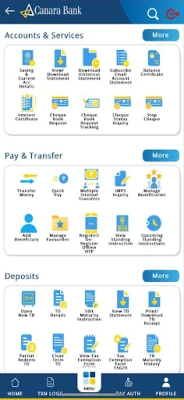
Transaction banking encompasses a range of services that streamline fund transfers and payment processes. Here are the primary offerings:
Multi-Mode Funds Transfer
Businesses can benefit from various funds transfer methods, including:
- RTGS (Real-Time Gross Settlement): Ideal for high-value transactions, RTGS ensures immediate transfer of funds.
- NEFT (National Electronic Funds Transfer): Suitable for smaller transactions, NEFT operates in batches, making it a cost-effective option.
- IMPS (Immediate Payment Service): This service allows for instant fund transfers 24/7, providing flexibility for urgent payments.
- Bulk Payments: Businesses can efficiently manage payroll and vendor payments through bulk payment options.
Foreign Trade Transactions
Engaging in international trade can be complex, but transaction banking simplifies this process. Services include:
- Facilitating foreign currency transactions
- Managing letters of credit
- Providing export credit applications online
Tax Payments Made Easy
Stay compliant with tax regulations effortlessly. Transaction banking services allow for:
- GST Payments: Ensure timely Goods and Services Tax payments.
- TDS Payments: Manage Tax Deducted at Source efficiently.
- Advance Tax Payments: Simplify your advance tax obligations.
Bill Payments via Billdesk
Streamline your bill payments with Billdesk integration, allowing for quick and secure transactions for various services.
Information Banking Services
Information banking services provide businesses with essential insights and data management tools. Key features include:
Account Management
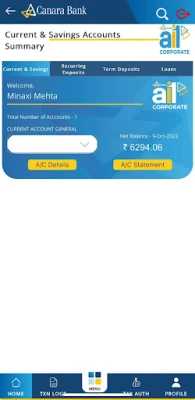
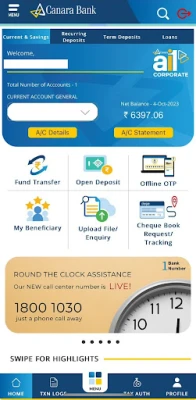
Stay on top of your finances by checking your account balance and accessing detailed bank statements. You can easily email these statements for record-keeping.
Business Loan Overview
Access all your business loan details in one place, including:
- Sanction amount
- Rate of Interest (ROI)
- Renewal dates
Foreign Trade Transaction Insights
Get a comprehensive view of all foreign trade transactions, including:
- Forex transactions
- Trade and finance details
- Letters of credit
Loan Services Tailored for You
Access a variety of loan services designed to meet your financial needs:
Loan Management
Check your loan services, including agricultural loans, and download essential loan certificates such as:
- Provisional Interest Certificate
- Actual Interest Collected Certificate
Online Loan Applications
Apply for various loans online, including:
- Business loans
- Home loans
- Auto loans
- Personal loans
Steps to Installation and Registration
Getting started with the Canara ai1-Corporate Mobile Banking Super App is simple. Follow these steps for registration:
Step 1: Register via Internet Banking
- Log in to Internet Banking.
- Navigate to Other Services and select Register/De-register for Mobile Application.
- Click Register and submit.
Upon submission, you will receive a 9-digit dynamic activation code and a link to download the ai1-Corporate Mobile Application on your registered mobile number.
Step 2: Complete Registration in the App
- Download the ai1-Corporate Mobile App from the Play Store or iOS App Store.
- Open the app and enter your Internet Banking User ID and the 9-digit activation code, then submit.
- Select your registered mobile number linked to your bank account and send the SMS.
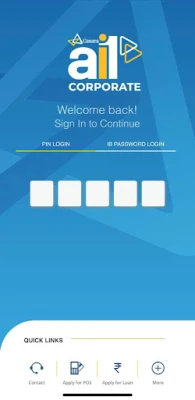
- Set a 5-digit login passcode and confirm it.
- Set a 7-digit transaction passcode and confirm it.
Once you complete these steps, your activation will be successful, and you can start exploring the app.
De-Registration Process
If you wish to de-register, you can do so through Internet Banking or the ai1-Corporate Mobile App:
- From Internet Banking: Go to Other Services > Register/De-register for Mobile Application > De-Register > Submit.
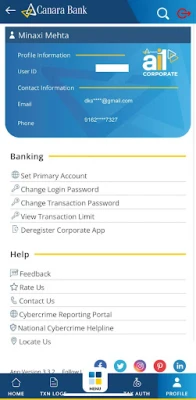
- From the ai1-Corporate App: Log in, navigate to Other Services, select Register/De-register for Mobile Application, and follow the prompts to de-register.
Conclusion
The Canara ai1-Corporate Mobile Banking Super App is designed to enhance your banking experience, making transactions, information management, and loan services more accessible than ever. With a user-friendly interface and robust features, you can manage your finances efficiently. Welcome to a new era of banking—together, we can achieve more.
For feedback and suggestions, reach out via email at hotoib@canarabank.com or call us at 18001030. Visit us at Rate the App
User Reviews















Popular Apps










Editor's Choice









