


Latest Version
May 01, 2026
IXD LAB
Finance
Android
0
Free
branded.m36ea034aa89c4ff383cb75011b439de7.campuspay
Report a Problem
More About Campus Pay
Unlock the Full Potential of Your Campus Pay Account
Welcome to Campus Pay, your exclusive gateway to a world of benefits designed specifically for university students. This article will guide you through everything you need to know about your Campus Pay account, ensuring you make the most of our innovative app and its features.
What is Campus Pay?
Campus Pay is a unique platform tailored for university students, providing a seamless way to manage your finances and access various services. With our user-friendly app, you can easily navigate through your account, making transactions and accessing exclusive offers that enhance your university experience.
Key Features of the Campus Pay App
Our app is packed with features that cater to the needs of students. Here are some of the standout functionalities:
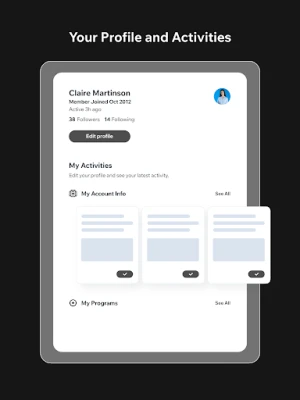
- Easy Account Management: Effortlessly track your spending, view transaction history, and manage your budget all in one place.
- Exclusive Discounts: Enjoy special offers and discounts from local businesses and campus services, available only to Campus Pay users.
- Secure Transactions: Your financial security is our priority. Our app employs advanced encryption technology to protect your personal and financial information.
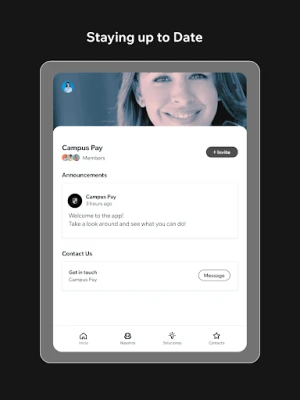
- Instant Notifications: Stay updated with real-time alerts for transactions, offers, and important account information.
How to Get Started with Campus Pay
Getting started with Campus Pay is simple. Follow these steps to create your account and begin exploring the benefits:
- Download the App: Visit the App Store or Google Play Store to download the Campus Pay app.
- Create Your Account: Sign up using your university email address to verify your student status.
- Set Up Your Profile: Complete your profile by adding your payment information and preferences.
- Explore the Features: Take a tour of the app to familiarize yourself with its functionalities and start enjoying the benefits.
Maximizing Your Campus Pay Experience
To truly take advantage of what Campus Pay has to offer, consider these tips:
- Regularly Check for Offers: Keep an eye on the app for new discounts and promotions that can save you money.
- Set Budget Goals: Use the budgeting tools within the app to set financial goals and track your progress.
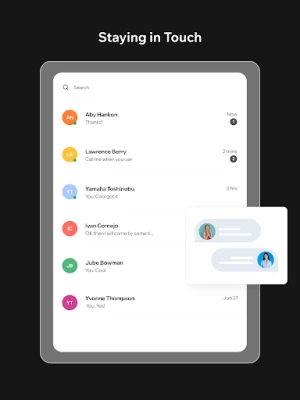
- Engage with the Community: Connect with other students through the app to share tips and experiences, enhancing your overall university life.
Frequently Asked Questions
Is Campus Pay available for all university students?
Yes, Campus Pay is designed for all university students. Simply sign up with your university email to access the app's features.
How secure is my information on Campus Pay?
Your security is our top priority. Campus Pay uses state-of-the-art encryption and security measures to protect your data.
Can I access Campus Pay from my computer?
Currently, Campus Pay is available as a mobile app. However, we are working on expanding our services to include a web version in the future.
Conclusion
Campus Pay is more than just a financial management tool; it’s a community designed to enhance your university experience. By leveraging the app's features, you can manage your finances effectively while enjoying exclusive benefits tailored for students. Download the Campus Pay app today and unlock a world of opportunities that await you!
Rate the App
User Reviews















Popular Apps










Editor's Choice









