

Latest Version
1.1.263
September 25, 2024
Joicoo Limited
Tools
Android
0
Free
com.talker.acr
Report a Problem
More About Call Recorder - Talker ACR
Unlock the Power of Talker Call Recorder ACR: The Ultimate Solution for Recording VoIP Calls
In a world where communication is key, having a reliable tool to record your conversations can be invaluable. Talker Call Recorder ACR stands out from the crowd by offering the ability to record not just traditional phone calls, but also VoIP calls from popular messaging platforms like WhatsApp, Viber, Skype, and more. This article delves into the features and benefits of Talker ACR, ensuring you make the most of this powerful application.
Seamless Recording Across Multiple Platforms
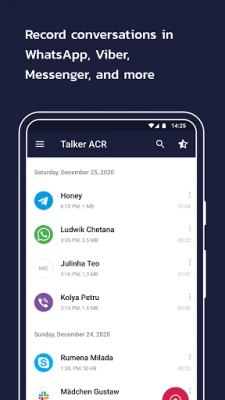
Unlike many other call recording apps, Talker ACR excels in its ability to capture high-quality audio from a variety of messaging services. Users can effortlessly record:
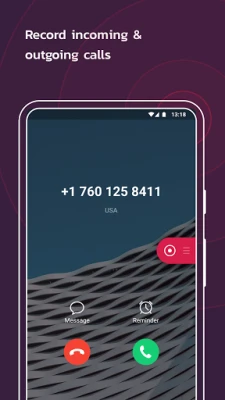
- Incoming and outgoing phone calls
- WhatsApp conversations
- Viber chats
- Hangouts discussions
- Skype calls (including Skype Lite)
- Facebook Messenger interactions
- WeChat messages
- Slack communications
- LINE conversations
- KAKAO chats
- IMO calls, and more!
Note: Talker ACR utilizes Accessibility services, and not all Android devices support the recording of VoIP calls.
Exceptional Sound Quality
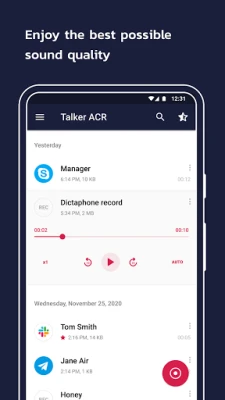
One of the standout features of Talker ACR is its commitment to delivering the best possible sound quality. Users can expect crystal-clear recordings, ensuring that every detail of the conversation is captured accurately. This is particularly important for professional use or when documenting important discussions.
Flexible Recording Options
Talker ACR offers users the choice between automatic and manual recording options. You can configure the app to automatically record all phone calls and VoIP conversations from the start, or you can opt to record specific calls manually by simply tapping the “Record” button during the conversation. This flexibility allows you to tailor the app to your specific needs.
Manage Your Contacts with Ease
With Talker ACR, you have the power to exclude certain contacts from being recorded. This feature provides users with greater control over their recordings, allowing you to focus on the conversations that matter most while keeping your privacy intact.
In-App Playback and Organization
Revisiting recorded conversations is a breeze with Talker ACR’s in-app playback feature. You can listen to your recordings directly within the app and even mark important calls as “starred” for quick access later. If you encounter issues where only your voice is audible during playback, simply adjust the recording source in the app settings.
Convenient Callback Features
Talker ACR enhances user experience by allowing you to call your contacts directly from the app. This eliminates the need to switch between applications, streamlining your communication process.
Free and Premium Membership Options
Talker ACR caters to a wide range of users by offering both free and premium features. The core functionalities are available at no cost, but users can upgrade to Talker Premium for additional capabilities. It’s important to note that purchasing the premium version does not enhance the quality of recorded calls.
Premium Features Include:
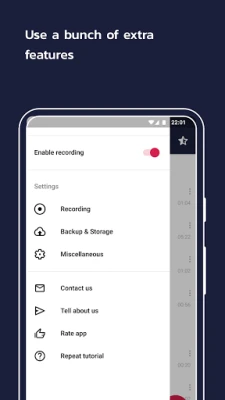
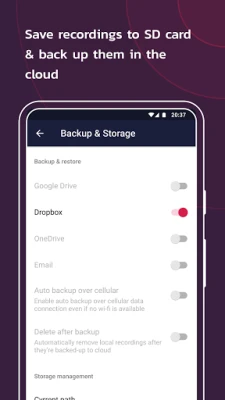
- Cloud backup for recordings (e.g., Google Drive)
- Intelligent storage management, including automatic deletion of old recordings
- PIN lock protection for added security
- A wider selection of audio formats
- Shake-to-mark options for instant highlights during calls
- Smart recordings management: play, share, rename, or delete recordings post-call
Legal Considerations for Call Recording
It’s crucial to be aware of the legal implications surrounding call recording, as laws vary by country and state. Always ensure you comply with relevant regulations and notify your caller or callee about the recording, obtaining their permission beforehand.
Essential App Permissions
To function effectively, Talker ACR requires several permissions:
- Overlay: Allows the app to run over other applications for recording purposes.
- Phone: Detects incoming and outgoing calls.
- Storage: Saves recorded conversations on your device.
- Contacts: Filters phone calls from recording and enables outgoing calls directly from the app.
Note: Talker ACR does not collect, store, or disclose your contact list to any third parties, ensuring your privacy is protected.
Conclusion
Talker Call Recorder ACR is a powerful tool for anyone looking to record conversations across various platforms. With its user-friendly interface, exceptional sound quality, and flexible recording options, it stands out as a top choice for both personal and professional use. Whether you opt for the free version or decide to upgrade to premium, Talker ACR provides the features you need to manage your recordings effectively. Start recording today and never miss an important conversation again!
Rate the App
User Reviews















Popular Apps










Editor's Choice









