



Latest Version
8.1.10
May 20, 2026
Digitalchemy, LLC
Tools
Android
0
Free
com.digitalchemy.calculator.freedecimal
Report a Problem
More About Calculator Plus with History
Essential Functions of a Core Basic Calculator App
In today's fast-paced world, having a reliable calculator app is essential for managing daily tasks and financial responsibilities. A core basic calculator app offers a range of functions that cater to various needs, from simple arithmetic to complex calculations. This article explores the fundamental features of a basic calculator app and how they can enhance your daily life.
Simple Calculator App for Everyday Use
Perform basic operations such as addition, subtraction, multiplication, and division with ease. Whether you need to calculate monthly expenses, track bills, manage your personal budget, or solve quick math problems, the essential functions of a basic calculator app provide instant results. This user-friendly tool ensures that you can handle your calculations accurately and efficiently.
Calculator with Large Buttons and Display for Error-Free Input
Experience clarity with a large display that makes numbers easy to read. The oversized buttons allow for confident tapping, significantly reducing input errors. This thoughtful design enhances accuracy and ensures that the calculator remains comfortable to use, whether you’re on the go or in a busy environment.
Calculation History for Easy Review and Verification
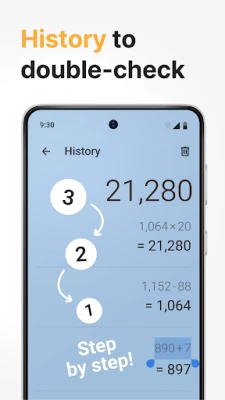
Access your complete calculation history to double-check totals, catch mistakes, and review previous results. This feature is particularly useful for verifying shopping totals, confirming invoice amounts, or checking step-by-step math without the need to start over. With a history log, you can ensure that your calculations are always accurate.
Memory Function for Handling Complex Calculations
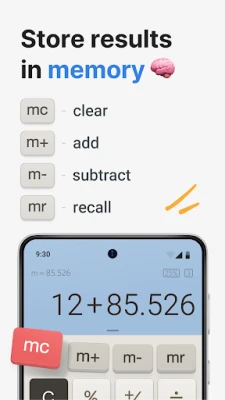
Store intermediate results and retrieve them whenever necessary with the memory function. This feature is invaluable for managing multi-step calculations, comparing values, and completing longer math tasks without the hassle of writing numbers down. It streamlines your workflow and enhances productivity.
Percentage Calculator for Real-Life Applications
Calculate discounts, tips, markups, ratios, and percentage changes effortlessly. Whether you’re wondering, “How much is 20% off?” or “What tip should I leave?”, this feature provides clear answers instantly. The percentage calculator is a practical tool for everyday financial decisions.
Customizable Themes for Personal Comfort
Select a visual theme that suits your style and enhances readability. A personalized interface not only makes frequent use more enjoyable but also supports long-term daily habits. Custom themes can improve your overall experience and make calculations feel less tedious.
Multi-Window Mode for Enhanced Workflow
Open multiple calculator windows on a single device to compare numbers, run parallel calculations, or manage separate totals. This feature is especially beneficial for budgeting, business estimates, or side-by-side price comparisons. Multi-window mode allows for a more efficient and organized approach to calculations.
Why Choose Calculator Plus?
Calculator Plus is designed for everyday use, making it an ideal choice for:
- Calculating daily expenses and tracking household bills
- Splitting restaurant checks and calculating tips
- Checking discounts and final prices while shopping
- Verifying invoices and financial documents
- Saving time with memory buttons and calculation history
- Solving everyday math problems
Who Can Benefit from Calculator Plus?
The free calculator version meets essential math needs for:
- Schoolchildren
- Students
- Professionals
- Small business owners
- Anyone managing personal finances
Advanced Features of Calculator Pro
Calculator Widget for Quick Access
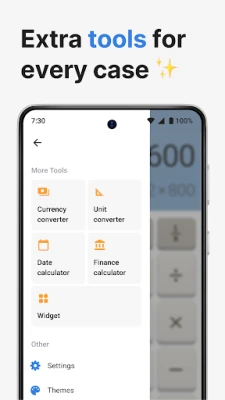
Add the calculator widget to your home screen for instant access and quick calculations without the need to open the full app. This feature enhances convenience and ensures that you can perform calculations on the fly.
Grand Total Function for Summarizing Results
Combine multiple calculations into one final amount with a single tap using the Grand Total feature. This function simplifies expense tracking, cost summaries, and business calculations, making it easier to manage your finances.
Tax Calculator for Accurate Pricing
Calculate prices with or without tax using this handy tool. The tax calculator helps you understand final costs, prepare quotes, review receipts, and avoid pricing errors, ensuring that you always have accurate financial information at your fingertips.
Note-Taking in Calculation History
Add notes to saved calculations for better organization. Label entries to track expenses, identify transactions, or document financial decisions clearly. This feature enhances your ability to manage finances effectively and keeps your calculations organized.
Conclusion: Simplify Your Calculations with Calculator Plus
Calculator Plus is designed for anyone seeking a dependable, easy-to-use calculator for daily life. Whether you require a basic calculator, a history function, a percentage calculator, a widget for quick access, or advanced features for tax and total summaries, this app supports accurate and efficient number management. Download Calculator Plus today and simplify the way you calculate!
Rate the App
User Reviews















Popular Apps










Editor's Choice









