


Latest Version
1.36.02
March 31, 2026
Serviços e Informações do Brasil
Tools
Android
0
Free
br.gov.dataprev.meucadunico
Report a Problem
More About Cadastro Único
Essential Guide to Family Registration and Benefits in Brazil
Understanding the family registration system in Brazil is crucial for accessing various social benefits. This guide will walk you through the essential steps and features of the registration process, ensuring you can effectively manage your family's information and benefits.
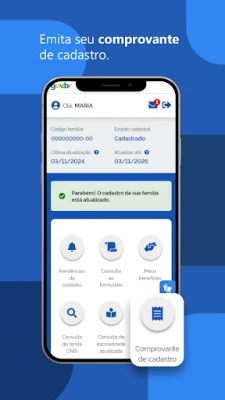
Issuing a Registration Certificate
One of the primary functions of the family registration system is the ability to issue a registration certificate. This document serves as proof of your family's enrollment in the social assistance program, which is vital for accessing various benefits. To obtain this certificate, you can visit the official website or the designated registration office.
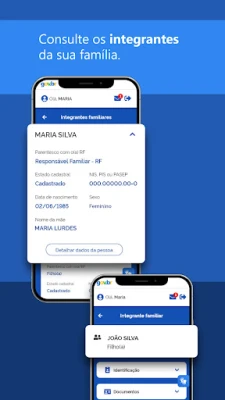
Consulting Family Members and NIS
Another important feature is the ability to consult the family members registered under your profile, along with their respective NIS (Número de Identificação Social). This identification number is essential for tracking benefits and ensuring that all family members are accounted for in the system. Regularly checking this information helps maintain accurate records and ensures that everyone receives the support they need.
Checking Registration Status
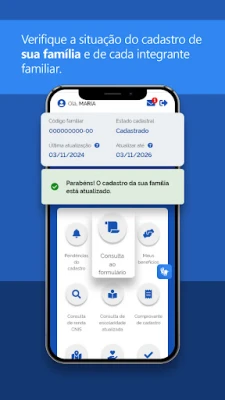
It is crucial to check whether your registration is up to date. An outdated registration can lead to delays or issues in receiving benefits. You can easily verify your registration status through the official portal or by contacting your local registration office. Keeping your information current is essential for seamless access to social assistance programs.
Updating Your Registration
If you find that your registration needs updating, you can update your registration by confirming your data. This process typically involves providing current information about your family members, income, and any changes in your living situation. Regular updates ensure that you receive the correct benefits and that your family's needs are accurately reflected in the system.
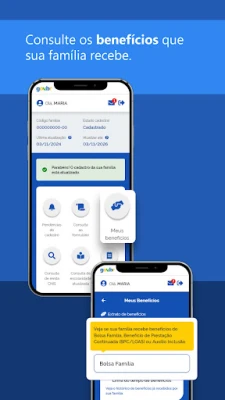
Consulting Family Benefits
Families can also consult the benefits they receive, including programs like Auxílio Brasil and BPC/LOAS. Understanding the benefits available to you is essential for maximizing support. You can check your eligibility and the specific benefits your family qualifies for through the official website or by visiting a local office.
Pre-registration for New Families
For those who are not yet registered, the process begins with pre-registration. This step is crucial for families looking to access social benefits. You can initiate pre-registration online or by visiting a local registration office. It’s important to gather all necessary documents to ensure a smooth registration process.
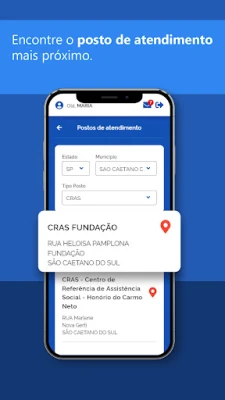
Finding a Registration Office
To complete your registration, you may need to locate the nearest registration office. This can be done through the official government website, which provides a list of locations and contact information. Visiting the right office ensures that you receive assistance tailored to your specific needs.
Conclusion
Understanding the family registration system in Brazil is essential for accessing vital social benefits. By following the steps outlined in this guide, you can effectively manage your family's registration, ensure that your information is up to date, and maximize the benefits available to you. Whether you are registering for the first time or updating your existing information, staying informed is key to receiving the support your family deserves.
Rate the App
User Reviews















Popular Apps










Editor's Choice









