

Latest Version
3.0.34
September 10, 2025
WSCAD GmbH
Tools
Android
0
Free
com.wscad.scanner
Report a Problem
More About Cabinet AR
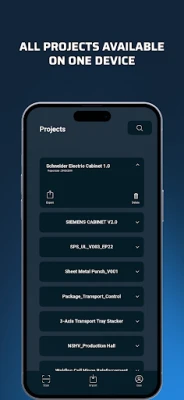
Unlocking Efficiency: How WSCAD QR Codes and Redlining Transform Component Management
In today's fast-paced engineering environment, accessing component information swiftly and accurately is crucial. The WSCAD QR codes offer a seamless solution for retrieving essential data, while the innovative redlining function allows for real-time modifications. This article delves into the features and benefits of using WSCAD for electrical design and management.
Accessing Component Information with Ease
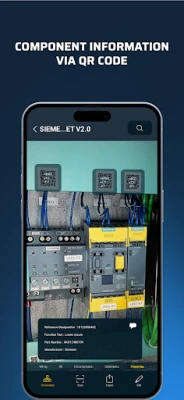
WSCAD QR codes simplify the process of obtaining detailed component information. By scanning these codes, users can quickly access:
- Specifications from Manufacturer Websites: Get the latest specifications directly from the source, ensuring that you have the most accurate and up-to-date information.
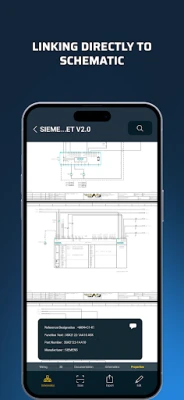
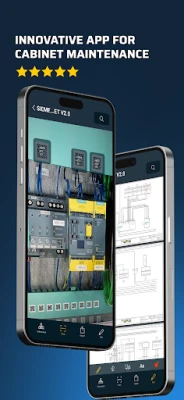
- Component Wiring Diagrams: Visualize how components connect within your system, enhancing understanding and facilitating better design decisions.
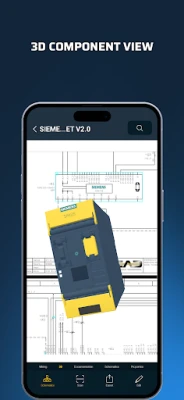
- 3D Models of Components: Explore detailed 3D representations of components, allowing for better spatial planning and integration into your designs.
Enhancing Design with the Redlining Function
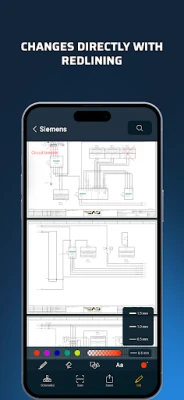
The redlining function in WSCAD is a game-changer for engineers and designers. This feature allows users to make direct changes to their designs, ensuring that modifications are captured in real-time. Here’s how it enhances the design process:
- Immediate Updates: As changes are made, they are instantly reflected in the project, reducing the risk of errors and miscommunication.
- Collaboration Made Simple: Team members can easily see updates and modifications, fostering a collaborative environment where feedback can be integrated swiftly.
- Streamlined Workflow: By eliminating the need for multiple versions of documents, redlining helps maintain a single source of truth for all project stakeholders.
WSCAD Cabinet AR App: A Powerful Extension
The WSCAD Cabinet AR App is a free extension of the WSCAD ELECTRIX software, designed to enhance various aspects of electrical design. This powerful tool supports:
- Electrical Schematics and Controls Design: Create precise and efficient electrical schematics that meet industry standards.
- Cabinet, Panel, and Enclosure Layout: Design layouts that optimize space and functionality, ensuring that all components fit seamlessly.
- Fluid Power Diagrams: Develop comprehensive diagrams that illustrate fluid power systems, essential for hydraulic and pneumatic applications.
- Piping and Instrumentation: Create detailed piping and instrumentation diagrams (P&IDs) that are crucial for process engineering.
- Building Automation: Design systems that enhance building efficiency and control, integrating various technologies for optimal performance.
- Electrical Installation: Plan and document electrical installations with precision, ensuring compliance with regulations and standards.
Conclusion: Embrace the Future of Electrical Design
Utilizing WSCAD QR codes and the redlining function significantly enhances the efficiency and accuracy of component management in electrical design. With the added capabilities of the WSCAD Cabinet AR App, professionals can streamline their workflows, improve collaboration, and ensure that their designs are both innovative and compliant. Embrace these tools to elevate your engineering projects and stay ahead in a competitive landscape.
Rate the App
User Reviews















Popular Apps










Editor's Choice









