

Latest Version
4.0.248
January 24, 2026
Standard Bank / Stanbic Bank
Finance
Android
0
Free
com.standardbank.ent.bolaphone.release
Report a Problem
More About Business Online
Unlock Seamless Banking with the Business Online App
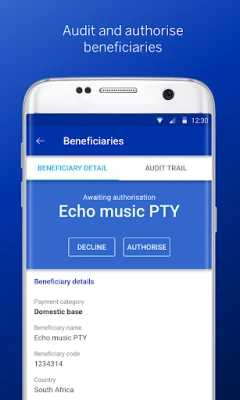
In today's fast-paced world, managing your finances on the go is essential. The Business Online App empowers you with instant access to your account balances, enabling you to approve, authorize, and audit payments effortlessly, all from your mobile device.
Key Features of the Business Online App
The Business Online mobile app is designed to streamline your banking experience. Here are some of the standout features:
- Audit and Authorize Beneficiaries: Quickly review and approve beneficiaries to ensure secure transactions.
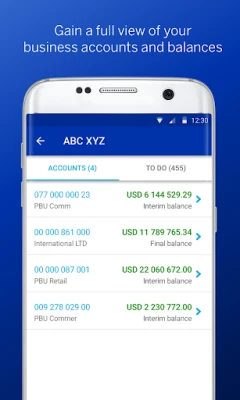
- Access Account Balances and Statements: Stay informed about your financial status with real-time access to your account balances and statements.
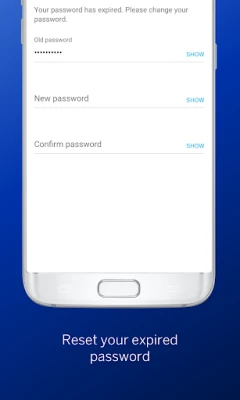
- Reset Your Password: Easily manage your security by resetting your password directly through the app.
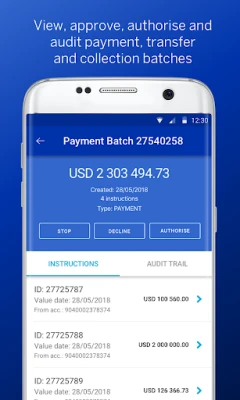
- View and Action Payment, Collection, and Transfer Batches: Manage your payments efficiently by viewing and acting on batches as needed.
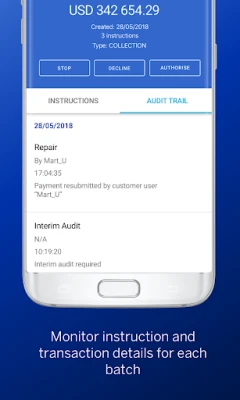
- View Audit Logs: Keep track of all transactions and changes with comprehensive audit logs.
Getting Started with the Business Online App
To begin your journey with the Business Online mobile app, follow these simple steps:
- Download and Install: Get the Business Online mobile app from your device's app store.
- Sign In: Use your Business Online credentials and token to log in.
- Access Rights and Permissions: Enjoy the same access rights and permissions as you have on the Business Online platform.
Best of all, there are no data charges for using the app, making it a cost-effective solution for your banking needs.
What's New in the Business Online App?
We value your feedback and have made significant improvements to enhance your experience. Our latest update introduces a digital sign-in solution featuring Strong Authentication. This innovative feature confirms your identity securely when you transact via your smartphone or the web. You can now access Business Online channels using:
- Face ID: Unlock your account with facial recognition for quick access.
- Fingerprint: Use your fingerprint for a seamless and secure sign-in experience.
- User-Selected App Code: Choose a personalized code for added security.
Need Assistance?
If you have any questions about Strong Authentication or require help setting up the app, don’t hesitate to reach out to your Standard Bank representative. You can also visit the Business Online website for more information.
Your Feedback Matters
We appreciate your continued support and encourage you to share your thoughts. If you encounter any bugs or have suggestions for improvements, please let us know. Your feedback is invaluable in helping us enhance our services and the app experience.
Legal Information
The Standard Bank of South Africa Limited is a licensed financial services provider under the Financial Advisory and Intermediary Services Act and is a registered credit provider under the National Credit Act, registration number NCRCP15. Stanbic Bank Botswana Limited is incorporated in the Republic of Botswana (registration number: 1991/1343) and operates as a registered commercial bank. In Namibia, Standard Bank is a licensed banking institution under the Banking Institutions Act, registration number 78/01799. Stanbic Bank Uganda Limited is regulated by the Bank of Uganda.
Experience the convenience and security of banking at your fingertips with the Business Online App. Download it today and take control of your financial management like never before!
Rate the App
User Reviews















Popular Apps










Editor's Choice









