

Latest Version
December 19, 2025
RBandCoMobileApps
Tools
Android
0
Free
com.rbandco.mobileapps.browser.lite
Report a Problem
More About Browser for Android TV
Simplify Your Android TV Browsing Experience
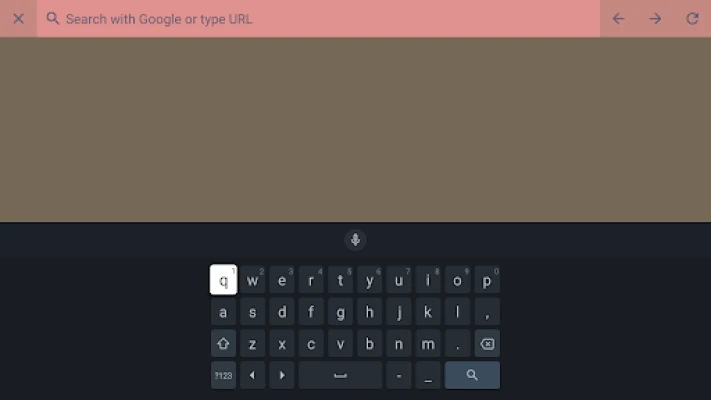
In today's digital age, having a seamless browsing experience on your Android TV is essential. With the right tools, you can unlock the full potential of the internet right from your living room. Discover how a free Android TV web browser can transform your viewing habits and enhance your online activities.
Why Choose an Android TV Web Browser?
Many users underestimate the importance of a dedicated web browser for their Android TV. Unlike standard apps, a web browser offers a versatile platform for accessing a wide range of content. Here are some compelling reasons to consider:
- Access to the Open Web: Enjoy unrestricted access to websites, streaming services, and online content that may not be available through traditional apps.
- Enhanced Search Capabilities: Quickly search for information, videos, and articles without the limitations of app-based browsing.
- Customizable Experience: Tailor your browsing experience with bookmarks, history, and personalized settings.
Experience Blazing Fast Browsing Speeds
One of the standout features of a top-tier Android TV web browser is its speed. With optimized performance, you can:
- Access Content Instantly: Say goodbye to long loading times. Enjoy quick access to your favorite websites and streaming platforms.
- Seamless Navigation: Effortlessly switch between tabs and pages without any lag, making your browsing experience smooth and enjoyable.
- Efficient Resource Management: The browser is designed to use minimal system resources, ensuring that your TV runs efficiently while you browse.
Features That Enhance Your Browsing Experience
A robust Android TV web browser comes packed with features that elevate your online experience. Here are some key functionalities to look for:
- User-Friendly Interface: An intuitive design makes it easy for anyone to navigate the browser, regardless of their tech-savviness.
- Bookmarking and History: Save your favorite sites and revisit them with ease, ensuring you never lose track of important content.
- Privacy and Security: Enjoy a secure browsing experience with built-in privacy features that protect your data and online activities.
How to Install and Get Started
Getting started with an Android TV web browser is a straightforward process. Follow these simple steps:
- Download the Browser: Visit the Google Play Store on your Android TV and search for a reliable web browser.
- Install the App: Click on the install button and wait for the app to download and install on your device.
- Launch the Browser: Open the app and begin exploring the web with ease.
Maximize Your Android TV Experience
With a dedicated web browser, you can maximize your Android TV experience in several ways:
- Stream Content: Access streaming services directly through the browser, allowing you to watch shows and movies that may not be available on your installed apps.
- Engage with Online Communities: Participate in forums, social media, and other online platforms to connect with like-minded individuals.
- Stay Informed: Browse news websites and blogs to keep up with the latest trends and information from the comfort of your couch.
Conclusion
In conclusion, simplifying your Android TV browsing life is achievable with the right web browser. By leveraging the power of the open web, you can enjoy fast, efficient, and secure browsing right from your television. Embrace the digital age and enhance your entertainment experience today!
Rate the App
User Reviews















Popular Apps










Editor's Choice









