


Latest Version
1.55.2
October 16, 2024
browser-app.com
Tools
Android
2
Free
com.internet.tvbrowser
Report a Problem
More About Browser
Ultimate Guide to Enhanced Browsing: Privacy Features You Can't Ignore
In today's digital age, online privacy is more crucial than ever. With countless threats lurking on the internet, having robust features that protect your browsing experience is essential. This article delves into the key features that enhance your online privacy and ensure a seamless browsing experience.
1. Privacy Protection: Secure Your Bookmarks with a Pin
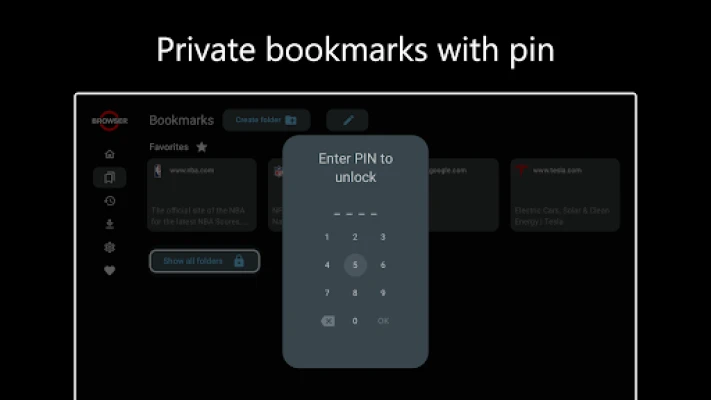
One of the standout features of modern browsers is the ability to create private bookmarks. This functionality allows users to save their favorite sites securely, ensuring that sensitive information remains confidential. By utilizing a pin for these bookmarks, you add an extra layer of security, preventing unauthorized access. This feature is particularly beneficial for users who frequently visit sites that require personal information, such as banking or shopping platforms.
2. Pop-Up Blocker: Enjoy an Uninterrupted Browsing Experience
Nothing disrupts your online experience quite like annoying pop-ups. A reliable pop-up blocker eliminates these distractions, allowing you to focus on the content that matters. By preventing unwanted advertisements and notifications from interrupting your browsing, you can enjoy a smoother, more enjoyable experience. This feature not only enhances user satisfaction but also improves overall productivity while online.
3. Redirect Blocker: Stay in Control of Your Navigation
Automatic redirects can be frustrating and often lead to unwanted sites. A redirect blocker empowers users by preventing these automatic navigations, ensuring that you remain in control of your browsing journey. This feature is particularly useful when navigating through search results or clicking on links, as it helps you avoid potentially harmful or irrelevant sites. By maintaining control over your online navigation, you can browse with confidence.
4. Hide Cookie Banners: Surf Without Annoying Messages
Cookie banners have become a common sight on websites, often cluttering the user interface and detracting from the browsing experience. A feature that hides these cookie consent messages allows you to surf the internet without these annoying interruptions. By eliminating cookie banners, you can focus on the content and enjoy a cleaner, more streamlined browsing experience. This feature not only enhances usability but also contributes to a more aesthetically pleasing online environment.
5. Incognito Mode: Browse Privately and Without Tracking
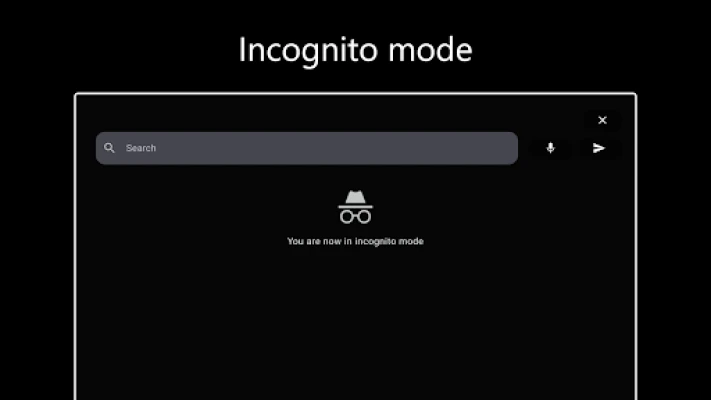
Incognito mode is a powerful tool for those who value their privacy. This feature allows users to surf the internet without leaving a trace, ensuring that your browsing history, cookies, and site data are not stored. By using incognito mode, you can explore the web freely, without the fear of being tracked or monitored. This is particularly useful for users who share devices or want to keep their online activities private. With incognito mode, you can enjoy a worry-free browsing experience.
Conclusion: Prioritize Your Online Privacy
In an era where online privacy is constantly under threat, utilizing features that enhance your browsing experience is essential. From private bookmarks secured with a pin to effective pop-up and redirect blockers, these tools empower users to take control of their online activities. Additionally, hiding cookie banners and using incognito mode further enhance your privacy, allowing for a seamless and secure browsing experience. By prioritizing these features, you can navigate the internet with confidence, knowing that your privacy is well-protected.
Rate the App
User Reviews















Popular Apps










Editor's Choice









