
Latest Version
2.1.0
July 27, 2026
Galaxy studio apps
Tools
Android
0
$0.99
com.bhanu.brightnessscheduler
Report a Problem
More About Brightness Control per app
Max Brightness: Screen Dimmer - Your Ultimate Solution for Customized Screen Lighting
In today's digital age, screen comfort is paramount. The Max Brightness: Screen Dimmer app revolutionizes how you interact with your device by allowing you to effortlessly customize your screen brightness for each application. This innovative tool not only saves you time but also enhances your viewing experience, whether you're reading at night or navigating bright environments during the day.
Why Choose Max Brightness: Screen Dimmer?
With the Max Brightness: Screen Dimmer, you can achieve the perfect balance of light tailored to your needs. This app is specifically optimized for dark mode and nighttime use, ensuring that your screen is always comfortable to look at. Say goodbye to eye strain and hello to a seamless viewing experience across all your applications!
Key Features of Max Brightness: Screen Dimmer
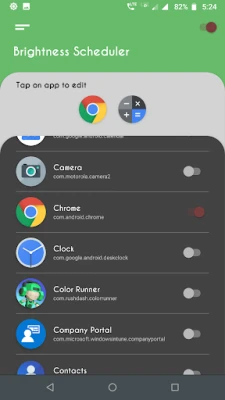
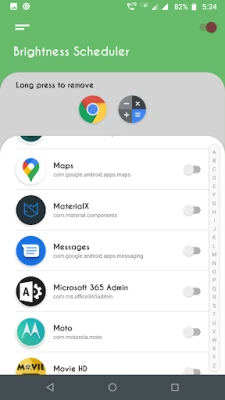
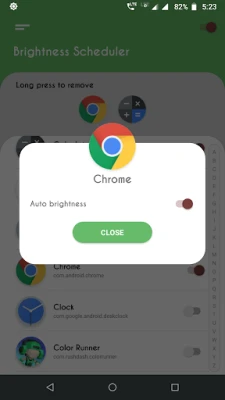
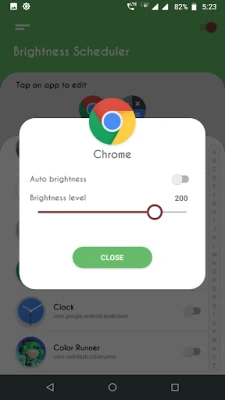
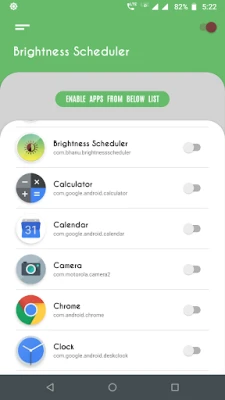
- Custom Light Settings for Individual Apps: Tailor the brightness for each app you use, ensuring optimal visibility.
- Automatic Brightness Adjustment: The app intelligently adjusts light levels based on the app you open, providing a hassle-free experience.
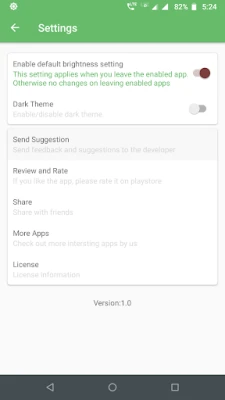
- Default Settings for Unconfigured Apps: Automatically apply a preset brightness level for apps that haven't been configured.
- User-Friendly Interface: Enjoy a simple and intuitive interface that makes configuration quick and easy.
- Low Brightness Night Mode: Reduce screen glare at night for a more comfortable reading experience.
- Maximized Screen Visibility: Adjust brightness levels to suit any environment, ensuring clarity and comfort.
Effortless Screen Light Adjustment for Every App
The Adjust Brightness Dimmer feature allows you to control your screen's light based on the specific app in use. By configuring each app to a designated brightness level, you can enjoy tailored visibility and comfort in various settings. With the Screen Brightness: Dark Mode enabled, your device will automatically dim for nighttime use and brighten for daylight conditions, providing an intuitive and user-friendly experience.
Optimized for Comfort and Convenience
For devices with higher maximum brightness levels, the Max Brightness: Screen Dimmer app includes advanced settings that detect and apply your device's top light limit. Once you customize the Adjust Brightness Dimmer settings, your preferences are saved, ensuring consistent performance every time you use the app. Adjusting your screen light takes mere seconds, allowing you to enjoy an ideal viewing experience with the Screen Brightness: Dark Mode.
Smooth Functionality with Dark Mode
The Low Brightness Night Mode app operates a background service that efficiently manages light settings across all applications. Once activated, this service ensures that your screen brightness adjusts automatically as you switch between apps, providing a smooth and uninterrupted experience without the need for constant manual adjustments.
Consistent Light Control Across All Applications
Maintain control over your screen brightness with a default light setting for unconfigured apps. This setting is automatically applied when you exit the Screen Brightness: Dark Mode app, ensuring that your screen's light remains consistent across all applications without the hassle of manual adjustments.
Take Charge with Max Brightness: Screen Dimmer!
Experience the ease of customized light control with the Low Brightness Night Mode app. Whether you're reducing glare at night or maximizing clarity in bright conditions, this app adapts your device to any setting. Try the Max Brightness: Screen Dimmer today for reliable and convenient light management designed for every user and environment!
In conclusion, the Max Brightness: Screen Dimmer app is an essential tool for anyone looking to enhance their screen experience. With its array of features and user-friendly design, it stands out as the go-to solution for managing screen brightness effectively. Don't compromise on comfort—download the app today and transform the way you interact with your device!
Rate the App
User Reviews















Popular Apps










Editor's Choice









