

Latest Version
4.2.27
December 26, 2025
Jianyu Studio
Tools
Android
1
Free
me.piebridge.brevent
Report a Problem
More About Brevent
Maximize Your Android Experience with Brevent: A Comprehensive Guide
In the ever-evolving world of Android applications, managing background processes efficiently is crucial for optimizing device performance. Brevent is a powerful tool designed to help users control app behavior, ensuring that only the necessary applications run in the background. This article delves into the functionalities of Brevent, its compatibility, and how to make the most of its features.
Understanding Brevent's Functionality
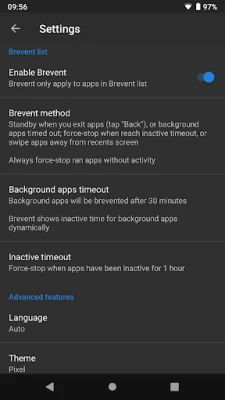
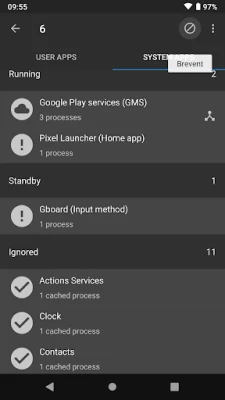
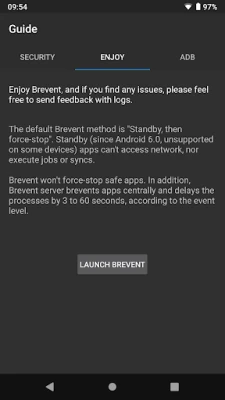
Brevent operates by managing applications that are not included in its list. When an app is launched, users can simply exit it by tapping the back button or using other methods. Brevent will then place these apps in standby mode. If an app times out while in standby or is swiped away from the recent apps screen, Brevent will automatically force-stop it. This ensures that apps running without user activity do not consume unnecessary resources.
Managing App Notifications and Sync
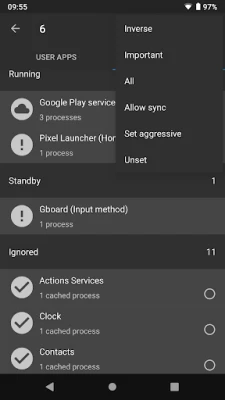
For users who rely on specific applications for notifications or synchronization tasks, Brevent offers a customizable solution. Apps listed in Brevent can be set to "allow sync," enabling them to receive notifications and perform sync jobs without being placed in standby mode. This feature ensures that essential apps remain active, while less critical ones are managed effectively.
Compatibility with Android Versions
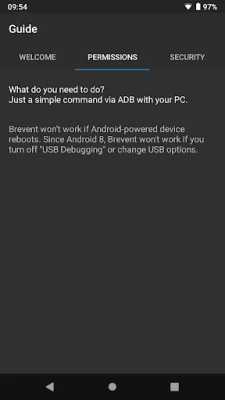
Brevent supports a wide range of Android versions, from Android 6 to Android 16. However, to utilize Brevent's full capabilities, users must enable "USB debugging" or "Wireless debugging" (for Android 11 and above) in the developer options. This step is crucial for the app to function correctly and manage background processes effectively.
Important Considerations for Android 8 to Android 10
For users operating on Android versions 8 through 10, it is essential to keep USB debugging enabled. If debugging is turned off or the USB option is altered, Brevent may not function as intended. If you notice that debugging turns off when you unplug the cable, it is advisable to adjust the USB option accordingly. Typically, keeping the USB option set to default will suffice for optimal performance.
Getting Started with Brevent
To begin using Brevent, users can visit the official website at brevent.sh for detailed commands and setup instructions. The website provides comprehensive guidance on how to install and configure Brevent to suit individual needs, ensuring a seamless experience.
Conclusion: Enhance Your Android Device with Brevent
Brevent is an invaluable tool for Android users looking to optimize their device's performance by managing background applications effectively. By understanding its functionalities, compatibility, and setup requirements, users can take full advantage of Brevent's capabilities. Whether you want to minimize battery consumption or enhance app performance, Brevent offers a tailored solution to meet your needs.
By implementing Brevent into your Android experience, you can ensure that your device runs smoothly, allowing you to focus on what truly matters—enjoying your apps without unnecessary interruptions.
Rate the App
User Reviews















Popular Apps










Editor's Choice









