

Latest Version
July 21, 2026
MSH Electronics S.r.l.
Entertainment
Android
1
$7.49
com.msheli2
Report a Problem
More About Brain | iKon | Xbar | TracX
Maximize Your MSH Flight Control Experience with the Latest App
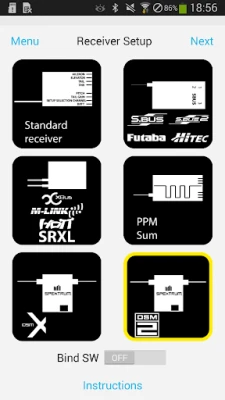
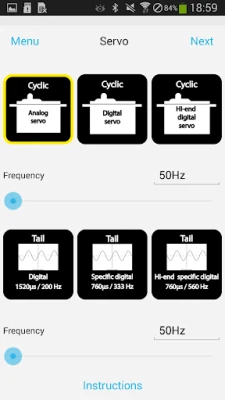
The innovative application enhances your MSH flight control units by seamlessly connecting via a Bluetooth dongle to the SYS port. This integration allows for a more streamlined and efficient flying experience.
Unlock Full Potential with Updated Firmware
To fully leverage the capabilities of this app, ensure that your flight control unit is equipped with the latest firmware release. Keeping your device updated is crucial for optimal performance and access to new features. If your device is connected to the internet, the app will automatically notify you when a new firmware version for your flybarless unit becomes available, ensuring you never miss an upgrade.
Where to Purchase MSH Products
You can easily acquire MSH products through any official MSH dealer shop. These authorized retailers provide a reliable source for all your flight control needs, ensuring you receive genuine products and support.
Benefits of Using the MSH App
The MSH app offers numerous advantages for users looking to enhance their flying experience:
- Real-Time Monitoring: Keep track of your flight parameters and make adjustments on the fly.
- User-Friendly Interface: Navigate through settings and features with ease, thanks to an intuitive design.
- Enhanced Control: Fine-tune your flight settings for improved stability and performance.
- Firmware Updates: Stay current with the latest enhancements and fixes directly through the app.
Getting Started with the MSH App
To begin using the MSH app, follow these simple steps:
- Connect a Bluetooth dongle to the SYS port of your MSH flight control unit.
- Download the MSH app from the official app store.
- Open the app and pair it with your flight control unit.
- Check for firmware updates and install them if available.
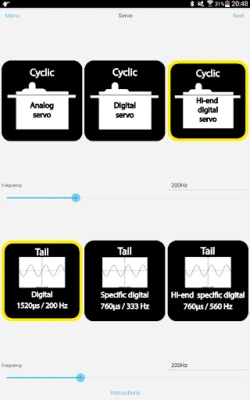
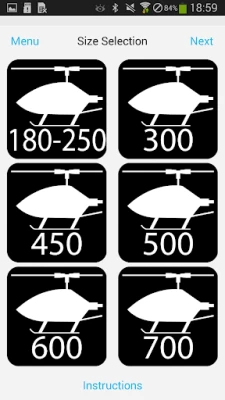
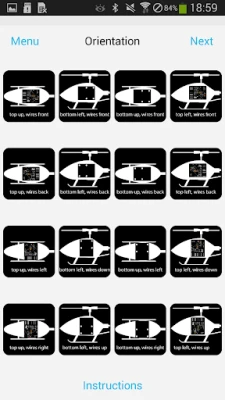
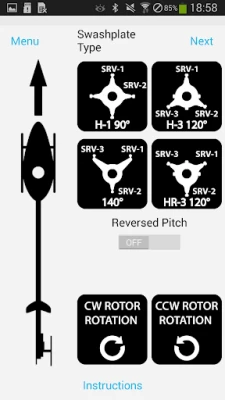
- Explore the app’s features and customize your settings for an optimized flying experience.
Conclusion
By utilizing the MSH app in conjunction with your flight control unit, you can significantly enhance your flying experience. Ensure your firmware is up to date, and take advantage of the app’s features to achieve the best performance possible. Visit your nearest official MSH dealer shop today to get started on your journey to superior flight control.
Rate the App
User Reviews















Popular Apps










Editor's Choice









