Latest Version
July 23, 2026
Nataliia Zarudna
Tools
Android
0
Free
com.nzarudna.clockon
Report a Problem
More About Big Clock – Always On Display
Transform Your Device into a Stylish Charging Clock: The Ultimate Guide
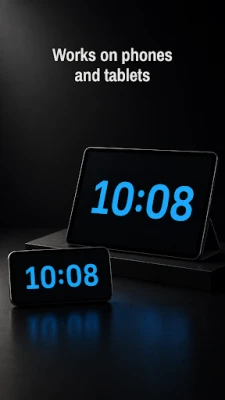
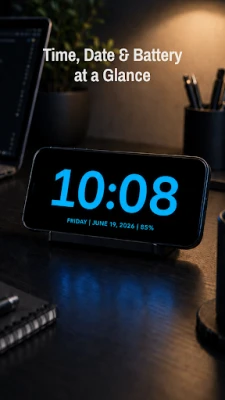
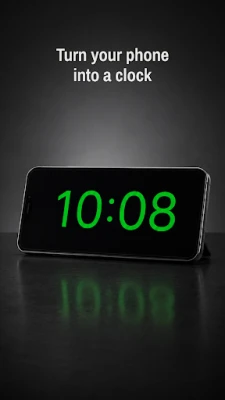
In today's fast-paced world, keeping track of time is essential. Why not make your phone or tablet work double duty as a stylish charging clock? With the right app, you can turn your device into a large, clear, and easy-to-read clock while it charges or remains in use. This guide explores how to utilize your device as a multifunctional clock, perfect for any setting.
Why Use Your Device as a Charging Clock?
Using your phone or tablet as a charging clock offers numerous benefits. It provides a simple, clean, and distraction-free way to keep the time visible, making it ideal for various environments such as:
- Nightstands
- Desks
- Workout spaces
- Kitchens
Whether you need a bedside clock or a timer for your workouts, your device can serve multiple purposes while looking sleek and modern.
Key Features of a Charging Clock App
When selecting an app to transform your device into a charging clock, look for the following features:
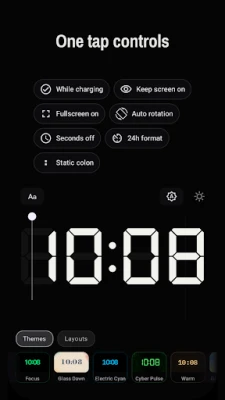
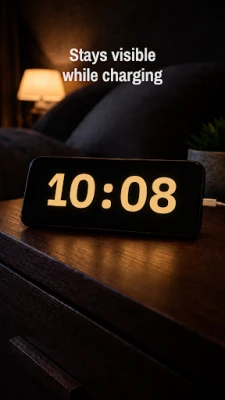
- Always-On Display: Keep the clock visible at all times, even while charging.
- Large Digital Format: A big clock display ensures readability from a distance.
- Seconds Display: Optional settings to show seconds for precise timekeeping.
- Adjustable Clock Size: Customize the size of the clock to fit your preferences.
- Brightness Control: Adjust the brightness to suit your environment, whether it’s day or night.
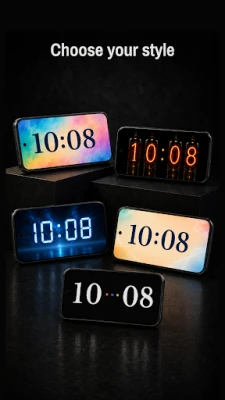
- Light and Dark Themes: Choose between themes to match your style or mood.
- Minimal Design: A clean interface without clutter enhances usability.
- Fast and Lightweight: The app should run smoothly without draining your device’s resources.
- No Ads: Enjoy an uninterrupted experience without annoying advertisements.
How to Use Your Device as a Bedside Clock
Setting up your device as a bedside clock is straightforward. Follow these simple steps:
- Download a reliable charging clock app from your device's app store.
- Open the app and adjust the settings to your liking, including clock size and brightness.
- Place your device on your nightstand while it charges.
- Enjoy the convenience of a large, easy-to-read clock that enhances your bedroom decor.
This setup not only keeps you informed of the time but also adds a modern touch to your bedside table.
Using Your Device as a Desk Clock
Transforming your device into a desk clock can boost productivity. Here’s how:
- Launch the charging clock app on your device.
- Position your device on your desk where it’s easily visible.
- Utilize the adjustable clock size feature to ensure it fits perfectly within your workspace.
- Set the brightness to a comfortable level that doesn’t strain your eyes.
This setup allows you to keep track of time while working, ensuring you stay on schedule without distractions.
Workout Timer Display
For fitness enthusiasts, using your device as a workout timer can enhance your training sessions. Here’s how to make the most of it:
- Open the charging clock app before starting your workout.
- Set the timer for your desired workout duration.
- Place your device in a visible location, ensuring you can easily check the time.
This feature allows you to focus on your exercises without constantly checking your watch or phone.
Conclusion: The Perfect Charging Clock Solution
Using your phone or tablet as a charging clock is a practical and stylish solution for keeping track of time. With features like an always-on display, large digital format, and customizable settings, you can create a clock that fits seamlessly into your lifestyle. Whether you need a bedside clock, a desk clock, or a workout timer, your device can meet all your timekeeping needs without any clutter or complicated setup.
Embrace the convenience and elegance of a charging clock today, and enjoy the benefits of having the time always visible, no matter where you are.
Rate the App
User Reviews















Popular Apps










Editor's Choice









