

Latest Version
3.75.10.1
September 25, 2024
Ejimax
Tools
Android
0
Free
jp.ejimax.berrybrowser
Report a Problem
More About Berry Browser
Ultimate Guide to Customizing Your Browser Experience
In today's digital landscape, a personalized browsing experience is essential for efficiency and enjoyment. This guide will explore how to customize your browser's user interface, manage actions, enhance privacy, and more. By leveraging these features, you can create a browsing environment that suits your unique needs.
Personalizing Your User Interface
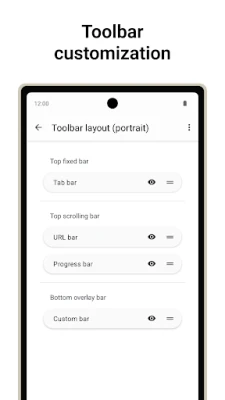
One of the most significant advantages of modern browsers is the ability to customize the user interface. You can tailor every aspect of your toolbar's display, position, and appearance to enhance your browsing experience. This customization allows you to prioritize the tools you use most frequently, making navigation smoother and more intuitive.
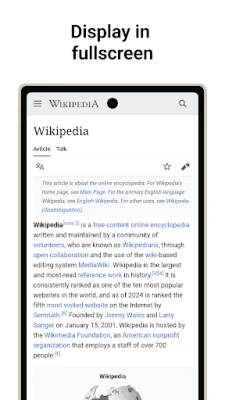
Additionally, you can modify the status bar and navigation bar to optimize screen space. By adjusting these elements, you can ensure that your most important information is always at your fingertips, allowing for a more streamlined browsing experience.
Streamlining Actions for Efficiency
Every browser operation can be categorized as an "action." Common actions include navigating back and forward, opening or closing tabs, and accessing the menu. By registering these actions to toolbar buttons or gestures, you can significantly enhance your browsing efficiency.
For instance, if you frequently switch between tabs, you can assign a gesture or button to this action, allowing for quick access without navigating through multiple menus. This level of customization not only saves time but also makes your browsing experience more enjoyable.
Implementing a High-Performance Content Blocker
In an age where online ads and tracking are ubiquitous, a robust content blocker is essential. A high-performance content blocker can effectively block unwanted ads and tracking scripts, providing a cleaner and faster browsing experience. You can also add custom filters and domain rules to tailor the blocking capabilities to your preferences.
By utilizing a content blocker, you not only enhance your browsing speed but also protect your privacy. This feature is particularly beneficial for users who value a distraction-free environment while surfing the web.
Enhancing Privacy Protection
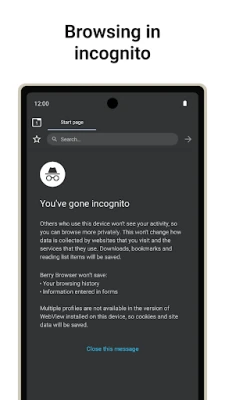
Privacy is a growing concern for internet users. Modern browsers offer various tools to manage privacy settings effectively. You can control location permissions, JavaScript settings, and other privacy-related features for each site you visit.
This granular control allows you to decide which sites can access your location or run scripts, ensuring that your personal information remains secure. By actively managing these settings, you can enjoy a safer browsing experience tailored to your comfort level.
Accessing Your Favorite Sites with the Start Page
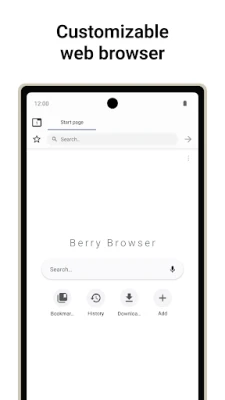
The start page serves as your gateway to the internet. You can easily access your favorite sites and apps directly from this page, making it a convenient hub for your online activities. Customizing your start page with shortcuts to frequently visited sites can save you time and enhance your overall browsing experience.
Consider organizing your start page by categories, such as news, social media, and productivity tools. This organization allows for quick access to the resources you need most, streamlining your online workflow.
Embracing Dark Mode for Comfort
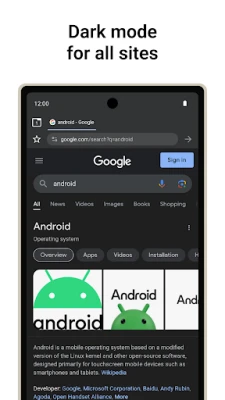
Dark mode has become increasingly popular among users who prefer a more comfortable viewing experience, especially in low-light environments. Many browsers now offer the option to automatically display websites in dark mode, depending on your app or device theme.
By enabling dark mode, you can reduce eye strain and improve readability, making your browsing sessions more enjoyable. This feature is particularly beneficial for users who spend extended periods online, as it helps maintain visual comfort.
Backup and Restore Your Settings with Ease
Backing up your browser settings and bookmarks is crucial for maintaining a personalized browsing experience. Most modern browsers allow you to save your settings and bookmarks to a file, which can be easily restored or shared across devices.
This feature is particularly useful for users who switch between multiple devices or need to reinstall their browser. By having a backup of your settings, you can quickly restore your personalized environment without the hassle of reconfiguring everything from scratch.
Conclusion
Customizing your browser experience is not just about aesthetics; it's about creating an efficient, enjoyable, and secure online environment. By personalizing your user interface, streamlining actions, implementing content blockers, enhancing privacy, and utilizing features like dark mode and backup options, you can significantly improve your browsing experience. Take the time to explore these customization options and enjoy a more tailored internet experience that meets your unique needs.
Rate the App
User Reviews















Popular Apps










Editor's Choice









