


Latest Version
1.5.0
June 27, 2026
Banco de Costa Rica
Finance
Android
0
Free
com.vusecurity.bcr.token
Report a Problem
More About BCR Clave Virtual
BCR Clave Virtual: Secure Mobile App for Banking Transactions
BCR Clave Virtual is a cutting-edge mobile application designed to enhance the security of digital transactions for users of the Banco de Costa Rica. This innovative tool empowers users to authorize transactions seamlessly and securely, ensuring peace of mind while managing their finances online.
What is BCR Clave Virtual?
BCR Clave Virtual serves as a digital security key, providing an additional layer of protection for banking activities conducted through the Banco de Costa Rica's online platforms. With the rise of digital banking, the need for robust security measures has never been more critical. This application addresses that need by allowing users to authenticate their transactions with ease.
Key Features of BCR Clave Virtual
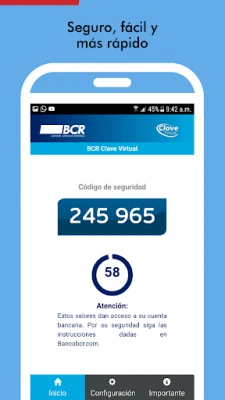
- Two-Factor Authentication: BCR Clave Virtual employs two-factor authentication, requiring users to verify their identity through the app before completing any transaction. This significantly reduces the risk of unauthorized access.
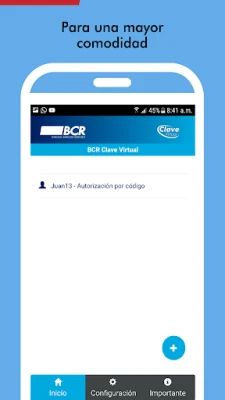
- User-Friendly Interface: The app boasts an intuitive design, making it easy for users of all ages to navigate and utilize its features without hassle.
- Real-Time Notifications: Users receive instant notifications for every transaction, keeping them informed and alert to any suspicious activity.
- Compatibility: BCR Clave Virtual is compatible with both Android and iOS devices, ensuring that a wide range of users can benefit from its features.
How to Get Started with BCR Clave Virtual
Getting started with BCR Clave Virtual is a straightforward process. Follow these simple steps to enhance your banking security:
- Download the App: Visit the Google Play Store or Apple App Store to download the BCR Clave Virtual application.
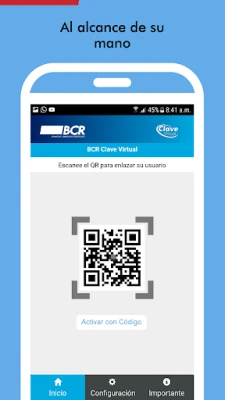
- Create an Account: Open the app and follow the prompts to create your account. You will need to provide your banking details for verification.
- Set Up Security Features: Configure your security settings, including setting a secure password and enabling notifications.
- Start Authorizing Transactions: Once your account is set up, you can begin using the app to authorize transactions securely.
Benefits of Using BCR Clave Virtual
Utilizing BCR Clave Virtual offers numerous advantages for users:
- Enhanced Security: The app significantly reduces the risk of fraud and unauthorized transactions, providing users with a safer banking experience.
- Convenience: Users can authorize transactions anytime and anywhere, eliminating the need to visit a physical bank branch.
- Peace of Mind: With real-time notifications and robust security measures, users can feel confident that their financial information is protected.
Conclusion
In an era where digital transactions are becoming the norm, BCR Clave Virtual stands out as a vital tool for anyone banking with the Banco de Costa Rica. By providing a secure and user-friendly platform for transaction authorization, this mobile application not only enhances security but also offers convenience and peace of mind. Download BCR Clave Virtual today and take control of your banking security.
Rate the App
User Reviews















Popular Apps










Editor's Choice









