

Latest Version
11.10.3
March 10, 2026
System monitor tools lab - Cpu Ram Battery
Tools
Android
0
$1.99
com.glgjing.thor
Report a Problem
More About Battery manager and monitor
Ultimate Guide to Battery and Temperature Monitoring: Optimize Your Device's Performance
In today's fast-paced digital world, keeping track of your device's battery and temperature is crucial for optimal performance. This comprehensive guide explores the essential features of a battery and temperature monitor, ensuring you can maintain your device's health and efficiency. From real-time monitoring to customizable themes, discover how to enhance your user experience.
Understanding Battery Monitoring
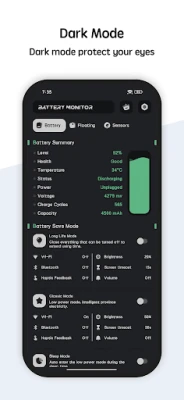
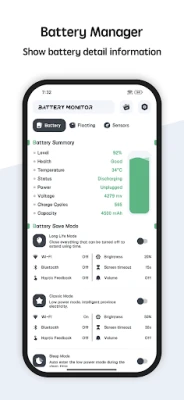
A reliable battery monitor is essential for any device user. It provides a detailed overview of battery usage and temperature, allowing you to make informed decisions about your device's performance. Key features include:
- Battery Health: Regularly check the health of your battery to ensure it operates at peak efficiency.
- Power Status: Monitor the current power status to avoid unexpected shutdowns.
- Voltage Levels: Keep an eye on voltage levels to prevent overcharging and potential damage.
- Battery Level: Track the remaining battery percentage to manage usage effectively.
Temperature Monitoring: Safeguarding Your Device
Overheating can severely impact your device's performance and longevity. A robust temperature monitor is vital for preventing damage. Here’s how it works:
- High-Temperature Alerts: The battery manager triggers warnings when the CPU or battery temperature exceeds safe limits.
- Customizable Overheat Alarms: Users can choose to enable or disable overheat alarms based on their preferences, ensuring flexibility in monitoring.
Real-Time Monitoring with Floating Windows
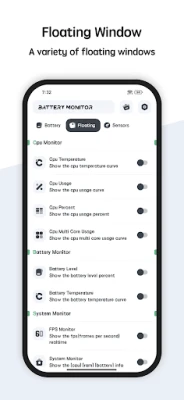
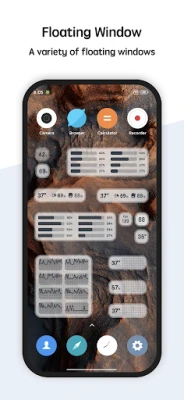
Stay informed with a floating window feature that displays real-time data on your device's performance. This innovative tool provides:
- CPU Temperature: Instantly view the current temperature of your CPU to prevent overheating.
- Battery Temperature: Monitor the battery temperature to ensure it remains within safe limits.
- RAM Usage: Keep track of RAM usage to optimize performance and multitasking capabilities.
- Status Bar and Desktop Floating Windows: Choose between a status bar floating window or a desktop floating window for easy access to critical information.
Customizable Widgets for Enhanced Functionality
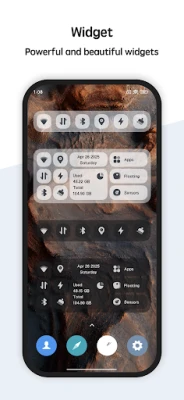
Widgets are a fantastic way to personalize your device's interface. The battery manager supports various widgets, including:
- RAM Widget: Quickly assess your RAM usage and optimize performance.
- CPU Widget: Monitor CPU performance at a glance.
- Battery Widget: Keep track of battery status without navigating through menus.
Multi-Theme Support: Personalize Your Experience
A visually appealing interface enhances user experience. The battery manager offers multi-theme support, allowing you to switch between different themes based on your preferences. Choose a theme that resonates with your style and makes monitoring enjoyable.
Conclusion: Elevate Your Device Management
Incorporating a comprehensive battery and temperature monitoring system into your device management routine is essential for maintaining optimal performance. With features like real-time monitoring, customizable widgets, and multi-theme support, you can ensure your device remains healthy and efficient. Take control of your device's performance today and enjoy a seamless user experience.
Rate the App
User Reviews















Popular Apps










Editor's Choice









