





Latest Version
2.1.3
July 25, 2025
Axis Communications AB, Sweden
Tools
Android
0
Free
com.axis.ain
Report a Problem
More About AXIS Installer
Unlocking the Power of AXIS Installer: Your Ultimate Guide
In the ever-evolving world of network installation, having the right tools at your disposal is crucial. The AXIS Installer app is designed to streamline the process of configuring devices on your network, ensuring a seamless experience for users. This article delves into the key features of the AXIS Installer, highlighting its benefits and how it can enhance your installation process.
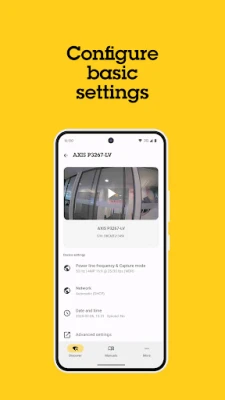
Effortlessly Find and Configure Devices
One of the standout features of the AXIS Installer is its ability to find and configure devices on your network with ease. This functionality simplifies the installation process, allowing users to quickly identify devices and make necessary adjustments without hassle. The intuitive interface guides you through each step, ensuring that even those new to network installations can navigate the app confidently.
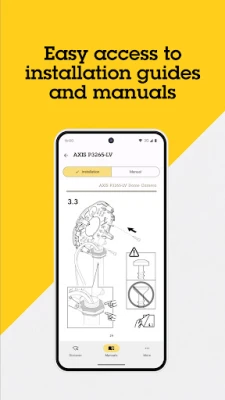
Instant Access to Product Documentation
Another significant advantage of the AXIS Installer is the quick access to product documentation. Users can easily reference manuals and guides directly within the app, eliminating the need to search through multiple sources for information. This feature not only saves time but also enhances the overall efficiency of the installation process, allowing you to focus on what matters most—getting your devices up and running.
Live Video Streaming During Installation
Imagine being able to view live video while installing your devices. The AXIS Installer makes this a reality, providing real-time video feeds that assist in the installation process. This feature is particularly beneficial for troubleshooting and ensuring that devices are positioned correctly. By having a live view at your fingertips, you can make adjustments on the fly, leading to a more efficient and effective installation.
Regular Updates for Enhanced Performance
The developers behind the AXIS Installer are committed to continuous improvement. The app receives regular updates that introduce new features and enhancements, ensuring that users always have access to the latest tools and functionalities. By installing the most recent version, you can take advantage of these improvements, making your installation process smoother and more efficient.
Why Choose AXIS Installer?
With its user-friendly interface and powerful features, the AXIS Installer stands out as a top choice for network installations. Whether you are a seasoned professional or a newcomer to the field, this app provides the tools you need to succeed. Its ability to find and configure devices, access documentation quickly, and stream live video during installation sets it apart from other solutions on the market.
Conclusion: Elevate Your Installation Experience
In conclusion, the AXIS Installer is an invaluable tool for anyone involved in network device installation. Its key features—device configuration, instant documentation access, and live video streaming—combine to create a comprehensive solution that enhances efficiency and effectiveness. Regular updates ensure that you are always equipped with the best tools available. Embrace the power of the AXIS Installer and elevate your installation experience today.
Thank you for choosing AXIS Installer. Your journey towards seamless network installations starts here!
Rate the App
User Reviews















Popular Apps










Editor's Choice









