

Latest Version
12.2.5
March 02, 2026
The Patriot
Tools
Android
0
Free
in.riants.smsforwarder
Report a Problem
More About Automatic SMS Forwarder
How to Effectively Cancel SMS Forwarding: A Step-by-Step Guide
In today's fast-paced digital world, managing your SMS forwarding settings is essential for maintaining control over your communications. Whether you’ve set up SMS forwarding for convenience or to ensure you never miss an important message, there may come a time when you need to cancel this feature. This article will guide you through the process of canceling SMS forwarding effortlessly.
Understanding SMS Forwarding
SMS forwarding allows you to redirect text messages from one phone number to another. This feature is particularly useful for individuals who want to consolidate their messages or ensure they receive texts on multiple devices. However, there are instances when you might want to disable this feature, whether for privacy reasons or simply to streamline your messaging experience.
How to Cancel SMS Forwarding
Canceling SMS forwarding is a straightforward process. You have two primary methods to choose from:
Method 1: Using the Cancel Button
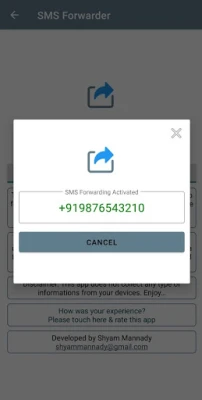
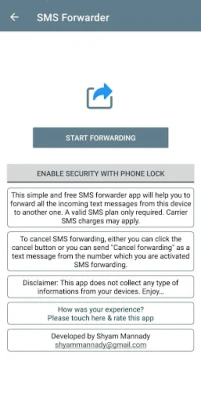
If you are using an app that supports SMS forwarding, look for a cancel button within the application. This button is typically located in the settings or SMS forwarding section. By clicking this button, you can quickly disable the forwarding feature without any hassle.
Method 2: Sending a Text Message
Another effective way to cancel SMS forwarding is by sending a text message. Simply compose a new message and type "Cancel forwarding". Make sure to send this message from the phone number that has SMS forwarding activated. This method is quick and ensures that your request is processed immediately.
Why You Might Want to Cancel SMS Forwarding
There are several reasons why you might consider canceling SMS forwarding:
- Privacy Concerns: If you are worried about your messages being sent to another device, canceling SMS forwarding can help protect your privacy.
- Device Management: Managing multiple devices can be cumbersome. Disabling SMS forwarding can simplify your communication process.
- Temporary Needs: You may have set up SMS forwarding temporarily. Once your need has passed, it’s wise to cancel the feature.
Ensuring Your Data Privacy
When using SMS forwarding applications, it’s crucial to consider your data privacy. The app mentioned in this guide does not collect any information from your devices, ensuring that your personal data remains secure. Always choose applications that prioritize user privacy and data protection.
Conclusion
Canceling SMS forwarding is a simple yet important task that can enhance your control over your messaging. Whether you opt for the cancel button or send a text message, the process is designed to be user-friendly. Remember to consider your privacy and choose applications that respect your data. By following the steps outlined in this guide, you can easily manage your SMS forwarding settings and enjoy a more streamlined communication experience.
For more tips on managing your mobile communications effectively, stay tuned for our upcoming articles!
Rate the App
User Reviews















Popular Apps










Editor's Choice









