
Latest Version
1.69
July 09, 2026
Move More Solutions
Tools
Android
0
Free
com.sparkapps.autotransfer.ks
Report a Problem
More About Auto Transfer:Phone To Sd Card
Effortless File Management: Auto Transfer from Phone to SD Card
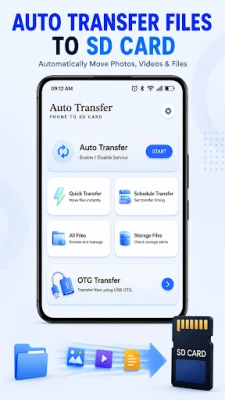
In today's digital age, managing files across various storage locations can be a daunting task. The Auto Transfer: Phone to SD Card app simplifies this process by automating file transfers between your device's internal storage and SD cards. This powerful tool not only allows for manual transfers but also supports USB OTG devices and compatible pen drives, making it a comprehensive solution for all your file management needs.
Streamlined File Transfers
With the Auto Transfer app, you can effortlessly move files such as photos, videos, audio files, documents, and APKs. This functionality helps you free up valuable storage space while keeping your files organized with minimal manual effort.
- Manage phone storage, SD cards, and external devices from a single, user-friendly interface.
Automatic File Transfer
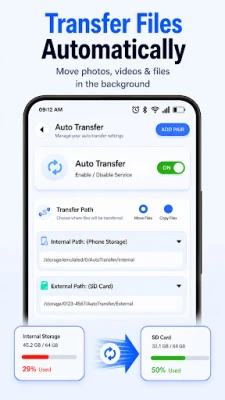
The app's automatic transfer feature allows you to set specific folders for file movement, ensuring that your data is always organized and up-to-date.
- Automatically transfer files to designated folders.
- Select source and destination folders with ease.
- Detect and transfer new files as they are added.
- Enable or disable auto transfer at any time.
- Reduce the need for manual file management.
- Easily move and copy files between internal storage and SD cards.
By automating these processes, you can save time and keep your files organized without the hassle of manual sorting.
Schedule Your Transfers
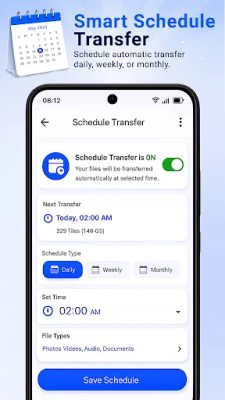
Take control of your file management with the scheduling feature, allowing you to automate transfers based on your preferences.
- Set daily, weekly, or monthly transfer schedules.
- Customize source and destination folders for each schedule.
This feature is perfect for those who want to maintain an organized file system without constant oversight.
Quick Transfer Options
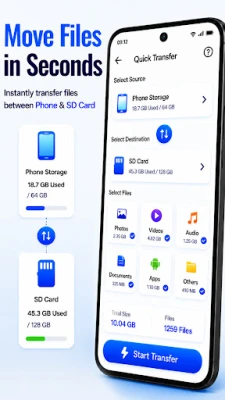
Need to move files in a hurry? The quick transfer feature allows you to transfer files instantly whenever necessary.
- Move files quickly and efficiently.
- Copy files with ease.
- Enjoy fast file organization and simple management.
With fewer steps involved, managing your files has never been easier.
Comprehensive Storage Management
Manage multiple storage locations seamlessly with the app's robust storage management tools.
- Internal Storage Manager
- SD Card Manager
- USB OTG Storage Manager
- External Storage Management
- File Organization Tools
Supported file types include:
- Photos
- Videos
- Audio Files
- Documents
- APK Files
Stay Informed with Storage Alerts
Never run out of storage space unexpectedly. The app provides alerts to keep you informed about your available storage.
- Receive low storage alerts.
- Set custom warning limits for storage usage.
- Monitor internal and SD card storage effectively.
- Get notifications about storage usage.
Stay ahead of storage issues and manage your files proactively.
Duplicate & Large File Scanner
Identify files that consume unnecessary storage space with the app's duplicate and large file scanner.
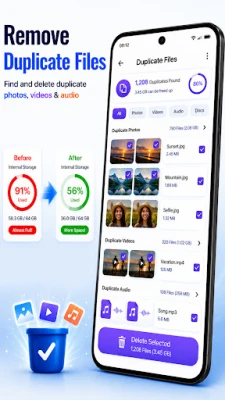
- Find and eliminate duplicate files.
- Scan for large files that may be taking up valuable space.
- Receive support for effective storage organization.
This feature helps you maintain a clutter-free storage environment.
Effortless OTG & USB File Transfers
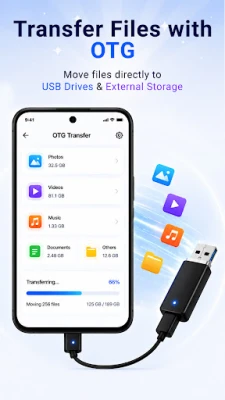
Transfer files between your phone, SD cards, and USB OTG devices with ease.
- Seamlessly move files across different storage types.
- Copy and manage files effortlessly.
- Utilize quick file transfer tools for efficiency.
Manage all your file transfers from one convenient location.
Permissions for Optimal Functionality
To ensure smooth file transfer and storage management, the app may request the following permissions:
- Storage Access: Required to view, manage, move, copy, and organize files across device storage.
- Media Access: Necessary for accessing supported media files for transfer and management.
- Foreground Service: Allows transfers and scheduled operations to continue with a visible notification.
All permissions are strictly used for enhancing app functionality.
Important Considerations
Users have the flexibility to select source and destination folders for file transfers. Keep in mind that file transfers depend on available storage space, selected folders, device compatibility, and granted permissions. Some features may vary based on your Android version, storage type, SD card support, and connected devices.
Experience Effortless File & Storage Management
With the Auto Transfer app, you can automate file transfers to your SD card, organize your storage, manage OTG devices, and monitor storage usage efficiently. Download the app today and experience the ease of automatic file transfers!
Rate the App
User Reviews















Popular Apps










Editor's Choice









