




Latest Version
2.6.2
April 07, 2026
Huau Apps
Tools
Android
0
Free
com.ksxkq.autoclick
Report a Problem
More About Auto Clicker app for games
Unlock Efficiency with the Best Auto Clicker: No Root Required!
In today's fast-paced digital world, efficiency is key. Whether you're a gamer, a developer, or simply someone looking to streamline repetitive tasks, an auto clicker can be your best ally. The Auto Clicker app stands out as a powerful tool that enhances productivity without the need for root access. Best of all, it’s completely free!
Why Choose Auto Clicker?
Auto Clicker is designed to save you time and effort. With its user-friendly interface and robust features, it allows you to automate clicks and swipes effortlessly. Here’s a closer look at what makes this app a must-have:
1. No Scripting Required: Button Wizard
One of the standout features of Auto Clicker is its Button Wizard. This intuitive tool allows users to set up automated clicks without the need for complex scripting. Simply select the button you want to automate, and let the app handle the rest. This feature is perfect for those who want to maximize efficiency without diving into technical details.
2. Versatile Functionality: Timer, Swipe, Recorder, and Hold
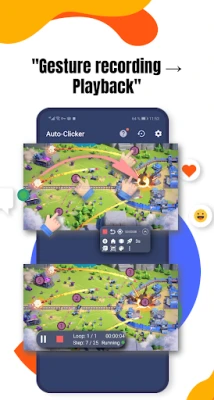
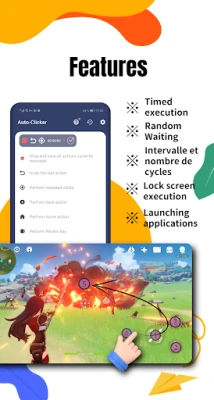
Auto Clicker offers a comprehensive suite of functionalities. You can set timers for your clicks, perform swipes, record your actions, and even hold down buttons for extended periods. This versatility makes it suitable for a wide range of applications, from gaming to data entry tasks.
3. Automatic Sliding: Effortless Navigation
Say goodbye to manual scrolling! The Automatic Sliding feature allows you to navigate through screens seamlessly. Whether you’re browsing through long documents or scrolling through social media feeds, this feature ensures a smooth experience without the hassle of constant finger movement.
4. Advanced Image Detection and Text Recognition
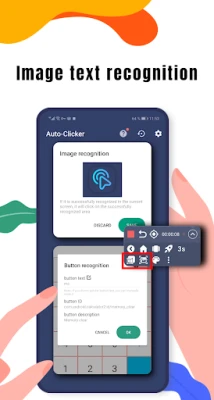
Auto Clicker takes automation to the next level with its Image Detection and Text Recognition capabilities. This means the app can identify specific images or text on your screen and perform clicks accordingly. This feature is particularly useful for tasks that require precision, such as filling out forms or interacting with specific elements in games.
5. Complete Tasks with Ease: Automatic Clicking
With Auto Clicker, you can automate repetitive tasks that require multiple clicks. This feature is a game-changer for anyone who finds themselves performing the same actions repeatedly. By automating these clicks, you can focus on more important tasks, enhancing your overall productivity.
Understanding Permissions: Accessibility Service
To function effectively, Auto Clicker utilizes the Accessibility Service on your device. This service is essential for enabling the app to perform its clicking functions. It’s important to note that you must grant the necessary permissions for the app to work correctly. Rest assured, your privacy and security are prioritized, and the app only uses these permissions for its intended purpose.
Compatibility: Android 7.0 and Above
Auto Clicker is compatible with devices running Android 7.0 (Nougat) and above. This ensures that a wide range of users can benefit from its features. If you’re looking to enhance your productivity on a modern Android device, Auto Clicker is the perfect solution.
Conclusion: Maximize Your Productivity Today!
In conclusion, the Auto Clicker app is an invaluable tool for anyone looking to save time and increase efficiency. With its user-friendly features, including the Button Wizard, automatic sliding, and advanced detection capabilities, it stands out as a top choice for automating repetitive tasks. Best of all, it’s free and does not require root access, making it accessible to everyone.
Don’t let repetitive tasks slow you down. Download Auto Clicker today and experience the freedom of automated clicking!
Rate the App
User Reviews















Popular Apps










Editor's Choice









