

Latest Version
2.4.0
October 20, 2024
FirstOrder.AI
Tools
Android
0
Free
ai.firstorder.authenticator
Report a Problem
More About Authenticator App: 2FA/MFA/OTP
The Ultimate Guide to Two-Factor Authentication: Enhance Your Online Security
In today's digital landscape, securing your online accounts is more crucial than ever. One of the most effective ways to bolster your security is through Two-Factor Authentication (2FA). This article explores popular platforms that support 2FA, key features of authentication apps, and how they work to keep your information safe.
Popular Platforms Supporting Two-Factor Authentication
Many well-known platforms have integrated two-factor authentication to enhance user security. Here’s a list of some of the most popular:
- Google Authenticator
- Microsoft Authenticator
- Social Media Platforms: Facebook, TikTok, Kick, Reddit
- Payment Services: PayPal, Stripe, Amazon, Shopify
- Gaming Platforms: Roblox, Epic Games, Activision, Rockstar, Ubisoft
- Cryptocurrency Exchanges: Coinbase
- Collaboration Tools: Discord
- Enterprise Solutions: SAP, Autotask, GitHub
- Government Services: Login.gov, mo.gov
- Technology Companies: NVIDIA, Sony
Key Features of Two-Factor Authentication Apps
When choosing a two-factor authentication app, consider the following key features that enhance usability and security:
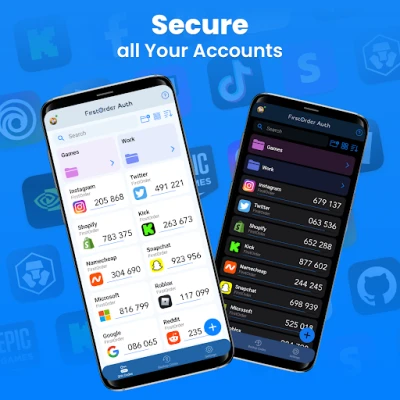
- Code Generation: The app generates a new multi-factor authentication code every 30 seconds, ensuring your codes are always fresh.
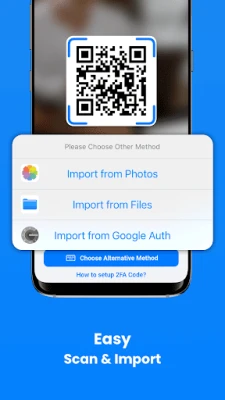
- Easy Setup: Users can quickly set up 2FA by scanning a QR code or entering details manually. Many apps also support importing from Google Authenticator.
- User-Friendly Guides: Most authenticator apps provide clear instructions for adding and managing two-factor authentication codes.
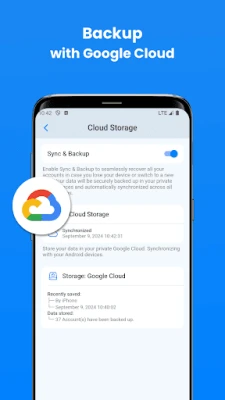
- Encrypted Sync & Backup: Securely sync your accounts across multiple devices using cloud services like Google Cloud.
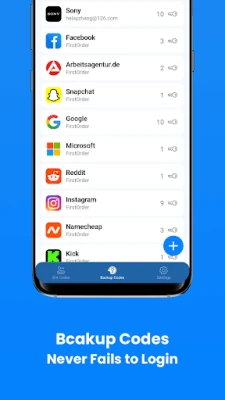
- Backup & Recovery Codes: Manage and recognize backup codes easily, ensuring you can regain access if needed.
- Widgets: Access your MFA codes directly from your home screen for quick retrieval.
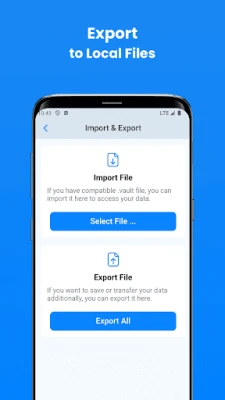
- Import/Export Functionality: Easily transfer your 2FA accounts to and from local storage.
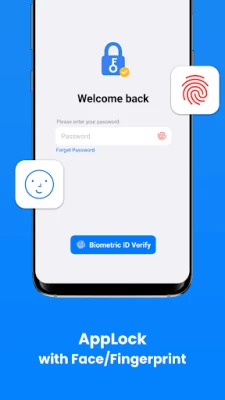
- App-Level Security: Protect your codes with biometric security features like Face ID or fingerprint recognition.
- Organizational Folders: Manage multiple keys efficiently by grouping them into custom folders.
- Multilingual Support: Many apps support multiple languages, including English, German, French, and more.
How Two-Factor Authentication Works
The process of two-factor authentication typically involves the following steps:
- Initial Login: The user enters their username and password on the website or application.
- Second Verification: The user opens the authenticator app to generate a one-time password (OTP) and submits it to the server.
- Verification Process: The server checks the submitted OTP against the expected value using TOTP (Time-based One-Time Password) or OTP algorithms.
Choosing the Right Authenticator App
When browsing the app store, you’ll find numerous authenticator apps, including Microsoft Authenticator, Google Authenticator, Duo Mobile, LastPass Authenticator, and Twilio Authy. While these apps share common features, each has unique characteristics that may better suit your needs. Selecting the right app can significantly enhance the security of your online accounts.
Conclusion: Secure Your Online Presence
Implementing two-factor authentication is a vital step in protecting your online accounts from unauthorized access. By utilizing a reliable authenticator app, you can ensure that your sensitive information remains secure. If you have any questions or suggestions, feel free to reach out at feedback@firstorder.ai.
For more information, visit our Home Page, review our Terms of Use, or read our Privacy Policy.
Rate the App
User Reviews















Popular Apps










Editor's Choice









