

Latest Version
66.0
December 03, 2025
Share File Technologies by 090 Bravo
Tools
Android
0
Free
authenticator.app.otp.authentication.fa
Report a Problem
More About Authenticator - 2FA & Password
Ultimate Guide to Choosing the Best 2FA & 2-Step Verification Solution
In today's digital landscape, securing your online accounts is more crucial than ever. If you're searching for a reliable and user-friendly solution for Two-Factor Authentication (2FA) and 2-Step Verification, your quest ends here! Discover how Authenticator - 2FA & Password can safeguard your digital life and provide unparalleled security for your online accounts.
Why Opt for Authenticator - 2FA & Password?
Choosing the right 2FA solution can significantly enhance your online security. Here are compelling reasons to consider Authenticator - 2FA & Password:
Effortless Setup
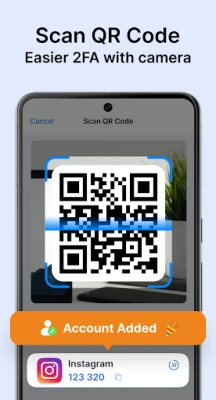
Activating Two-Factor Authentication is a breeze. Simply scan a QR code or enter a secret key to add an extra layer of security beyond traditional passwords. This straightforward setup ensures that even those who are not tech-savvy can easily protect their accounts.
Offline Access
One of the standout features of our app is its ability to generate 2-step verification codes without an internet connection. This means you can access your accounts securely, even in areas with poor connectivity.
Enhanced Privacy
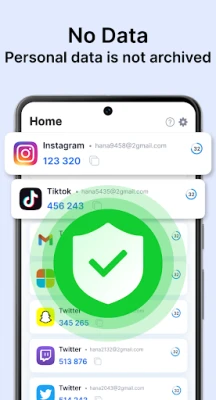
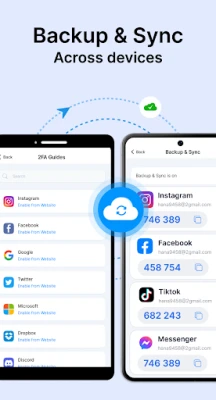
Your security is our top priority. With features like offline backup, account restoration, and a PIN lock, you can rest assured that your sensitive information remains protected from unauthorized access.
Versatile Features
Manage multiple accounts effortlessly with our intuitive group management system. The app supports both time-based OTP (One-Time Password) and counter-based OTP methods, making it adaptable to your specific needs.
How to Use Authenticator - 2FA & Password
Getting started with Authenticator - 2FA & Password is simple. Follow these steps to enhance your account security:
- Scan QR Code or Enter Secret Key: Open the app and either scan the QR code provided by your service or manually enter the secret key.
- Retrieve OTP: Access the app to get your 6 or 8-digit OTP.
- Enter OTP: Input the OTP within the designated timeframe to gain secure access to your account.
Understanding the Role of a 2FA Authenticator App
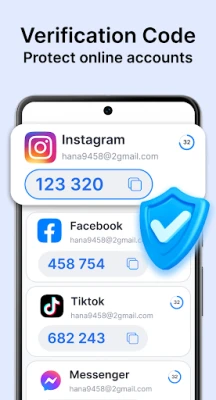
So, what exactly does a 2FA authenticator app do? Authenticator - 2FA & Password generates one-time passwords (OTPs) for Two-Factor Authentication or Multi-Factor Authentication by scanning QR codes or entering secret keys. These dynamic OTPs offer enhanced security compared to traditional passwords, remaining valid for only 30 seconds.
This app supports 2FA and 2-Step Verification across various sectors, including:
- Finance
- Cryptocurrency
- Banking
- Insurance
- Social Media
- Dating
- eCommerce
- Business
- IT
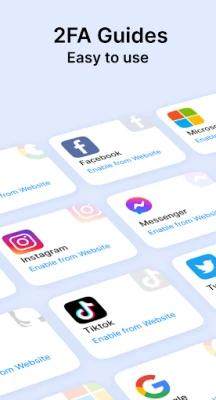
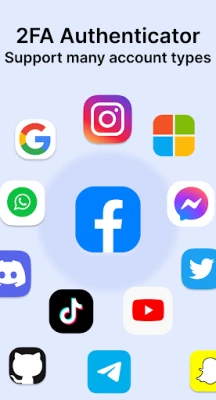
Popular platforms like Facebook, Instagram, Google, Microsoft, Discord, and GitHub are all compatible with our app. With just one app, you can authenticate all your online accounts, making it an essential tool for anyone serious about security.
The Importance of Implementing 2FA
Implementing Two-Factor Authentication or 2-Step Verification is one of the simplest yet most effective ways to protect your accounts from hacking attempts. Security experts highly recommend this practice, especially for applications in sensitive sectors such as finance, cryptocurrency, banking, and social media.
Join the Community of Satisfied Users
Countless users trust Authenticator - 2FA & Password for their account protection needs. Download the app today and experience unbeatable security that gives you peace of mind with every login.
Contact Us
Thank you for choosing Authenticator - 2FA & Password! For any inquiries or feedback, feel free to reach out to us at authenticator.support@gmail.com. Enhance your security and enjoy the peace of mind you deserve!
Rate the App
User Reviews















Popular Apps










Editor's Choice









