


Latest Version
4.7.1251
October 30, 2024
Aura Home, Inc.
Tools
Android
0
Free
com.pushd.client
Report a Problem
More About Aura Frames
Unlock Your Memories with the Aura App: A Comprehensive Guide
In today's digital age, preserving and sharing memories has never been easier. The Aura App paired with the Aura Frame offers a seamless way to connect with your cherished moments. This article will guide you through the features of the Aura App, ensuring you make the most of your digital photo frame.
Connect Your Frame to WiFi
To begin your journey with the Aura Frame, the first step is to connect it to your WiFi network. This connection allows your frame to receive updates and new photos effortlessly. Follow these simple steps:
- Download the Aura App from the App Store or Google Play.
- Create an account or log in if you already have one.
- Follow the in-app instructions to connect your frame to your home WiFi.
Once connected, your frame is ready to display your favorite memories in real-time.
Select Your Favorite Photos and Collections
The Aura App allows you to curate the perfect collection of images to showcase on your frame. You can choose individual pictures, entire folders, or specific collections that resonate with you. Here’s how:
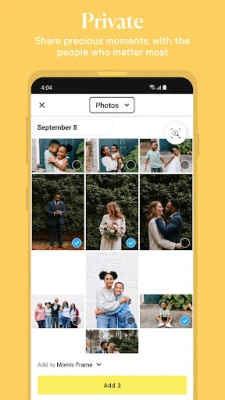
- Open the Aura App and navigate to the 'Photos' section.
- Select the images or folders you wish to display.
- Organize your selections into collections for easy access.
This feature ensures that your frame always reflects your current mood or special occasions, making it a dynamic addition to your home decor.
Invite Family Members to Share Their Photos
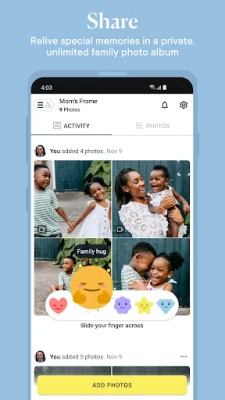
One of the standout features of the Aura App is the ability to invite family and friends to contribute their photos. This collaborative aspect enhances the experience, allowing everyone to share their memories. Here’s how to invite others:
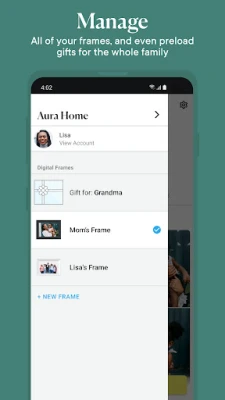
- Go to the 'Settings' section in the Aura App.
- Select 'Invite Family Members.'
- Enter their email addresses and send the invitations.
Once they accept, they can upload their photos directly to your frame, creating a shared gallery of memories that everyone can enjoy.
Manage Your Photos with Ease
The Aura App provides intuitive tools to manage your photo collection. You can learn more about each photo, change the displayed images, or remove any that no longer resonate with you. Here’s how to manage your photos effectively:
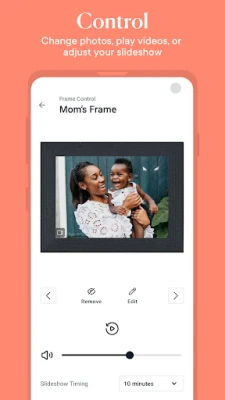
- Tap on any photo displayed on your frame to view details.
- Use the options to change the photo or remove it from your collection.
- Adjust settings to customize how your photos are displayed, including transitions and display times.
This level of control ensures that your frame remains fresh and aligned with your evolving tastes and memories.
Experience the Aura App and Frame Today
With the Aura App and Frame, reliving your favorite memories is just a few taps away. The combination of easy connectivity, collaborative sharing, and intuitive management makes it an essential tool for anyone looking to celebrate their life’s moments. Don’t miss out on the opportunity to transform your memories into a beautiful display that brings joy to your home.
Download the Aura App today and start curating your digital gallery. Experience the magic of shared memories and enjoy a continuous flow of cherished moments right in your living space.
Rate the App
User Reviews















Popular Apps










Editor's Choice









