

Latest Version
3.238.0
September 05, 2024
AT&T Services, Inc.
Tools
Android
0
Free
com.att.dh
Report a Problem
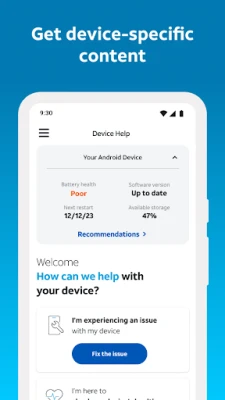
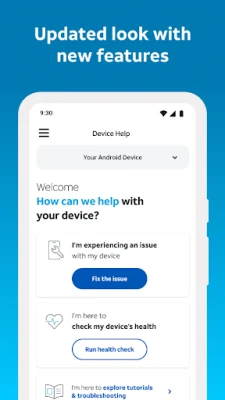
More About AT&T Device Help
Unlock Your Device's Potential: Expert Tips and Step-by-Step Guides
In today's fast-paced digital world, mastering your device is essential for optimal performance and seamless user experience. Whether you're a tech novice or a seasoned pro, having access to comprehensive guides and expert tips can significantly enhance your device's functionality. This article will explore how to effectively manage your device, stay updated, and troubleshoot common issues with ease.
Step-by-Step Guides to Master Your Device
Learning how to navigate your device can be daunting, but with the right step-by-step guides, you can become proficient in no time. These guides provide clear instructions tailored to various devices, ensuring that you can follow along without confusion.
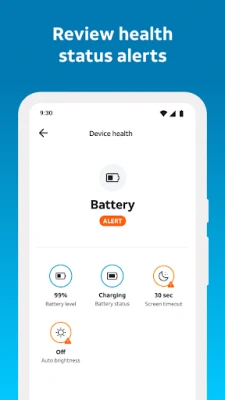
- Understanding Your Device's Features: Familiarize yourself with the unique features of your device. From camera settings to battery management, knowing what your device can do is the first step to mastering it.
- Customizing Settings: Personalize your device by adjusting settings to fit your preferences. This includes display options, notification settings, and accessibility features.
- Utilizing Built-in Applications: Explore the pre-installed applications that come with your device. These apps often have powerful functionalities that can enhance your daily tasks.
Stay Updated for Optimal Performance
Regular updates are crucial for maintaining your device's performance. They not only introduce new features but also fix bugs and security vulnerabilities. Here’s how to ensure you never miss an important update:
- Enable Automatic Updates: Most devices allow you to enable automatic updates. This feature ensures that your device installs updates as soon as they become available, keeping it running smoothly.
- Check for Updates Manually: If you prefer to have control over what gets installed, regularly check for updates in your device's settings. This way, you can stay informed about the latest improvements.
- Read Update Notes: Before installing updates, take a moment to read the release notes. They often contain valuable information about what changes to expect and how they can benefit your device.
Efficient Troubleshooting for Quick Resolutions
Encountering issues with your mobile device can be frustrating, but knowing how to troubleshoot effectively can save you time and stress. Here are some tips to help you quickly identify and resolve common problems:
- Identify the Problem: Start by pinpointing the specific issue. Is your device running slow? Are you experiencing connectivity problems? Understanding the problem is the first step toward finding a solution.
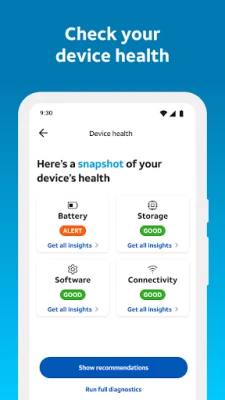
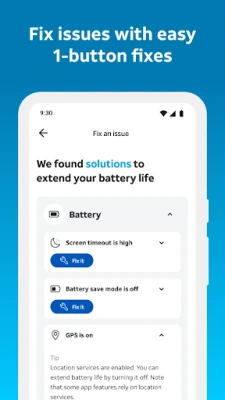
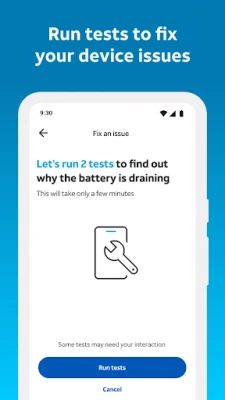
- Utilize Built-in Troubleshooting Tools: Many devices come equipped with built-in troubleshooting tools. These tools can guide you through diagnosing and fixing common issues.
- Consult Online Resources: If you're unable to resolve the issue on your own, don't hesitate to consult online resources. Forums, support websites, and video tutorials can provide additional insights and solutions.
Enhancing Accessibility with AT&T Device Help
For those who may need extra assistance, AT&T Device Help offers a unique feature that utilizes the Google Accessibility API. This optional component enhances the Guide Me function, providing users with step-by-step guidance directly on their devices.
- Guided Assistance: When enabled, this feature helps users navigate through troubleshooting steps, making it easier to resolve common issues without external help.
- Physical Guidance: The Guide Me function offers physical guidance, ensuring that users can follow along with the instructions displayed on their screens.
- Empowering Users: By providing accessible support, AT&T Device Help empowers users to take control of their devices, fostering a sense of independence and confidence.
Conclusion: Take Charge of Your Device
Mastering your device is not just about understanding its features; it's about staying informed, being proactive with updates, and knowing how to troubleshoot effectively. With the right resources and tools at your disposal, you can unlock your device's full potential and enjoy a seamless digital experience. Whether you’re using step-by-step guides or leveraging accessibility features like AT&T Device Help, taking charge of your device has never been easier.
Rate the App
User Reviews















Popular Apps










Editor's Choice









