
Latest Version
1.22.2
September 28, 2024
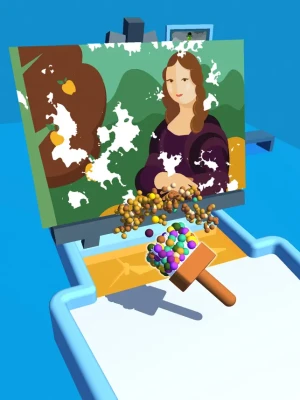
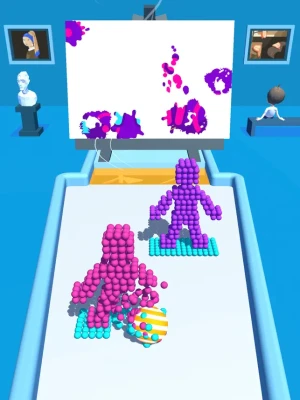
Roll a ball to paint canvas
Games
iOS
185.9 MB
0
Free
Report a Problem
More About Art Ball 3D: Canvas Puzzle
Unleash Your Creativity: Mastering Color Sphere Art on Your Screen
In today's digital age, creativity knows no bounds. With just a simple swipe of your finger, you can transform your screen into a vibrant canvas filled with color and imagination. This article will guide you through the exciting process of moving your ball and gluing color spheres to create stunning artistic masterpieces.
Understanding the Basics: How to Move Your Ball
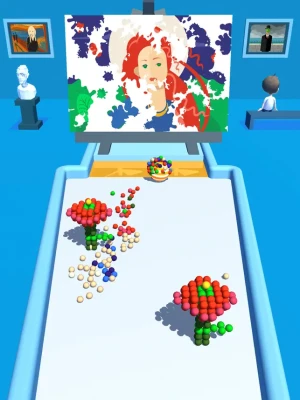
To begin your artistic journey, you need to master the fundamental action of moving your ball across the screen. This simple yet effective technique allows you to explore the canvas and interact with the color spheres around you. By gently gliding your finger, you can navigate the digital space, positioning your ball precisely where you want it.
Gathering Your Color Spheres
As you maneuver your ball, you will encounter various color spheres scattered throughout the canvas. These spheres are not just decorative; they are essential components of your artwork. Each color sphere you collect adds a unique hue to your palette, enabling you to create a diverse range of artistic expressions.
Dispatching Colors: The Art of Painting
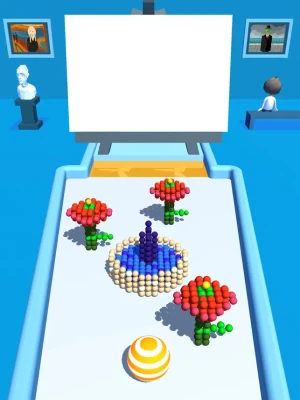
Once you have gathered an array of color spheres, it’s time to unleash your creativity. Dispatching colors involves releasing the hues from your ball onto the canvas. This action allows you to paint beautiful artistic paintings that reflect your unique style and vision.
Techniques for Effective Color Dispatching
To achieve stunning results, consider the following techniques:
- Layering Colors: Experiment with layering different colors to create depth and texture in your artwork. Start with a base layer and gradually add more colors on top.
- Blending Shades: Use your finger to blend colors together, creating smooth transitions and gradients that enhance the visual appeal of your painting.
- Creating Patterns: Explore various patterns by strategically placing color spheres. This technique can add a dynamic element to your artwork.
Exploring Artistic Styles
As you become more comfortable with the mechanics of color dispatching, consider exploring different artistic styles. Whether you prefer abstract art, impressionism, or modern designs, the possibilities are endless. Allow your imagination to guide you as you experiment with various techniques and styles.
Inspiration from Famous Artists
To fuel your creativity, draw inspiration from renowned artists. Study their techniques and styles, and try to incorporate elements of their work into your own. This practice can help you develop a unique artistic voice while paying homage to the masters of the craft.
Sharing Your Masterpieces
Once you have created your stunning artwork, don’t keep it to yourself! Share your masterpieces with friends, family, and the online community. Social media platforms and art-sharing websites provide excellent opportunities to showcase your creativity and connect with fellow artists.
Building an Online Portfolio
Consider creating an online portfolio to display your artwork. This platform can serve as a digital gallery where you can curate your best pieces, track your artistic growth, and attract potential clients or collaborators.
Conclusion: Embrace Your Artistic Journey
Moving your finger on the screen to guide your ball and dispatch colors is more than just a fun activity; it’s a gateway to self-expression and creativity. By mastering the techniques outlined in this article, you can create beautiful artistic paintings that reflect your unique vision. So, grab your device, start moving, and let your creativity flow!
Rate the App
User Reviews













Popular Apps










Editor's Choice









