
Latest Version
5.80
October 18, 2024
AZSoft Technology Inc.
Tools
Android
0
Free
com.a0soft.gphone.app2sd
Report a Problem
More About AppMgr III (App 2 SD)
Maximize Your Android Storage: The Ultimate App Management Tool
In today's digital age, managing your Android device's storage efficiently is crucial. With the increasing number of applications available, users often find themselves struggling with limited app storage. Fortunately, there are powerful tools designed to help you optimize your app management experience. This article explores the essential features of a top-tier app management tool that allows you to move, hide, and freeze apps, ensuring you have more control over your device's storage.
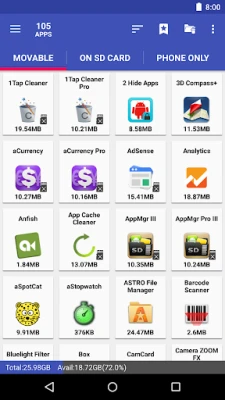
Effortlessly Move Apps to Free Up Space
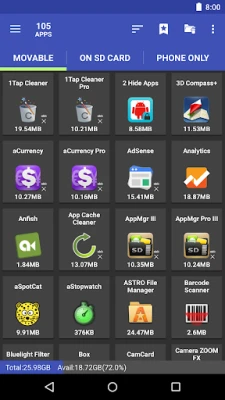
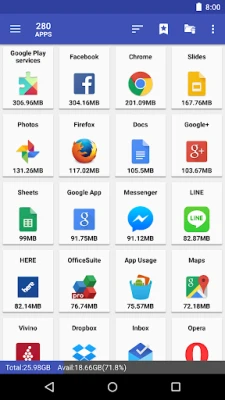
Are you constantly running out of application storage? Do you dread the tedious process of checking each app to see if it can be moved to an SD card? With the right app management tool, you can streamline this process. This feature allows you to move apps seamlessly between your device's internal and external storage, giving you more space for new applications.
Imagine having an app that automatically identifies which applications can be moved and notifies you accordingly. This functionality is essential for anyone facing memory management challenges, as it simplifies the process of optimizing storage space.
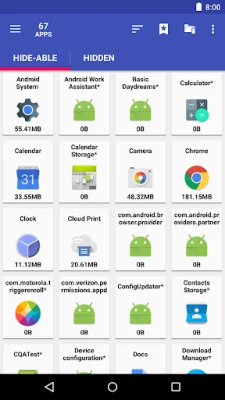
Hide Unwanted Apps for a Cleaner Interface
Many Android devices come preloaded with system apps that you may never use. These built-in applications can clutter your app drawer and make it difficult to find the apps you actually need. Fortunately, the app management tool allows you to hide these unwanted system apps, providing a cleaner and more organized interface.
By utilizing this feature, you can customize your app drawer to display only the applications you use regularly, enhancing your overall user experience.
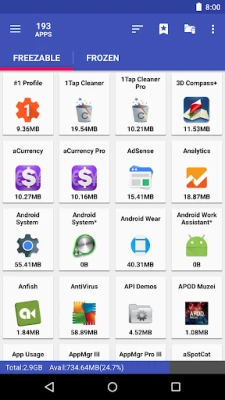
Freeze Apps to Save Resources
Do you have apps on your device that you want to keep but don’t use frequently? Freezing these applications is an excellent way to prevent them from consuming CPU and memory resources. This feature ensures that frozen apps do not run in the background, allowing you to save battery life and improve your device's performance.
Freezing apps is particularly beneficial for those who want to maintain a clutter-free device without permanently uninstalling applications. You can easily unfreeze them whenever you need to use them again.
Comprehensive App Management Features
The app management tool offers a plethora of features designed to enhance your experience:
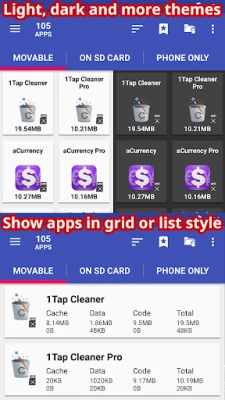
- Modern User Interface: Enjoy an up-to-date UI style with customizable themes.
- Batch Uninstalling: Quickly uninstall multiple apps at once, saving you time and effort.
- Cache Management: Clear all app cache with a single tap or manage cache and data for individual apps.
- Export and Share App Lists: Easily export your app list and share it with friends.
- No Ads: Upgrade to the PRO version for an ad-free experience.
- Home Screen Widgets: Access your favorite features directly from your home screen.
Advanced Functions for Rooted Devices
If you have a rooted device, the app management tool offers even more advanced functionalities:
- Root Uninstaller: Permanently remove unwanted apps with ease.
- Root Freeze: Freeze apps on rooted devices to save resources.
- Root Cache Cleaner: Efficiently clear cache for all apps.
- Root App Mover: Move apps to external storage with enhanced capabilities (PRO-only).
Permissions for Optimal Functionality
To ensure the app management tool operates smoothly, it requires certain permissions:
- WRITE/READ_EXTERNAL_STORAGE: Necessary for exporting and importing app lists.
- GET_PACKAGE_SIZE, PACKAGE_USAGE_STATS: Used to retrieve size information for installed apps.
- BIND_ACCESSIBILITY_SERVICE: Utilizes accessibility services to automate functions, making it easier for users with difficulties in navigation.
- WRITE_SETTINGS: Prevents screen rotation during automated tasks.
- SYSTEM_ALERT_WINDOW: Displays a wait screen during automated functions.
Conclusion: Take Control of Your Android Experience
In conclusion, managing your Android device's storage doesn't have to be a daunting task. With the right app management tool, you can move, hide, and freeze apps effortlessly, ensuring you have more available storage for your favorite applications. Whether you're dealing with built-in system apps or simply want to optimize your device's performance, this tool provides the features you need to take control of your Android experience.
Don't let storage limitations hold you back. Embrace the power of effective app management and enjoy a more organized and efficient Android device.
Rate the App
User Reviews















Popular Apps










Editor's Choice









