Latest Version
April 18, 2026
MOBİLEDO YAZILIM HİZMETLERİ
Tools
Android
0
Free
com.mobiledo.applock
Report a Problem
More About Applock Pro - App Lock & Guard
Ultimate Guide to Securing Your Privacy with App Lock
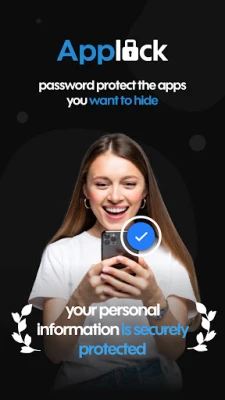
In today's digital age, safeguarding your personal information is more crucial than ever. With the rise of social media and mobile banking, ensuring your privacy is paramount. This article explores how App Lock can provide you with 100% security and privacy for your sensitive data.
Lock Your Social Media Apps
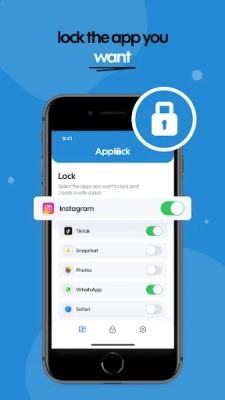
With App Lock, you can effortlessly secure your social media applications such as WhatsApp, Instagram, and Facebook. This feature ensures that no one can snoop through your chats or social media posts, giving you peace of mind. By locking these apps, you can maintain your privacy and keep your conversations confidential.
Comprehensive Protection for Your Data
App Lock offers complete protection for your Gallery, Contacts, Messages, and more. No one can access your private photos, videos, or messages without entering the correct password. This level of security is essential for anyone who values their privacy and wants to keep their personal information safe from prying eyes.
Multiple Locking Methods for Enhanced Security
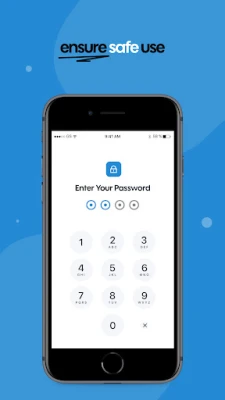
Protecting your private data has never been easier. App Lock allows you to secure your applications using various methods, including a PIN code, pattern lock, or fingerprint recognition. This flexibility ensures that you can choose the method that best suits your needs, providing an additional layer of security for your sensitive information.
Secure Your Financial Apps
In addition to social media, App Lock can also secure your financial applications like Google Pay and PayPal. This feature prevents accidental payments and stops unauthorized purchases, especially if you have children who might access your device. By locking these apps, you can ensure that your financial transactions remain secure.
Hide Your Private Photos and Videos
One of the standout features of App Lock is its ability to hide your private photos and videos. Hidden files will not appear in your gallery, ensuring that only you can view them by entering a password. This functionality is perfect for keeping your cherished memories safe from unwanted eyes.
Trespasser Selfie: A Unique Security Feature
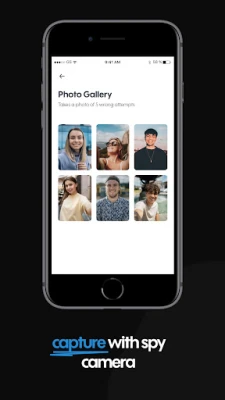
App Lock takes security a step further with its Trespasser Selfie feature. If someone attempts to access your app with the wrong password, the app automatically captures a photo of the intruder. This innovative feature ensures that you can identify anyone trying to breach your privacy, providing you with an extra layer of protection.
Disguise Your App for Added Security
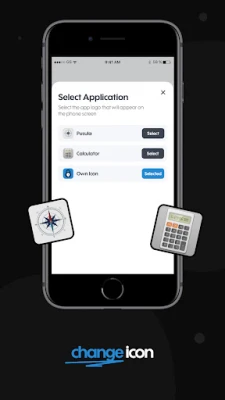
Worried about snoopers discovering your App Lock? You can disguise the app by changing its original icon to something more innocuous. This clever trick confuses potential intruders, making it difficult for them to find the app and access your private information.
Prevent Accidental Deletion with Lift Protection
Accidental removal of confidential files can be a nightmare. App Lock's Lift Protection feature prevents this by ensuring that your important files remain intact. This safeguard is essential for anyone who wants to avoid losing sensitive information due to unintentional actions.
Additional Features for Enhanced Privacy
- Invisible Pattern Drawing: Hide the location of your pattern to prevent others from seeing how you unlock your apps.
- Random Keyboard: This feature makes it impossible for anyone to guess your password, adding another layer of security.
- Relock Settings: Automatically relock your apps after exiting, turning off the screen, or based on custom settings.
- Lock New Apps: The app detects newly installed applications and allows you to lock them with a single click.
Required Permissions for Optimal Functionality
To ensure that App Lock functions effectively, it requires access to all files on your device. This permission is solely used to protect your private photos, videos, and other files, ensuring that your data remains secure at all times.
Conclusion: Take Control of Your Privacy
In a world where privacy is increasingly at risk, App Lock provides a robust solution for securing your personal information. With features designed to protect your social media, financial apps, and private files, you can enjoy peace of mind knowing that your data is safe. Take control of your privacy today and experience the ultimate protection with App Lock.
Rate the App
User Reviews















Popular Apps










Editor's Choice









