
Latest Version
Version
2.0.48
2.0.48
Update
May 23, 2026
May 23, 2026
Developer
Cube Apps Ltd
Cube Apps Ltd
Categories
Tools
Tools
Platforms
Android
Android
Downloads
0
0
License
Free
Free
Package Name
com.catalinagroup.applock
com.catalinagroup.applock
Report
Report a Problem
Report a Problem
More About AppLock
Safeguard your privacy, lock contacts, messengers & other apps with AppLock
Unlocking the Power of AppLock: Your Ultimate Guide to Data Protection
In today's digital age, safeguarding your personal information is more crucial than ever. With its robust functionality and sleek user interface, AppLock stands out as the premier app for securing your data and locking applications from unauthorized access. In just a few clicks, you can ensure that your private information remains private.How AppLock Works
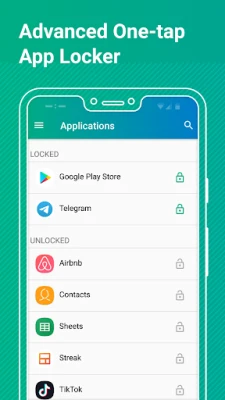
Getting started with AppLock is a breeze. After setting up the basic configurations during your initial sign-in, simply open the app and tap on the applications you wish to protect. This straightforward process activates the app lock protection, allowing you to enjoy peace of mind.Key Features of AppLock
AppLock is packed with features designed to enhance your security and user experience. Here are some of the standout functionalities:1. Powerful Message Locker
With AppLock, you can secure your messaging apps, including Facebook Messenger, WhatsApp, Viber, Snapchat, WeChat, Hangouts, Skype, and Slack. This ensures that your conversations with family, friends, and colleagues remain confidential.2. Advanced App Lock for System Applications
Quickly lock essential system applications such as contacts and calendars. AppLock makes it easy to protect your most sensitive information.3. Diverse App Lock Options
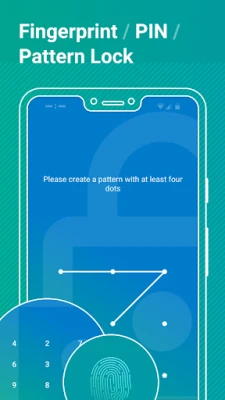
Choose the locking method that suits you best. AppLock allows you to secure your apps using a fingerprint, password, or pattern of your choice.4. Random Keyboard Feature
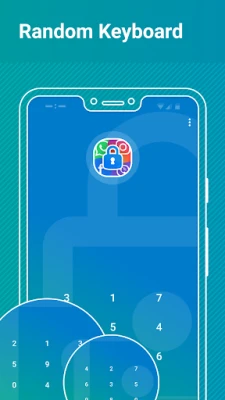
Activate the “Random Keyboard” feature to obscure your password from onlookers. This added layer of security helps keep your access credentials safe.5. Intruder Selfie
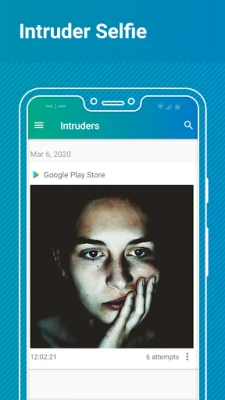
Enable the “Intruder Selfie” mode to capture images of anyone who attempts to access your phone without permission. This feature helps you identify unauthorized users.6. Real-time App Lock Protection
Stay informed with real-time notifications about new apps installed on your device that are available for locking. This ensures that your security measures are always up to date.7. Customizable Themes
Personalize your AppLock experience by choosing between a Light (Default) or Dark theme, making it visually appealing to your preferences.Permissions Required for AppLock
To function effectively, AppLock requires specific permissions:- App Usage: This permission allows AppLock to retrieve a list of installed applications and manage their lock status.
- Overlay: Necessary for displaying the lock screen over other apps. Note that this permission is mandatory for Android 10 devices; without it, AppLock will not operate.
- Camera: This permission is used to capture intruder selfies.
Getting Started with AppLock
Setting up AppLock is simple and intuitive. Follow these steps to configure your app:- Open the AppLock application.
- Grant the required “App Usage” and “Overlay” permissions.
- Sign in using your Google account. This step is crucial for recovering access to locked apps if you forget your password or pattern.
- Select and configure your preferred app lock option. If you opt for a Password (PIN) lock, consider enabling the “Random Keyboard” feature for added security.
Enhancing Stability and Security
To maximize the effectiveness of AppLock, consider configuring additional stability and security features:- Advanced App Lock Protection: Set AppLock as a device administrator to prevent unauthorized uninstallation attempts.
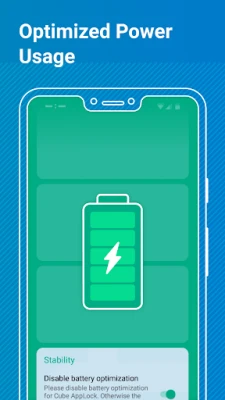
- Disable Battery Optimization: This feature prevents AppLock from entering sleep mode, ensuring consistent app lock protection.
- Fingerprint App Unlock: Enable this feature for instant access to your apps using your fingerprint.
- Intruder Selfie: Activate this feature to capture photos of anyone who enters the wrong AppLock password or pattern.
Conclusion
In a world where data breaches and privacy concerns are rampant, AppLock offers a reliable solution for protecting your personal information. With its user-friendly interface and powerful features, you can easily secure your apps and sensitive data. Whether you’re looking to lock messaging apps or safeguard system applications, AppLock provides the tools you need to maintain your privacy. Start using AppLock today and take control of your digital security!Rate the App
Add Comment & Review
User Reviews
Based on 0 reviews
No reviews added yet.
Comments will not be approved to be posted if they are SPAM, abusive, off-topic, use profanity, contain a personal attack, or promote hate of any kind.















More »

Popular Apps

Nova BrowserJef Studios

Throne WishlistThrone.com

Dark Web Browser : OrNETStronger Apps

LINE: Calls & MessagesLINE (LY Corporation)

XENO; Plan, AutoSave & InvestXENO Investment

Rogue SlimeQuest Seeker Games

Дядя Ваня VPNKONDAKOV

PrivacyWallPrivacyWall

Robinhood WalletRobinhood

Roman empire games - AoD RomeRoboBot Studio
More »
Editor's Choice

Grim Soul: Dark Survival RPGBrickworks Games Ltd

Craft of Survival - Gladiators101XP LIMITED

Last Shelter: SurvivalLong Tech Network Limited

Dawn of Zombies: Survival GameRoyal Ark

Merge Survival : WastelandStickyHands Inc.

AoD Vikings: Valhalla GameRoboBot Studio

Viking Clan: RagnarokKano Games

Vikings: War of ClansPlarium LLC

Asphalt 9: LegendsGameloft SE

Modern Tanks: War Tank GamesXDEVS LTD