Latest Version
1.7.8
July 26, 2025
InShot Inc.
Tools
Android
0
Free
applock.lockapps.fingerprint.password.locker
Report a Problem
More About App Lock - Lock Apps, Password
Ultimate App Locker: Secure Your Privacy with Advanced Features
In today's digital age, safeguarding your personal information is more crucial than ever. With the rise of social media and instant messaging, the need for a reliable app locker has become paramount. This article delves into the features and benefits of using an app locker, ensuring your privacy remains intact.What Can You Achieve with an App Locker?
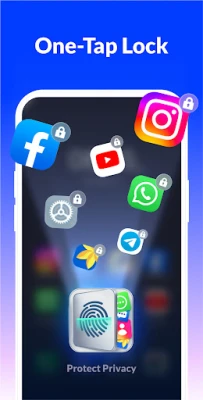
- Secure All Applications: Lock down essential apps like Facebook, WhatsApp, Messenger, Gmail, and more. Prevent unauthorized access and protect your privacy effortlessly.
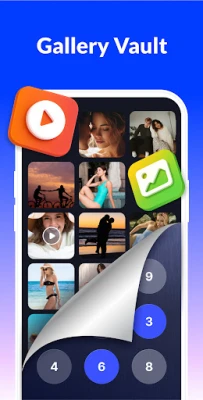
- Hide Photos and Videos: Transform your gallery into a secure vault. Encrypt your private memories, ensuring that only you can access them with a password.
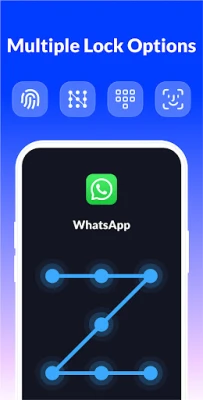
- Diverse Locking Options: Choose between pattern and fingerprint locks. With an invisible pattern feature, you can draw your unlock path without anyone peeking.
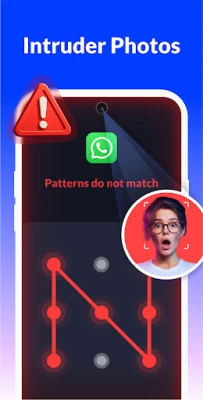
- Intruder Selfie Feature: Capture images of anyone who attempts to access your apps with the wrong password, adding an extra layer of security.
Why You Need an App Locker
- Protect Your Social Media: Eliminate the anxiety of others accessing your social media accounts, messages, and calls.
- Prevent Snooping: Keep your friends from prying into your personal information when they borrow your phone.
- Child Safety: Stop kids from sending unintended messages or altering system settings, ensuring a safe digital environment.
- Guard Your Private Data: Rest easy knowing that your sensitive information remains confidential.
Additional Features of the App Locker
- Lock New Apps Instantly: Automatically detect and lock newly installed applications with just one click for comprehensive protection.
- Real-Time Locking: Lock apps without delay, ensuring that no content is visible before the lock is activated.
- Customizable Re-Lock Timing: Set specific times for the lock to activate, eliminating the need to enter your password repeatedly.
- Advanced Protection: Hide the app locker from recent apps to prevent others from discovering it.
- Password Reset Options: Easily reset your password using security questions if you forget it.
- User-Friendly Interface: Enable or disable the app locker with a single click for effortless operation.
Understanding Permissions
To ensure optimal functionality, the app requires specific permissions:- All Files Access: This permission is necessary to hide your private photos, videos, and important files securely.
- Accessibility Permission: Required to enhance battery optimization, improve locking speed, and boost overall app performance. Rest assured, these permissions are solely for enhancing your experience.
Exciting Features Coming Soon
Stay tuned for upcoming features that will enhance your app locking experience:- Random keyboard PIN lock for added security.
- Enhanced intruder selfie functionality to capture unauthorized access attempts.
- Photo vault for encrypting and hiding your media files.
- Private browsing capabilities to surf the web without leaving traces.
- Customizable app locker icon to confuse potential snoopers.
- A variety of rich themes to personalize your app locker.
- Options to hide notification previews for added privacy.
Frequently Asked Questions
How to Use the Fingerprint Lock?
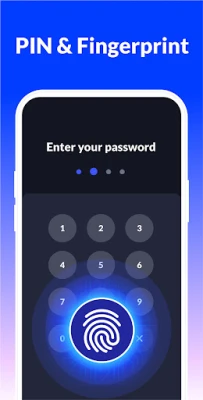
To enable Fingerprint Unlock, navigate to the app settings. Ensure your device supports fingerprint recognition and is running Android 6.0 or higher.
We are committed to continuously improving our app. Your questions and suggestions are always welcome. For inquiries, please contact us at xlockfeedback@gmail.com.
Why Choose Our App Locker?
If you're searching for a reliable app locker, look no further. Our app provides a seamless experience with just one click to block apps. Whether you prefer a fingerprint lock or a pattern lock, our app is designed to meet your needs while ensuring your privacy is never compromised.
With features like an intruder selfie, customizable locking options, and a user-friendly interface, our app locker stands out as a top choice for anyone looking to secure their applications. Download now and experience the peace of mind that comes with knowing your personal information is safe.
Rate the App
User Reviews















Popular Apps










Editor's Choice









