Latest Version
1.0.35
June 23, 2026
klebo
Tools
Android
0
Free
io.klebo.tvremote
Report a Problem
More About Any TV Remote Control
Transform Your Smartphone into a Universal Remote for Your Smart TV and TV Box
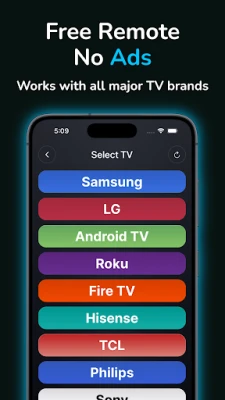
In today's digital age, managing multiple remotes can be a hassle. Fortunately, you can turn your smartphone into a powerful universal remote for your Smart TV and TV Box. This innovative solution works seamlessly with popular brands such as Samsung, LG, Philips, Hisense, Sony, TCL, Panasonic, Sharp, and Vestel, as well as platforms like Android TV, Amazon Fire TV, Apple TV, VIDAA, and Roku. Say goodbye to lost remotes and take control of your entertainment experience directly from your smartphone.
Universal Compatibility for Effortless Control
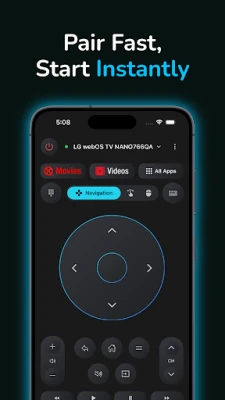
One of the standout features of this universal remote app is its extensive compatibility. You can connect to a wide range of Smart TVs and TV Boxes over Wi-Fi, ensuring that you can control your devices without any hassle. For smartphones equipped with a built-in IR blaster, you can also utilize infrared remote control for supported TVs. Enjoy fast pairing, a stable connection, and smooth performance, making your viewing experience more enjoyable than ever.
Comprehensive Remote Functionality
This app offers everything you would expect from a traditional remote, and even more:
- D-Pad Navigation: Easily navigate through menus and options.
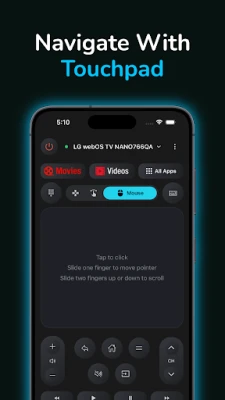
- Touchpad / Mouse Control: Use your phone as a touchpad for precise control.
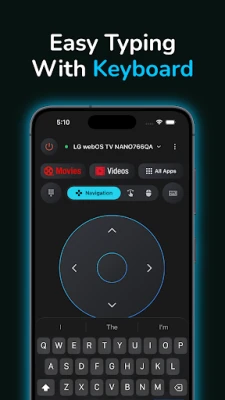
- Virtual Keyboard: Type quickly and efficiently with a built-in keyboard.
- Media Controls: Play, pause, adjust volume, and more with ease.
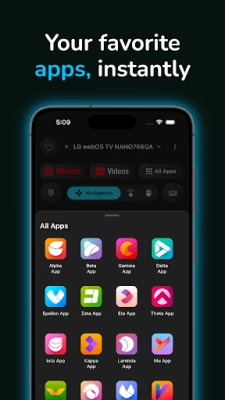
- Launch Installed TV Apps: Access your favorite applications directly.
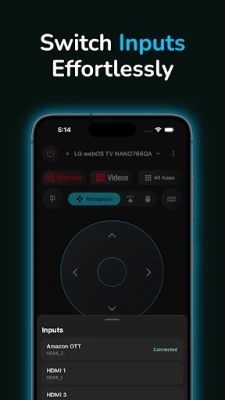
- Change TV Source/Input: Switch between different input sources effortlessly.
- Power Control: Turn your TV on and off, depending on model support.
- IR Remote Control: Utilize infrared capabilities on supported smartphones.
Seamless Casting of Photos and Videos
Enhance your viewing experience by streaming photos and videos directly from your phone to your TV. This feature supports casting on selected models and platforms, allowing you to share your favorite moments with family and friends on the big screen.
Smart and Convenient User Experience
The app boasts a clean and intuitive interface, making it easy for anyone to navigate. Enjoy quick access to your favorite apps, perfect for streaming, browsing, and everyday TV use. This app serves as an excellent replacement for your physical remote, providing a more streamlined and efficient way to control your entertainment system. It works over Wi-Fi and, for supported phones, via infrared, ensuring versatility in how you connect.
How to Get Started
Getting started with your new universal remote is simple:
- Ensure that your smartphone and TV are connected to the same Wi-Fi network.
- If using IR control, make sure your phone has a built-in IR blaster and point it at your TV.
- Open the app, select your device, and start controlling your TV instantly.
Download the App Today!
Don’t let the inconvenience of lost remotes disrupt your entertainment experience. Download the Any TV Remote Control app now and enjoy effortless control of your Smart TV and TV Box—all in one simple application. Experience the future of home entertainment management and take full control of your viewing experience with just a few taps on your smartphone.
Rate the App
User Reviews















Popular Apps










Editor's Choice









