

Latest Version
April 25, 2026
Bit-Build
Tools
Android
0
$3.49
com.spywaredetector.antimalware.antispy.security.pro
Report a Problem
More About Anti Spy AI - Spyware Security
Ultimate Guide to Anti Spy AI – Your Comprehensive Spyware Security Solution
In today's digital age, safeguarding your privacy is more crucial than ever. With the rise of spyware and intrusive applications, having a reliable tool to detect potential threats is essential. Enter **Anti Spy AI – Spyware Security**, an all-in-one application designed to protect your data, manage privacy, and alert you to intruders. This article delves into the features and benefits of this powerful app, ensuring you understand why it’s a must-have for anyone concerned about their online security.Why Choose Anti Spy AI – Spyware Security?
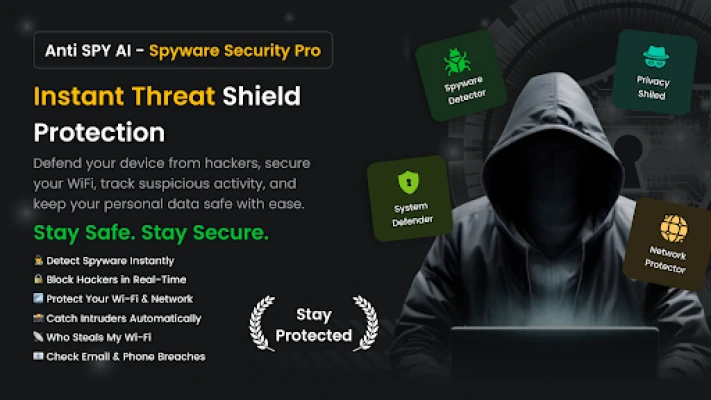
When it comes to protecting your personal information, Anti Spy AI stands out for several reasons:- AI-Assisted Scans: Leverage advanced artificial intelligence to identify potential spy behaviors.
- App Monitoring: Keep an eye on newly installed applications with user consent.
- Privacy Controls: Review permissions and manage your privacy settings effectively.
- Wi-Fi Security Checks: Ensure your network connections are safe and secure.
- Hidden App Detection: Identify concealed applications and adware.
- Lightweight Design: No root access required, with user-friendly controls.
- Intruder Alerts: Capture photos and locations of unauthorized access attempts.
Comprehensive Features of Anti Spy AI
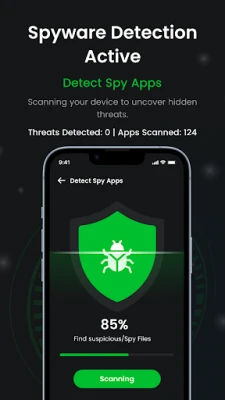
Anti Spy AI offers a suite of features designed to enhance your security and privacy. Here’s a closer look at what this app can do for you:1. Spyware Detector
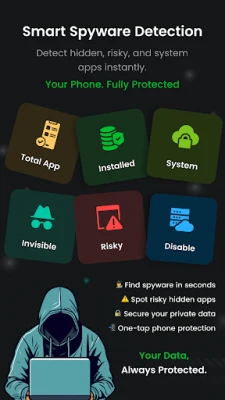
Utilize the Spyware Detector to scan installed applications for known spy or stalker behaviors. The app provides clear results and guidance, helping you identify any suspicious activity quickly.
2. Spy App Scanner
The Spy App Scanner conducts a deep analysis of background activities, revealing which apps request sensitive access to your camera, microphone, and location. This feature is vital for maintaining your privacy.
3. Spyware Remover
With the Spyware Remover, you can safely uninstall detected suspicious applications with just one tap. Additionally, it helps delete cache and residual files, freeing up valuable storage space on your device.
4. Permission Manager & Privacy Control
Review and manage permissions with the Permission Manager. This feature allows you to assess access to your camera, microphone, contacts, storage, and location, enabling you to revoke unnecessary permissions and minimize data exposure.
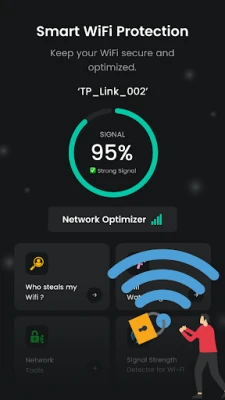
5. Wi-Fi Security Protection
Stay informed about your network with Wi-Fi Security Protection. Detect connected devices on your Wi-Fi network and view detailed connection information to enhance your privacy awareness.
6. Wi-Fi Safety & Network Tools
Access a range of network tools, including encryption information and connection details. The toolbox features utilities like Whois, Ping, Traceroute, Port Scanner, and IP-Host converter, ensuring you have all the tools needed for network security.
7. Hidden Apps Detector
The Hidden Apps Detector identifies applications that are disguised or not visible in your app launcher, helping you uncover potential threats.
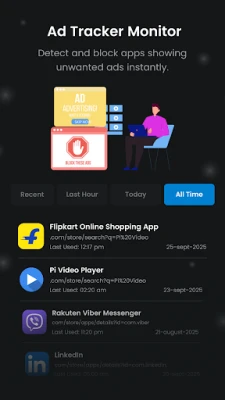
8. Popup Ad Detector
Identify applications linked to intrusive pop-up ads or background adware behavior with the Popup Ad Detector. Note that this feature does not block pop-up ads but helps you recognize problematic apps.
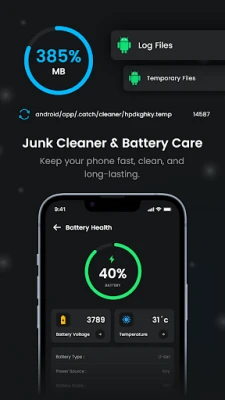
9. Junk & Cache Remover
Reclaim storage space with the Junk & Cache Remover, which eliminates cache and temporary files that can clutter your device.
10. Ping Test Tool
Measure latency and assess basic connection quality with the Ping Test Tool, ensuring your network is performing optimally.
11. Intruder Alert (Anti-Tamper)
Enhance your security with the Intruder Alert feature. In the event of incorrect unlock attempts, the app captures a photo using the front camera, records the device’s location, and sends an email alert to your configured address. This feature requires explicit user consent and necessary permissions.
Important Disclosures
Before using Anti Spy AI, it’s essential to understand the following:- Device Administrator permission may be required for specific security features you choose to enable.
- Intruder alerts can only email a photo and location after you enable the feature and grant the necessary permissions for camera, location, and email access.
- This app does not diagnose hardware issues and does not claim to enhance device performance or battery life.
Conclusion
In a world where digital threats are increasingly sophisticated, **Anti Spy AI – Spyware Security** provides a robust solution for protecting your privacy and data. With its comprehensive features, including spyware detection, app scanning, and intruder alerts, you can navigate the digital landscape with confidence. Don’t leave your security to chance; equip yourself with Anti Spy AI and take control of your online safety today.Rate the App
User Reviews















Popular Apps










Editor's Choice









