Latest Version
3.18.0
March 31, 2026
Anker
Tools
Android
0
Free
com.anker.charging
Report a Problem
More About Anker
Ultimate Control: Manage Your Devices Anytime, Anywhere
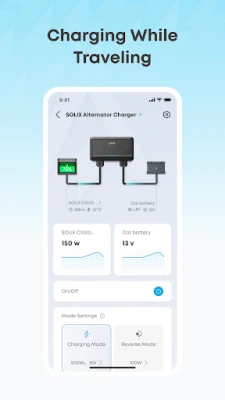
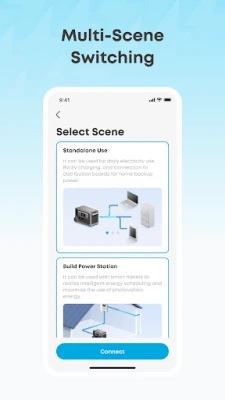
In today's fast-paced world, having the ability to control your devices remotely is not just a luxury; it's a necessity. With advanced technology, you can easily adjust the output power of each device and manage them from virtually anywhere. This article explores how you can take full advantage of your devices, ensuring they operate efficiently and effectively, no matter where you are.
Remote Device Management: Control at Your Fingertips
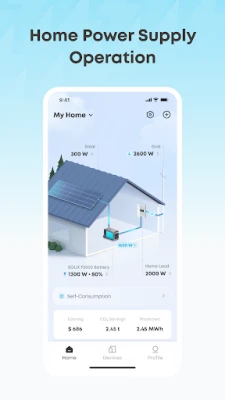
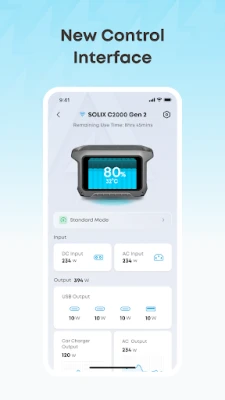
Imagine being able to turn your devices on or off with just a few taps on your smartphone. Remote device management allows you to do just that. Whether you're at home, at work, or on vacation, you can easily monitor and control your devices from anywhere. This feature is particularly useful for energy management, ensuring that you only use power when necessary.
Instant Status Updates: Stay Informed
Keeping track of your devices has never been easier. With real-time status updates, you can check the operational state of each device at a glance. This feature not only enhances convenience but also helps in troubleshooting issues before they escalate. If a device is malfunctioning or requires attention, you can quickly turn it on or off, ensuring optimal performance.
Seamless Updates: Keep Your Devices Current
Regular updates are crucial for maintaining the functionality and security of your devices. With over-the-air (OTA) firmware and software updates, you can ensure that your Anker products are always up to date. This feature eliminates the hassle of manual updates, allowing you to enjoy the latest features and improvements without any interruptions.
Supported Devices: A Comprehensive List
Here’s a list of devices that support these advanced features, ensuring you have the tools you need for effective management:
- 767 PowerHouse
- MI60 Microinverter
- Powered Cooler 30
- Powered Cooler 40
- Powered Cooler 50
- SOLIX F1200
- MI80 Microinverter (BLE)
- Prime Power Bank
- SOLIX E1600 Solarbank
- SOLIX F2600
- SOLIX F1500
- SOLIX C1000
- SOLIX C800
- SOLIX C800 Plus
- SOLIX F3800
- 0W Output Switch
- SOLIX C800X
- Home Power Panel
- Double Power Hub
- Solarbank 2 E1600 Pro
- SOLIX P1 Meter
- Smart Meter
- SOLIX F2000
- Solarbank 2 E1600 Plus
- SOLIX C300
- SOLIX C300 DC
- SOLIX C300X
- Smart Plug
- 160W Prime Charger
- 250W Prime Charger
- 240W Charging Station
- SOLIX C300X DC
- SOLIX C200(X)
- SOLIX C200 DC
- SOLIX C200X DC
- Solarbank 2 E1600 AC
- SOLIX Everfrost 2 40L Electric Cooler
- SOLIX Everfrost 2 58L Electric Cooler
- SOLIX F3800 Plus
- SOLIX Everfrost 2 23
- Solarbank 3 E2700 Pro
- SOLIX F3000
- SOLIX V1 Smart EV Charger
- 26K Prime Power Bank
- 20K Prime Power Bank
- 150W Charging Base
- SOLIX Alternator Charger
- Anker SOLIX E10
- Power Dock
- Smart Generator 5500
Conclusion: Embrace the Future of Device Management
In conclusion, the ability to control your devices anytime and anywhere is revolutionizing how we interact with technology. With features like remote management, instant status updates, and seamless OTA updates, you can ensure that your devices are always functioning at their best. Embrace these advancements and take control of your energy consumption and device management today.
Rate the App
User Reviews















Popular Apps










Editor's Choice









