

Latest Version
6.1
December 10, 2025
Style-7
Tools
Android
0
Free
com.style_7.analogclockwidgetplus_7
Report a Problem
More About Analog Clock Widget Plus-7
Unlock the Full Potential of Your Analog Clock: Features and Customization Options
In today's digital age, an analog clock can serve more than just a timekeeping function. With a variety of innovative features, you can transform your analog clock into a versatile tool that enhances your device's functionality and aesthetics. This article explores the myriad ways to utilize an analog clock, from floating overlays to live wallpapers, ensuring you make the most of this timeless accessory.
Floating Analog Clock: Always on Top
One of the standout features of the analog clock is its ability to function as a floating or overlay clock. This means you can position the clock above all other windows on your device, ensuring that you can always keep track of time without interrupting your workflow. The drag-and-drop method allows for easy customization of the clock's position, while you can also adjust its size to fit your preferences seamlessly.
Live Wallpaper: A Stylish Home Screen Addition
Transform your home screen into a dynamic display with the analog clock as a live wallpaper. You can set the size and position of the clock to create a personalized look that complements your device's theme. This feature not only enhances the visual appeal of your home screen but also keeps the time readily accessible at a glance.
App Widget: Quick Access to Time
For those who prefer a more traditional approach, the analog clock can be utilized as an app widget. This allows you to resize the clock using standard methods, making it easy to integrate into your home screen layout. With just a glance, you can check the time without needing to open any applications.
Fullscreen Mode: Immersive Timekeeping
Experience the analog clock in fullscreen mode, which keeps the screen on for uninterrupted viewing. This feature is particularly useful during presentations or when you want to focus solely on the time without distractions. The fullscreen mode ensures that the clock remains the center of attention, providing a clear and elegant display.
Charging Screensaver: A Functional Display
While your device is charging, the analog clock can serve as a screensaver, providing a stylish and functional display. This feature not only keeps you informed of the time but also adds a touch of elegance to your charging station, making it a perfect addition to your workspace or bedside table.
Night Clock Mode: Battery-Saving Elegance
Utilize the analog clock as a “Night Clock” with a calming mode that features a black background and dark-gray hands. This design not only saves battery life but also provides a soothing visual experience, making it ideal for nighttime use. Additionally, the random position change every minute helps protect your screen from burn-in, ensuring longevity.
Always on Screen: Time at a Glance
The “Always on Screen” feature allows the clock to remain visible even when your device's screen is turned off. However, it's important to note that this function must be manually activated in fullscreen mode. With options for brightness control and auto-lock on exit, you can customize how the clock appears when your device is idle.
Voice Features: Time at Your Command
Enhance your experience with the clock's voice feature, which allows it to announce the current time with a simple double tap or at set intervals, such as every hour. This hands-free option is perfect for multitasking, ensuring you never lose track of time while engaged in other activities.
Customizable Appearance: Tailor Your Clock
The analog clock offers a range of customization options to suit your style:
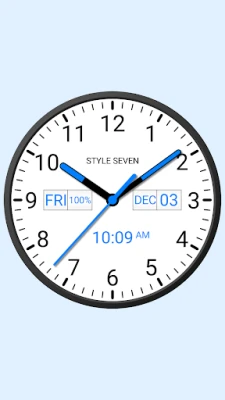
- Light or Dark Dial Styles: Choose between light and dark themes for the clock face.
- Font Selection: Pick from various fonts, including serif, sans serif, bold, and monotype.
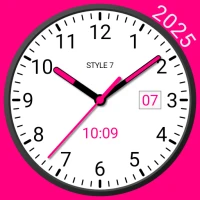
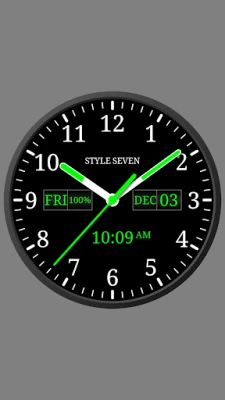
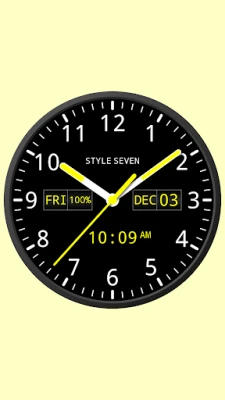
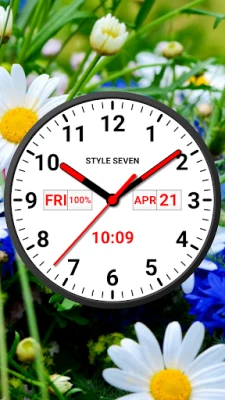
- Additional Information: Display the day of the week, date, month, and battery charge, with the option to hide or reposition any information.
- Language Support: The month and day of the week will appear in the language set by your global settings, making the clock universally accessible.
- Second Hand Display: Choose to show or hide the second hand for a classic or minimalist look.
- Background Customization: Select a background color or image to personalize your clock further.
- Digital Clock Option: Display a digital clock alongside the analog face, supporting both 12-hour and 24-hour formats.
Conclusion: Elevate Your Timekeeping Experience
The analog clock is more than just a timepiece; it is a multifunctional tool that can enhance your device's usability and aesthetics. With features like floating overlays, live wallpapers, and customizable appearances, you can tailor your clock to fit your lifestyle. Whether you need a calming night clock or a dynamic app widget, the analog clock offers endless possibilities for personalization and functionality. Embrace the versatility of the analog clock and transform the way you perceive time.
Rate the App
User Reviews















Popular Apps










Editor's Choice









