


Latest Version
20260120
February 28, 2026
bothwing
Tools
Android
0
Free
com.bothwing.allpicfinder
Report a Problem
More About All Image Downloader - Search
Ultimate Guide to Efficient Image Downloading: Mastering Bulk Downloads with Image Search Services
In today's digital landscape, the ability to efficiently search for and download images is crucial for content creators, marketers, and anyone who relies on visual media. This comprehensive guide will explore how to leverage image search services for bulk downloading, ensuring you can gather the visuals you need quickly and effectively.
Understanding Image Search Services
Image search services are powerful tools that allow users to find and download images from the web. These services can save you time and effort, especially when you need to gather a large number of images for a project. By utilizing these tools, you can streamline your workflow and enhance your productivity.
How to Search for Images Using Image Search Services
To begin your image search, you can use various online platforms that specialize in image retrieval. Here’s how to effectively search for images:
- Utilize Keywords: Input relevant keywords related to the images you need. This will help narrow down your search results to find the most suitable visuals.
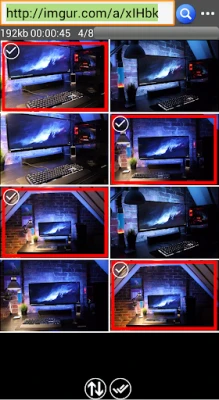
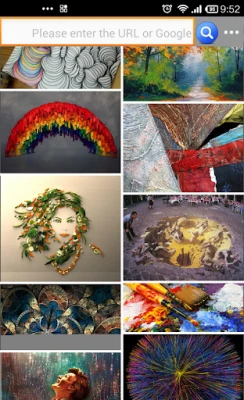
- Use URL Input: If you have a specific webpage in mind, you can input the URL directly into the image search service. This feature allows you to extract all images from that page efficiently.
Batch Downloading Images: A Step-by-Step Guide
Once you have identified the images you want, the next step is to download them in bulk. Here’s how to configure your download tasks:
1. Configuring Your Download Settings
Before initiating the download, it’s essential to configure your settings to ensure you get the right images:
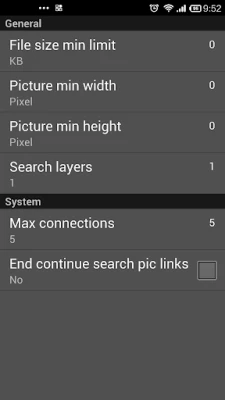
- Set Minimum File Size: Determine the minimum file size for the images you wish to download. This helps filter out low-quality images.
- Define Pixel Dimensions: Specify the minimum height and width for the images. This ensures that you only download images that meet your quality standards.
- Adjust Scanning Depth: Configure the scanning depth to control how many layers of a webpage the service should explore for images.
- Enable Safe Search: Activate safe search options to filter out inappropriate content.
- Select Regional Domains: If you are looking for images from specific regions, configure the regional domain settings accordingly.
- Maximize Connections: Set the maximum number of connections for downloading tasks to speed up the process.
2. Initiating the Download
After configuring your settings, you can start the download process. The image titles will be automatically saved as file names, making it easier to organize your downloaded content.
Benefits of Using Image Search Services for Bulk Downloads
Utilizing image search services for bulk downloading offers several advantages:
- Time Efficiency: Instead of downloading images one by one, you can gather multiple images simultaneously, saving valuable time.
- Organized Downloads: Automatic file naming helps keep your downloads organized, making it easier to locate specific images later.
- Quality Control: By setting parameters for file size and dimensions, you ensure that the images you download meet your quality requirements.
Conclusion: Streamline Your Image Downloading Process
In conclusion, mastering the use of image search services for bulk downloading can significantly enhance your workflow. By configuring your settings and utilizing the right tools, you can efficiently gather high-quality images for your projects. Whether you are a content creator, marketer, or simply someone in need of visuals, these strategies will help you save time and improve your productivity.
Start implementing these techniques today and experience the benefits of efficient image downloading!
Rate the App
User Reviews















Popular Apps










Editor's Choice









