


Latest Version
1.4.3
July 26, 2025
Bright Prospect
Tools
Android
0
Free
com.tapassistant.autoclicker
Report a Problem
More About AG Auto Clicker-Auto Tap
Unlock Efficiency with the Ultimate Auto Clicker: Key Features Explained
In today's fast-paced digital world, automation tools like auto clickers have become essential for enhancing productivity and streamlining tasks. Whether you're a gamer looking to gain an edge or a professional seeking to optimize repetitive actions, an auto clicker can significantly improve your workflow. Below, we delve into the key features that make this tool indispensable.
Multi-Touch Mode: Enhance Your Control
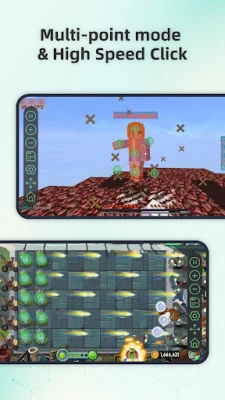
The Multi-Touch Mode allows users to set multiple taps or swipes that can operate either in sync or in sequence. This feature provides unparalleled control over complex actions, making it easier to automate tasks that require precision and flexibility. With this capability, you can execute intricate commands effortlessly, enhancing your overall productivity.
Record Mode: Capture and Automate Gestures
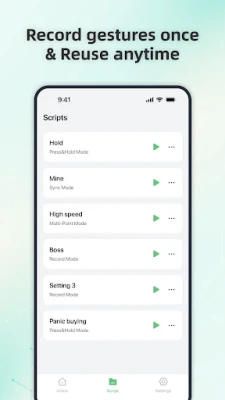
With the Record Mode, you can easily capture and automate complex gestures such as taps, swipes, and long presses. This feature is designed for efficient task repetition, allowing you to record your actions and replay them with a single click. This not only saves time but also minimizes the risk of errors during repetitive tasks.
Synchronous Click Pattern: Precision at Your Fingertips
The Synchronous Click Pattern feature enables you to tap multiple targets simultaneously with pinpoint accuracy. This is particularly beneficial for complex tasks that require multiple inputs at once. By utilizing this feature, you can streamline your workflow and accomplish tasks that would otherwise be cumbersome and time-consuming.
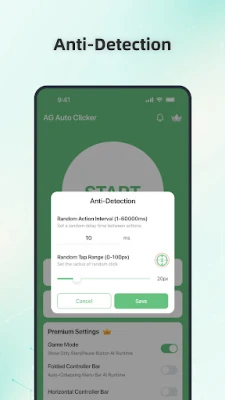
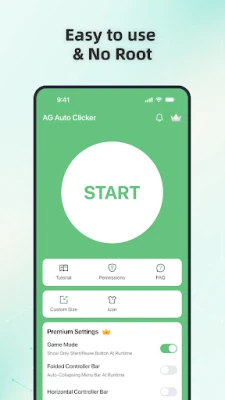
Game Mode: Stay Undetected
For gamers, the Game Mode is a game-changer. It incorporates advanced anti-detection technology, allowing you to automate actions without being flagged by the system. This feature ensures that you can enjoy your gaming experience without interruptions, giving you a competitive edge while keeping your gameplay smooth and undetected.
Save and Load Scripts: Effortless Configuration Management
The ability to Save and Load Scripts is a standout feature that allows you to easily manage your custom automation configurations. You can quickly switch between different scripts tailored to specific tasks, optimizing your workflow and ensuring that you have the right settings at your fingertips whenever you need them.
Custom Click Target: Personalize Your Experience
With the Custom Click Target feature, you can choose from a variety of styles for your tapping actions. This personalization allows you to tailor the auto clicker to your preferences, making it not only functional but also enjoyable to use. Whether you prefer a specific layout or design, this feature enhances your overall user experience.
Floating Controls Transparency: Seamless Multitasking
The Floating Controls Transparency option lets you adjust the visibility of floating controls, ensuring that they do not interfere with your multitasking efforts. This feature is particularly useful for users who need to juggle multiple applications simultaneously, allowing for a seamless and distraction-free experience.
Timer Start: Schedule Your Actions
With the Timer Start feature, you can set a custom start time for your taps, making it ideal for scheduled auto-clicking. This capability allows you to automate tasks at specific intervals, ensuring that you never miss a beat in your workflow. Whether it's for reminders, notifications, or timed actions, this feature adds a layer of convenience to your automation needs.
Accessibility Services Declaration: Ensuring Security and Functionality
This Auto Clicker application utilizes the Accessibility Services API to perform essential functions such as executing clicks, swipes, and other core interactions. It is important to note that accessibility permission is necessary for devices running Android 12 and above. Rest assured, we prioritize your privacy and do not collect or share any personal or sensitive data through these accessibility features.
Conclusion: Experience the Freedom of Automatic Tapping
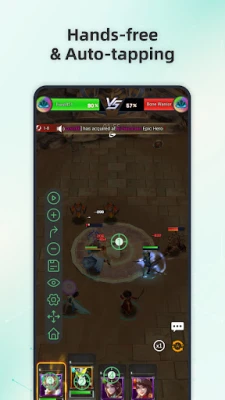
In conclusion, the Auto Clicker is a powerful tool designed to enhance your productivity and streamline your tasks. With features like Multi-Touch Mode, Record Mode, and Game Mode, you can automate complex actions with ease. Don't miss out on the opportunity to optimize your workflow—install the Auto Clicker now and enjoy the freedom of automatic tapping!
Rate the App
User Reviews















Popular Apps










Editor's Choice









