

Latest Version
1.3.1
July 06, 2026
AdGuard Software Limited
Tools
Android
0
Free
com.adguard.dnsclient
Report a Problem
More About AdGuard DNS
Enhance Your Online Security with AdGuard DNS: A Comprehensive Guide
In today's digital landscape, safeguarding your online presence is more crucial than ever. AdGuard DNS offers a robust solution by connecting you to a secure, privacy-focused DNS server that shields you from various online threats. This service is compatible with a wide range of devices, including smartphones, tablets, laptops, and routers, ensuring comprehensive protection without any limitations.
Why Choose AdGuard DNS for Your Home Network?
AdGuard DNS is an ideal choice for enhancing the security of your home network. It not only protects individual devices but also provides a seamless experience for managing multiple devices across different environments, such as schools, universities, and businesses. Here are some key benefits:
- Universal Compatibility: Whether you’re using a smartphone, tablet, or laptop, AdGuard DNS works effortlessly across all platforms.
- Network-Wide Protection: By configuring AdGuard DNS on your router, you can secure every device connected to your home network.
- Easy Management: Ideal for educational institutions and companies, it simplifies the process of managing numerous devices consistently.
Prioritizing Your Privacy with AdGuard DNS
One of the standout features of AdGuard DNS is its unwavering commitment to user privacy. Unlike many other DNS services, AdGuard DNS does not track user activity, collect personal data, or incorporate third-party analytics or advertising SDKs. This dedication to privacy ensures that your online activities remain confidential and secure.
For more detailed information about our privacy practices, you can review our Privacy Policy.
How to Set Up AdGuard DNS
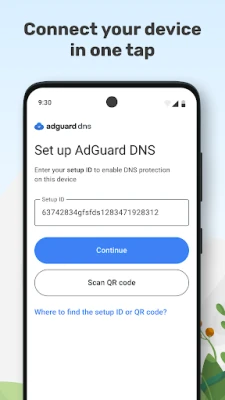
Setting up AdGuard DNS is a straightforward process that can be completed in just a few steps. Here’s how you can get started:
- Access Your Device Settings: Navigate to the network settings on your device or router.
- Change DNS Settings: Replace the existing DNS addresses with AdGuard DNS addresses. The primary DNS is 94.140.14.14 and the secondary DNS is 94.140.15.15.
- Save Changes: Ensure you save the changes and restart your device or router for the new settings to take effect.
Support and Assistance
If you encounter any issues or have questions regarding the setup or functionality of AdGuard DNS, our dedicated support center is available to assist you. You can visit our Support Center for comprehensive resources and assistance.
Conclusion: Secure Your Online Experience Today
In an era where online threats are increasingly sophisticated, utilizing a reliable DNS service like AdGuard DNS is essential for protecting your digital life. With its commitment to privacy, ease of use, and compatibility across devices, AdGuard DNS stands out as a premier choice for individuals and organizations alike. Take the first step towards a safer online experience by implementing AdGuard DNS today.
Rate the App
User Reviews















Popular Apps










Editor's Choice









