

Latest Version
21.4.0
May 08, 2026
Abu Dhabi Commercial Bank
Finance
Android
0
Free
com.adcb.bank
Report a Problem
More About ADCB
Unlock Enhanced Banking: Experience the Power of the ADCB Mobile App
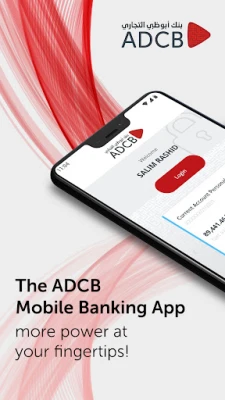
In today's fast-paced world, having banking services at your fingertips is essential. The ADCB Mobile App offers a streamlined experience that empowers users with a range of features designed for convenience and efficiency. Discover how this app can transform your banking experience.
Streamlined Payments and Transfers
The ADCB Mobile App features a simplified Payments and Transfers section, allowing you to manage your financial transactions effortlessly. With all your beneficiaries and registered billers displayed on a single screen, you can quickly access the information you need without any hassle.
Effortless Search Functionality
Finding payees and reviewing your transaction history has never been easier. The app includes a robust search feature that lets you filter results by name, amount, and other criteria. This functionality ensures that you can locate specific transactions or payees in seconds, saving you valuable time.
Dual Language Support for Enhanced Accessibility
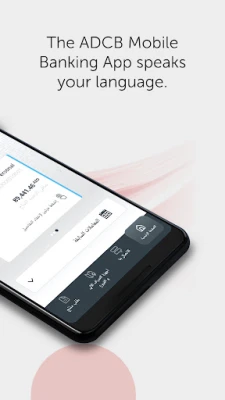
To cater to a diverse user base, the ADCB Mobile App offers a dual language option, supporting both Arabic and English. This feature ensures that all users can navigate the app comfortably, making banking accessible to everyone.
Continued Access to Essential Banking Services
In addition to the new features, the ADCB Mobile App allows you to continue enjoying a variety of essential services:
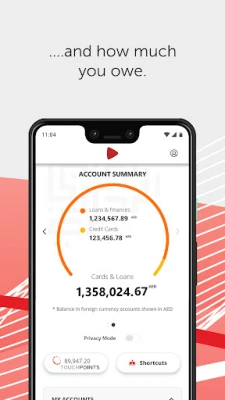
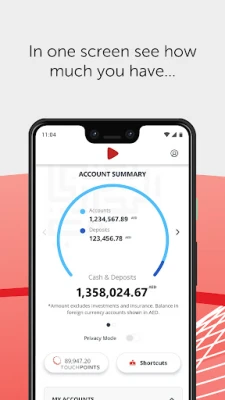
- Balance Preview: Quickly check your account balance without the need for complex navigation.
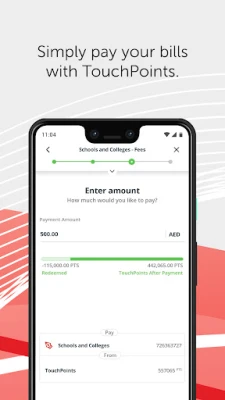
- Bill Payment: Pay your bills on time with just a few taps.
- Funds Transfer: Transfer money between accounts or to other banks seamlessly.
- Locate ADCB ATMs and Branches: Find the nearest ATM or branch with ease using the app's location services.
Getting Started with the ADCB Mobile App
If you are a new user of the ADCB Mobile App or are accessing it on a new device, follow these simple steps to register:
- Download and launch the ADCB Mobile App from your device's app store.
- When prompted, enter your ADCB Credit Card or Debit Card number along with your PIN. You will then receive an activation key sent to your registered mobile number.
- Alternatively, you can use your ADCB Customer ID and the activation key, which can be obtained through Personal Internet Banking or by contacting the 24/7 Customer Service Centre.
For Existing Users: Quick Authentication Process
If you are already an ADCB Mobile App user, the login process is straightforward. You will be prompted to enter your existing app password for authentication. Additionally, biometric re-enrollment may be required, depending on your device's capabilities, ensuring a secure and personalized experience.
Conclusion: Embrace the Future of Banking
The ADCB Mobile App is designed to provide users with a powerful and user-friendly banking experience. With its enhanced features, dual language support, and continued access to essential services, managing your finances has never been more convenient. Download the app today and unlock the full potential of your banking experience.
Rate the App
User Reviews















Popular Apps










Editor's Choice









